
Marketing Cloud2020–2023
Salesforce Intelligence: How I took over a half-built data flow and shipped it to production.
Salesforce IntelligenceSalesforce · Marketing Cloud Intelligence
- My role
- Senior Product Designer: owned user testing → release → analysis
- Team
- PM, 3 designers before me, engineering, customer support
- Constraint
- Legacy screens that couldn’t be rebuilt
- Platform
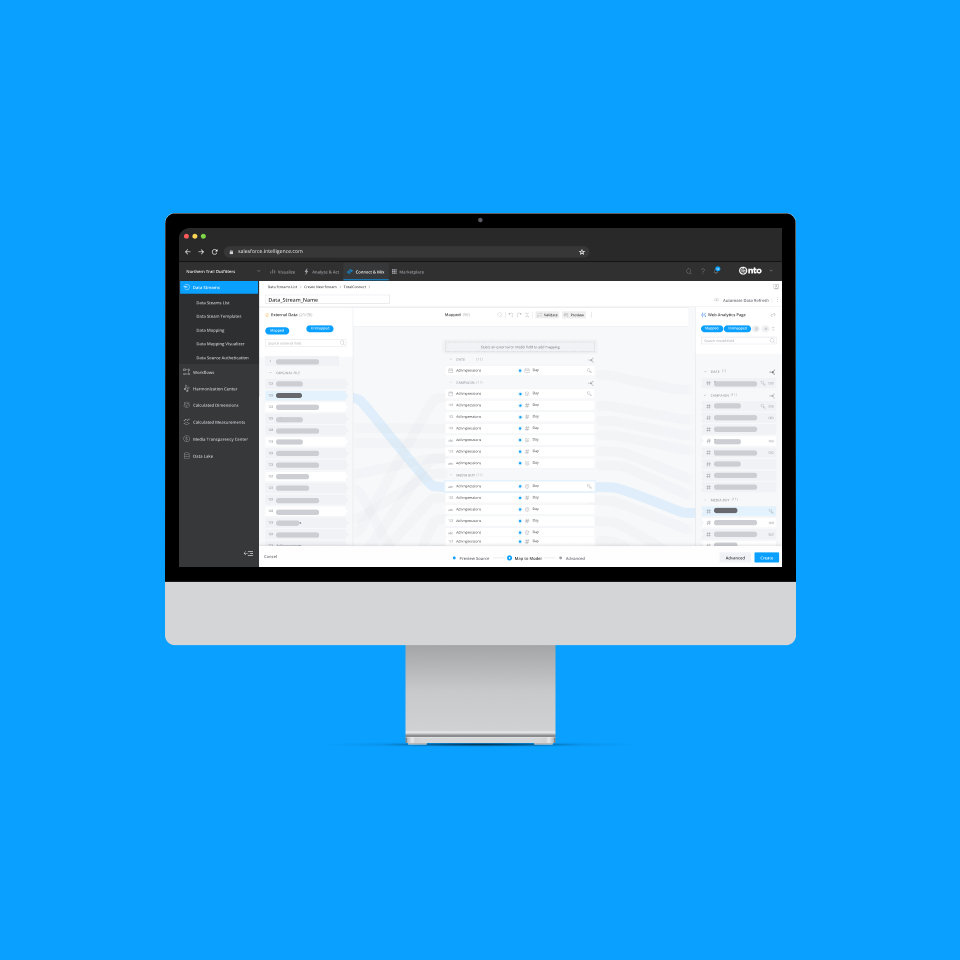
- Marketing Cloud Intelligence (Datorama), shipped 2022
01Problem
64% of analyst time went to managing data, not using it.
Marketers need proof of return on every investment, but first their data has to land in one model. Analysts uploaded, mapped and fixed campaign data by hand, every time new data arrived.
- of analysts’ time spent managing data
- 64%
- a day lost to data management
- 5 h
- marketing tools in the ecosystem
- 8,000+
- pain points we chose to solve
- 2
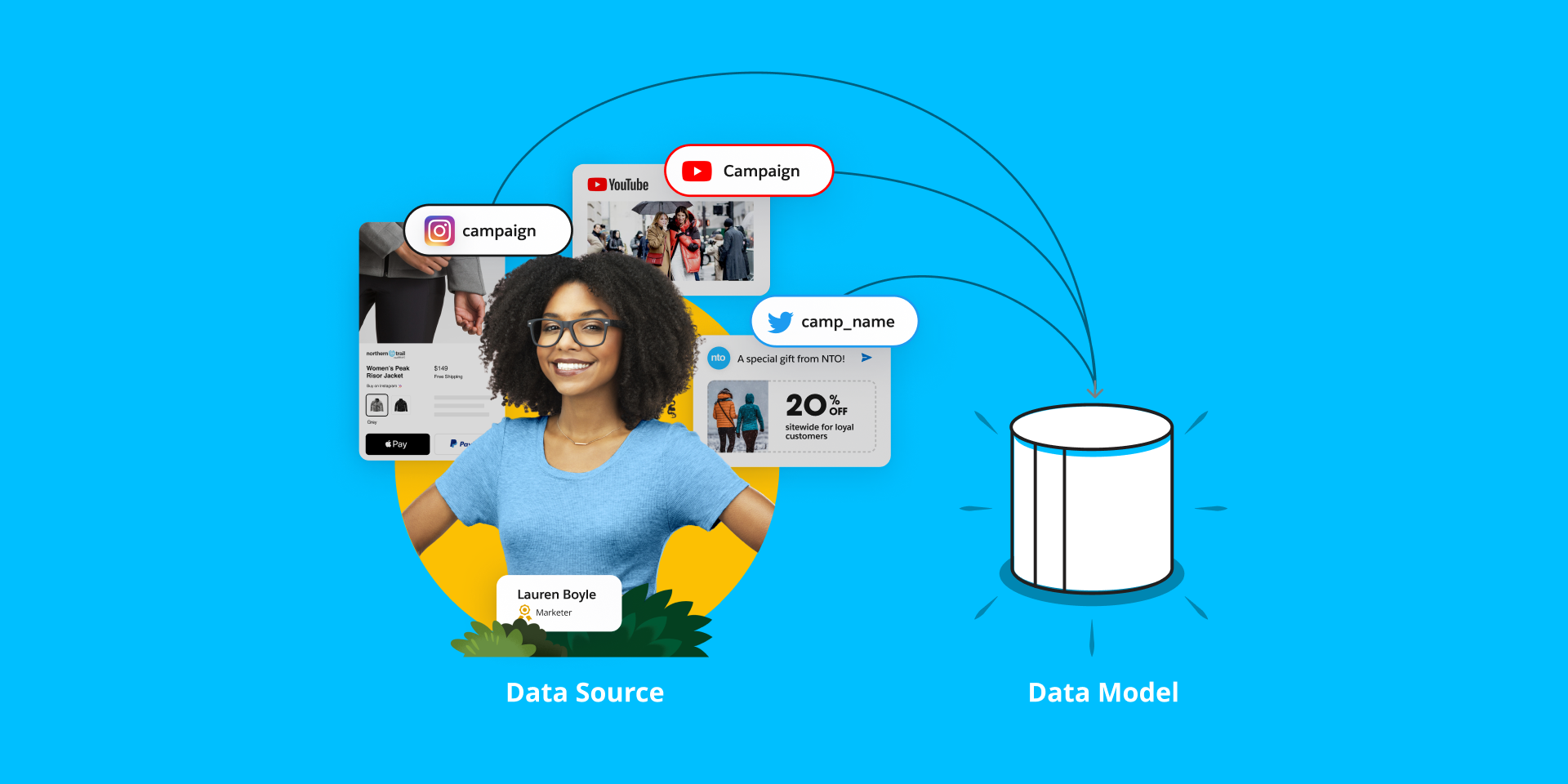
Two pain points, and one constraint
- 01
Manual data manipulation
Too much time, and too many errors, spent mapping and fixing data by hand.
- 02
No automation
Every new batch of data meant uploading it again.
- 03
A flow we couldn’t fully rebuild
UI constraints meant only parts of the flow could change; the rest had to stay, without disrupting users.
How might we
…cut the time and errors of getting data in, inside a flow we could only partly rebuild?
02My role
I took over at user testing, and carried it to production.
I joined Salesforce in 2020 and inherited the rebuild of the data-ingestion flow. Three designers had shaped planning, research and the first design; I owned everything from user testing through release and analysis.
Ownership handover
- 1Planning with PMDesigner 1
- 2ResearchDesigner 2
- 3Initial designDesigner 3
- 4User testingMe
- 5Final design & developmentMe
- 6ReleaseMe
- 7AnalyzeMe
What I did
From static wireframes to a shipped flow
My job was to bridge the gap between the initial concepts and a technical release.
- 01I ran user testing on the inherited concepts.
- 02I led final design with engineering, evolving static wireframes into a dynamic, flow-based UI.
- 03I took the flow through release to production.
- 04I analysed adoption and behaviour after launch with Amplitude.
03Pivot
The full rebuild wasn’t possible. So we changed the goal.
The beginning was frustrating: the plan was a complete rebuild, but the platform’s UI constraints allowed only parts of the flow to change. Narrowing the scope to three goals is what got it shipped.
Scope pivot
- We assumed
We could rebuild the entire ingestion flow from scratch.
- Brainstorming showed
After brainstorming the possibilities, we learned UI constraints meant only parts of the flow could be rebuilt.
- So we
refocused on three goals that worked within the constraints instead of around them.
Three goals that replaced the full rebuild
- 01
Streamline information
Eliminate or relocate unnecessary steps so the next action is always obvious.
- 02
Introduce a new UI
Where function couldn’t change, tie old and new screens together with consistent navigation.
- 03
Focus on pain points
Spend the effort where it matters most: mapping, validating and automating data.
04Design
Three decisions: connect, unify, automate.
Each goal became one concrete design decision, from choosing a source to a data stream that refreshes itself.
Key decisions
- 01
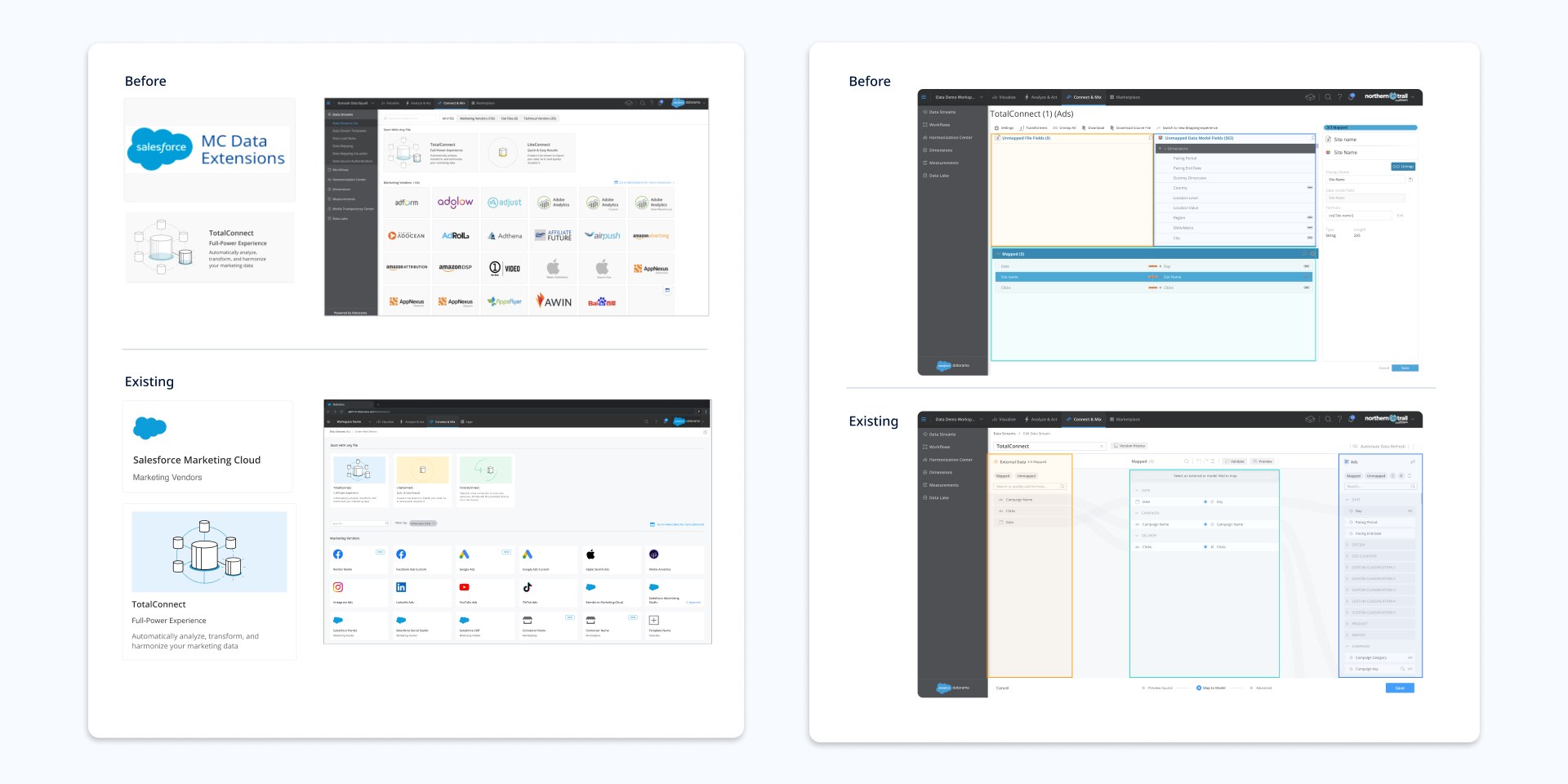
ChoseNew navigation (breadcrumbs, a header and a footer) around the screens we couldn’t change
OverChanging their functionality
BecauseBusiness concerns, development requirements and the need to minimise disruption to existing users ruled it out.
- 02
ChoseMachine-learning mapping with validation in context: errors in red, warnings in yellow, one click to the fix
OverManual field-by-field mapping, fixed after upload
BecauseManual mapping was where analysts lost time and made errors (pain point one).
- 03
ChoseAutomatic data refresh from vendors, email or FTPS/SFTP, reachable throughout the flow
OverRe-uploading files each time new data arrives
BecauseNo automation was pain point two. Every new batch meant starting over.
01Streamlined information
The first screen has one job: upload data or pick a technical vendor: file host, database or flat file. I removed or relocated every step that didn’t serve it.
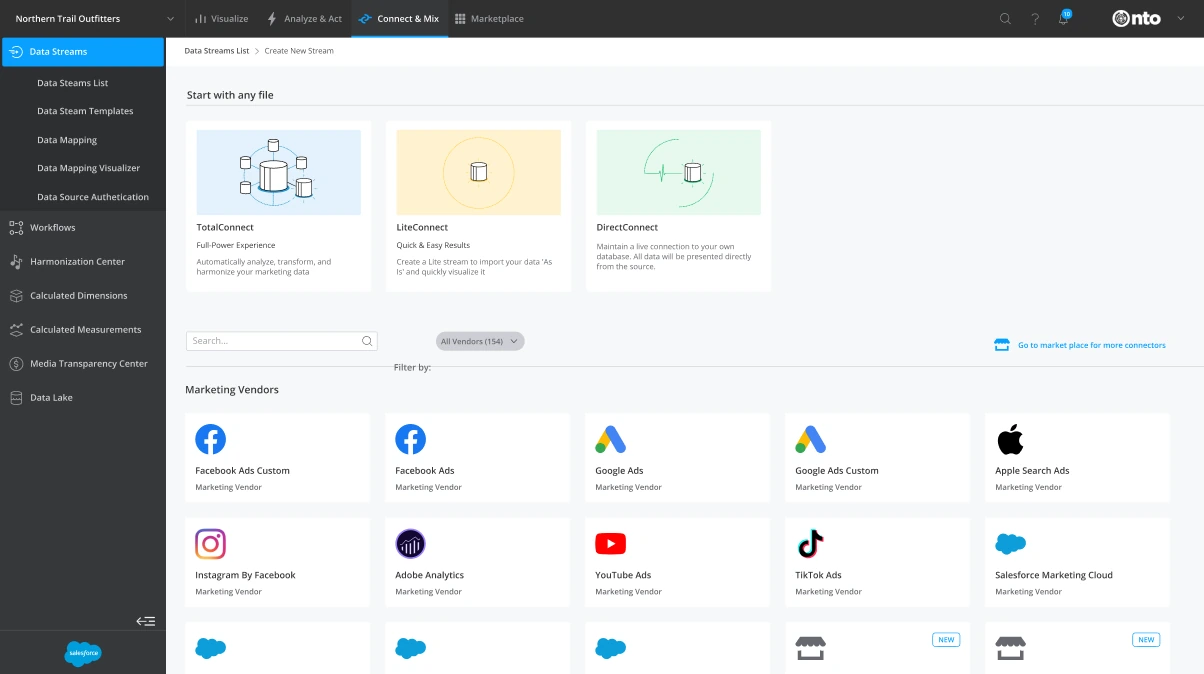
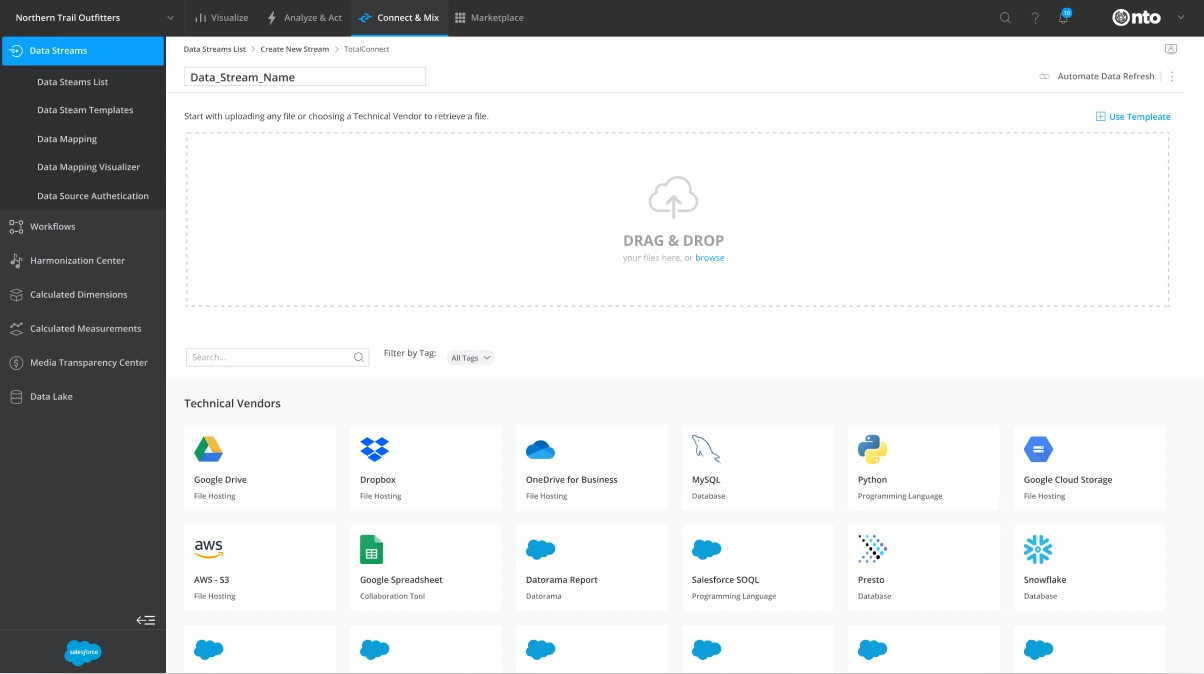
Start with any file, or pick from 150+ vendors.Upload a file or connect a technical vendor.
02A new UI around what couldn’t change
Breadcrumbs, a new header and a footer give old and redesigned screens one navigation model, a more cohesive relationship between them, without rebuilding what couldn’t change.
03Focused on the two pain points
Mapping connects the data, validation saves time and errors before data lands, and automation removes the re-upload.
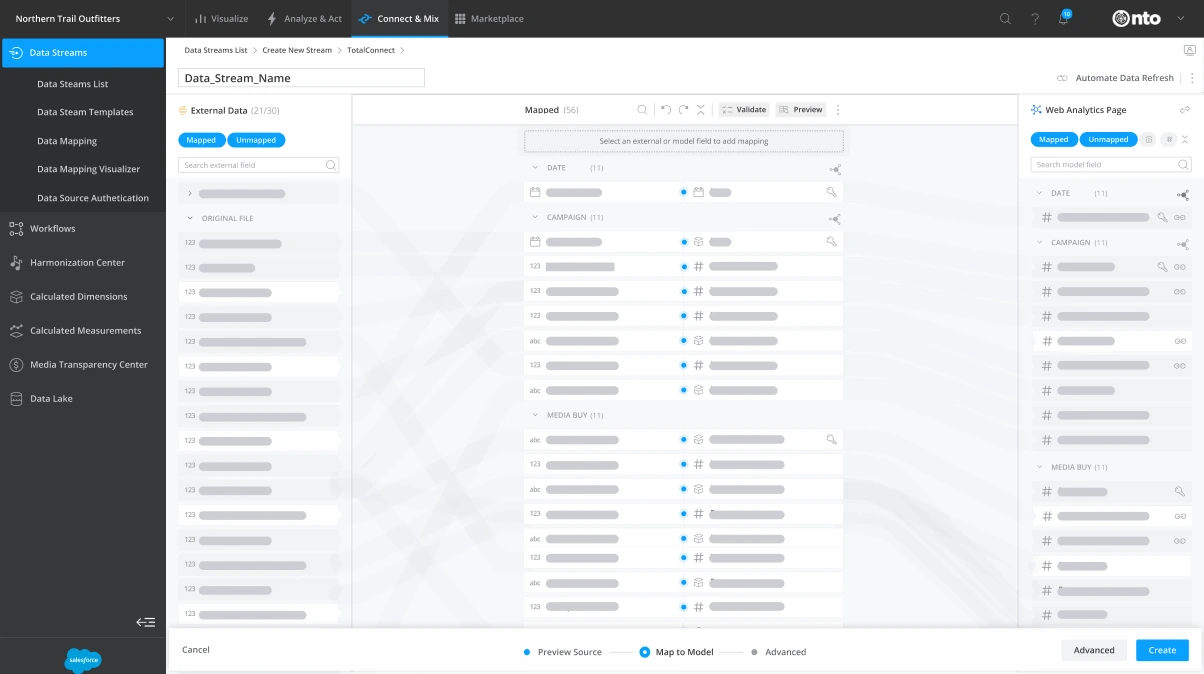
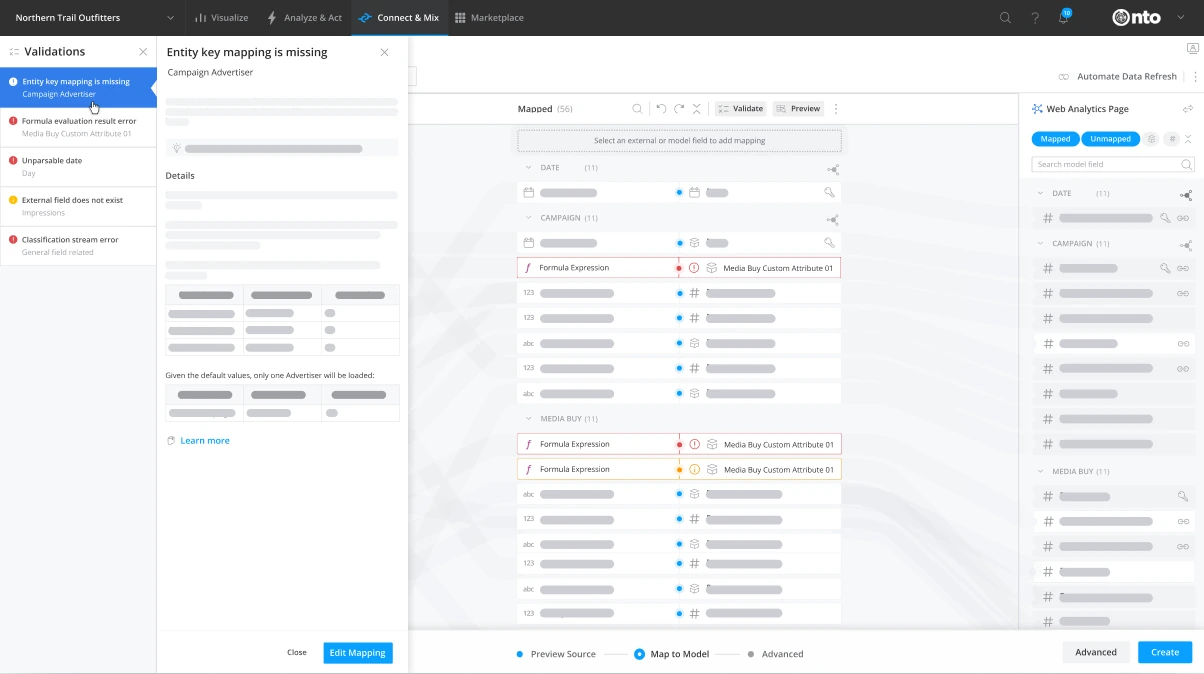
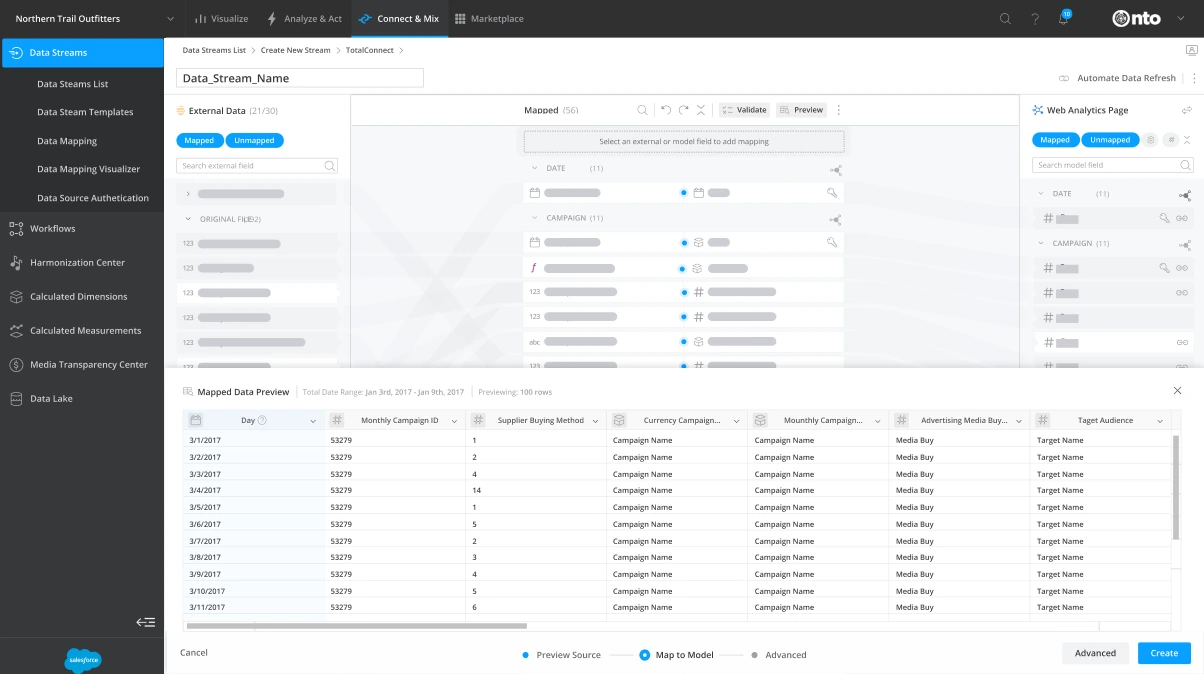
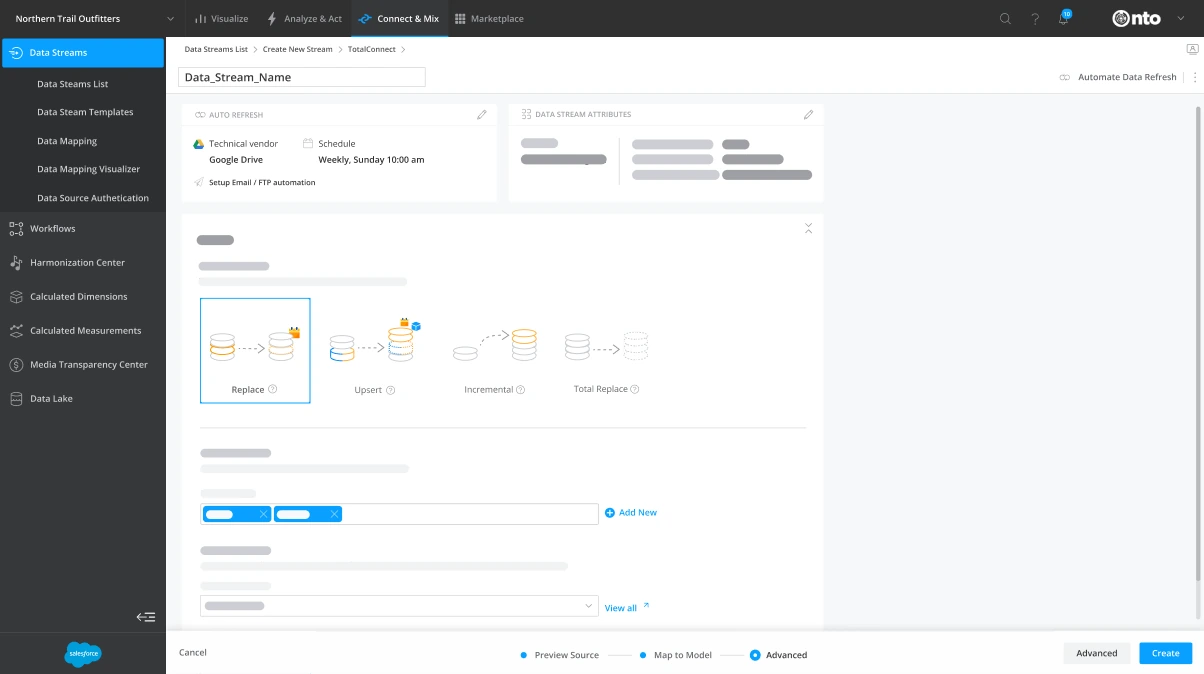
Machine learning maps source fields to model fields.Errors in red, warnings in yellow; click to see the fix.Check the mapped data before it lands.Schedule a vendor, email or FTPS/SFTP refresh.
Walkthrough
Data upload and mapping
The shipped flow end to end in Marketing Cloud Intelligence: upload, map, validate and automate.
05Measure
Analytics to decide, conversations to understand.
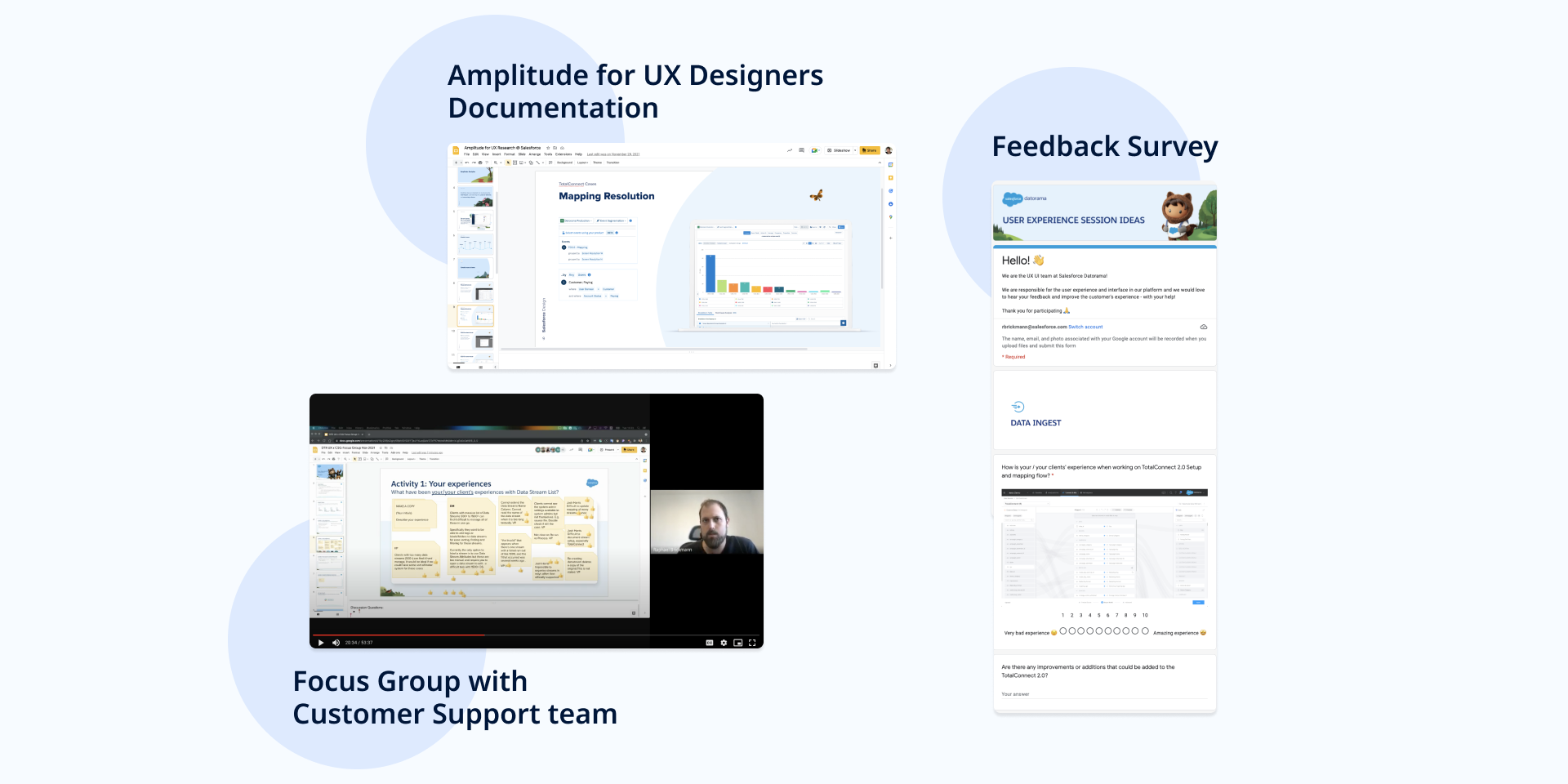
I paired quantitative and qualitative research, the strongest argument for influencing product decisions. Amplitude identified customer behaviour and measured each release; clients and customer support told us why.
Research channels
- 01
Amplitude analytics
Identified customer behaviour and measured each release, documented for the UX team.
- 02
Focus groups
Workshops with the customer support team on clients’ experience of data streams.
- 03
Feedback survey
Google Forms and Slack channels to collect ideas from clients and colleagues.
06Outcome
Less time and fewer errors getting data in, shipped in 2022.
Both pain points from the start were answered inside the constraints, and the rebuilt connector flow shipped to production in 2022.
UX impact
A measurable lift across three KPIs.
The UX/UI changes moved product performance on conversion, user friction and adoption speed.
- 01
Significant conversion lift
82%conversion rate on the new flow, up from 61% on legacy
- 02
Reduced user friction
1.5%take the drop-off path on the new flow, down from 6% (4× fewer)
- 03
Rapid market adoption
100%adoption of the new flow within three months
- 01
Manual manipulation → assisted mapping
Machine-learning mapping and validation in context catch errors before data lands.
- 02
No automation → automatic refresh
Data streams refresh from vendors, email or FTPS/SFTP instead of being re-uploaded.
- 03
Partial rebuild → one flow
Unnecessary steps removed, and legacy and new screens joined by one navigation model.
What I learned
Constraints can sharpen scope
Losing the full rebuild forced us to pick the three goals that mattered, and that focus is what shipped.
Inheriting work means testing it first
Starting at user testing let me validate three designers’ concepts before committing to final design.
Pair the numbers with voices
Amplitude showed what users did; support workshops and feedback channels explained why.
Next timeAdd time to a first mapped data stream and validation errors per upload to the KPIs, so the data-quality goal is measured as well as conversion.
Credits
- Role
- Senior Product Designer
- Client
- Salesforce · Marketing Cloud Intelligence
- Timeline
- 2020–2023
- Disciplines
- UX/UI Design
- Interaction Design
- Usability Testing
- Design Handover
- Analytics
- Recognition
- Connector flow rebuild shipped to production, 2022