
Generative AI2023
Creative Reality™ Studio: How I folded three generative-AI technologies into one self-service studio, #1 Product of the Day on Product Hunt.
Creative Reality™ StudioD-ID
- My role
- Product Design Consultant, embedded in D-ID’s product team
- Client
- D-ID
- Platform
- Creative Reality™ Studio · Web
- Scope
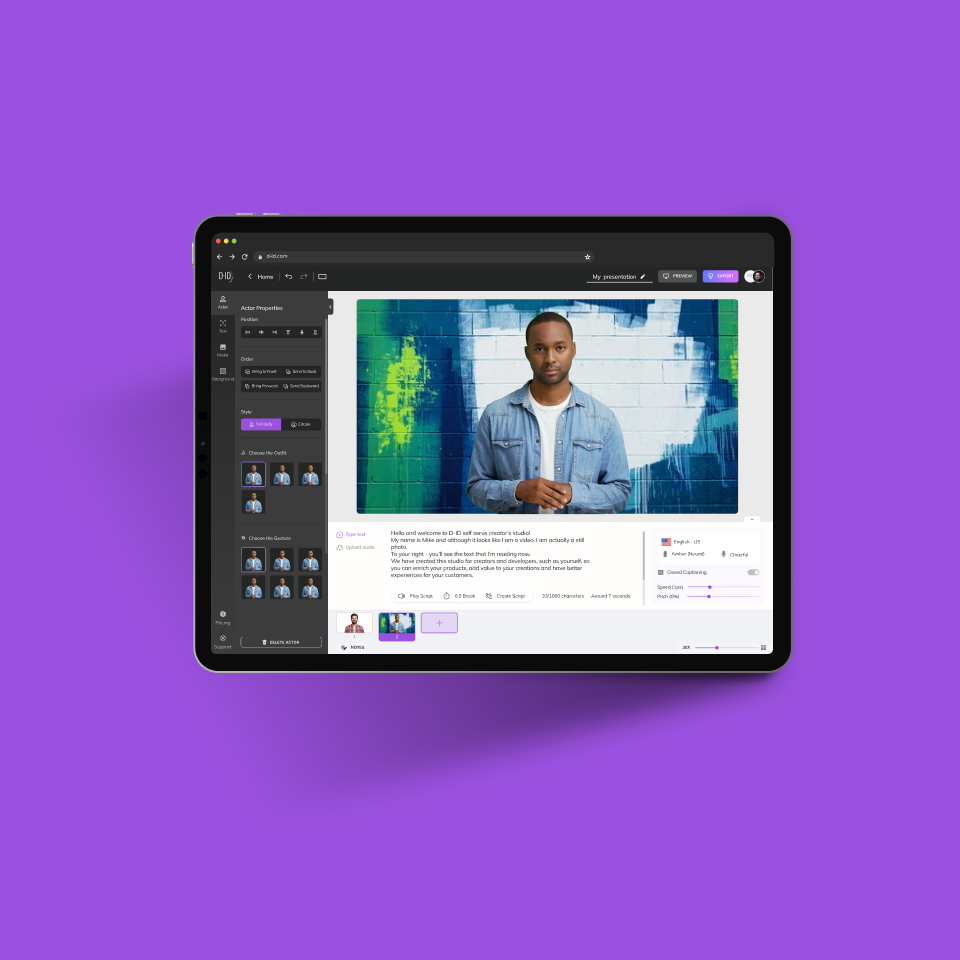
- Strategy · flow · UI for Avatar, Speak, Scene, Video
01Problem
Powerful AI, but no way in without a production team.
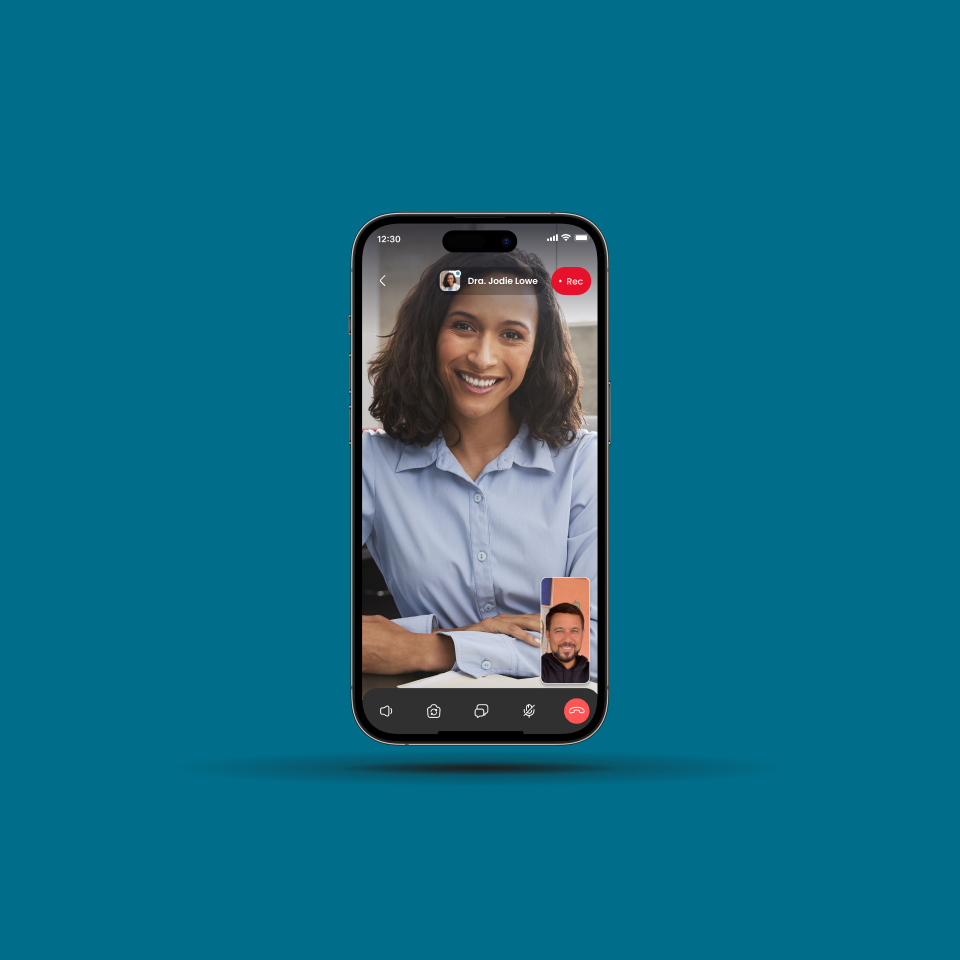
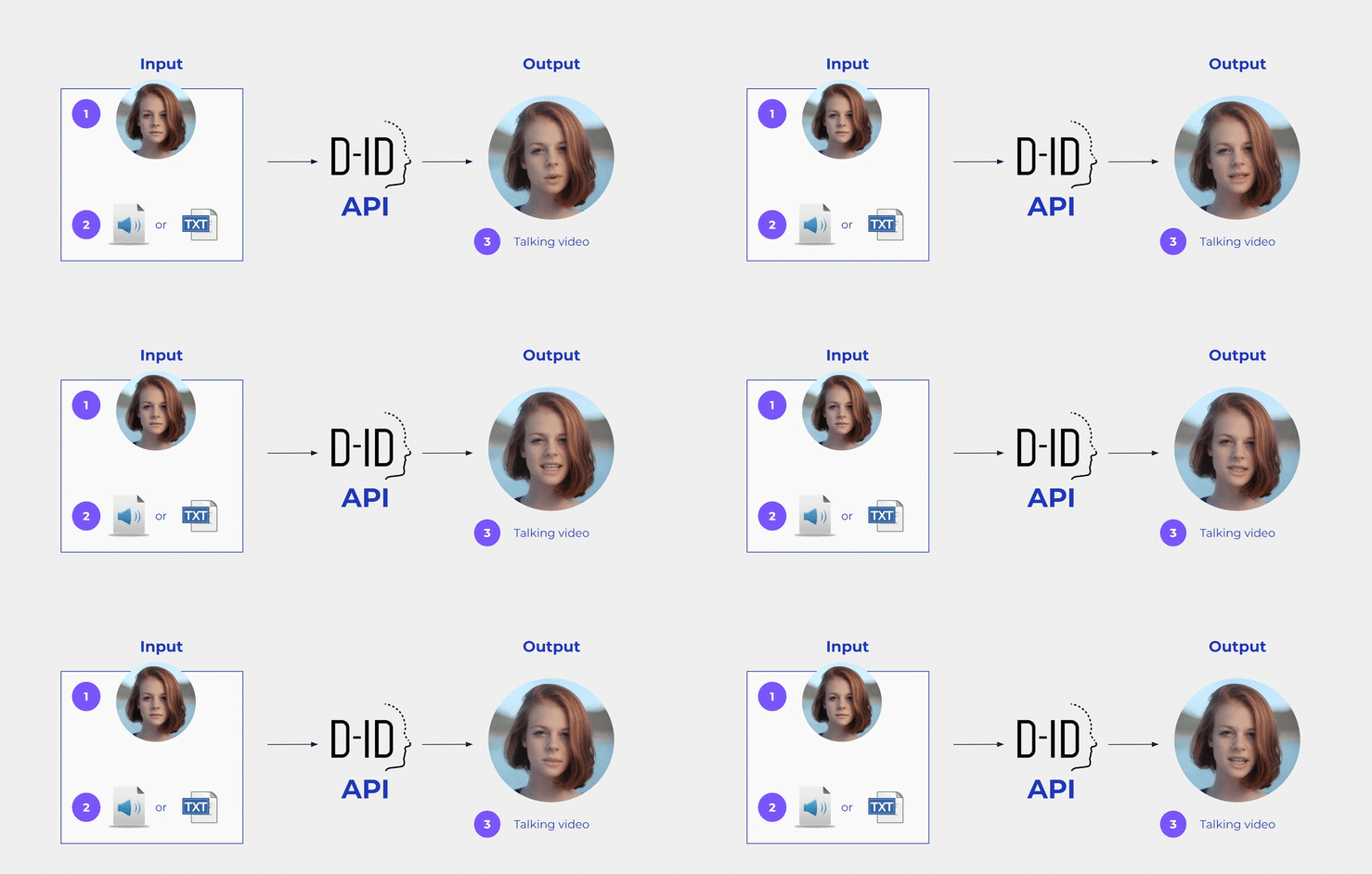
D-ID could animate any still face from a ‘driver’ video: movements, expressions and speech. The brief was a tool that let users explore all of the company’s available technology.
My role
I set the design strategy from inside the product team.
I joined D-ID’s product team as a product design consultant.
- 01I mapped the company’s goals and objectives.
- 02I identified user needs and pain points.
- 03I developed the design strategy for the studio.
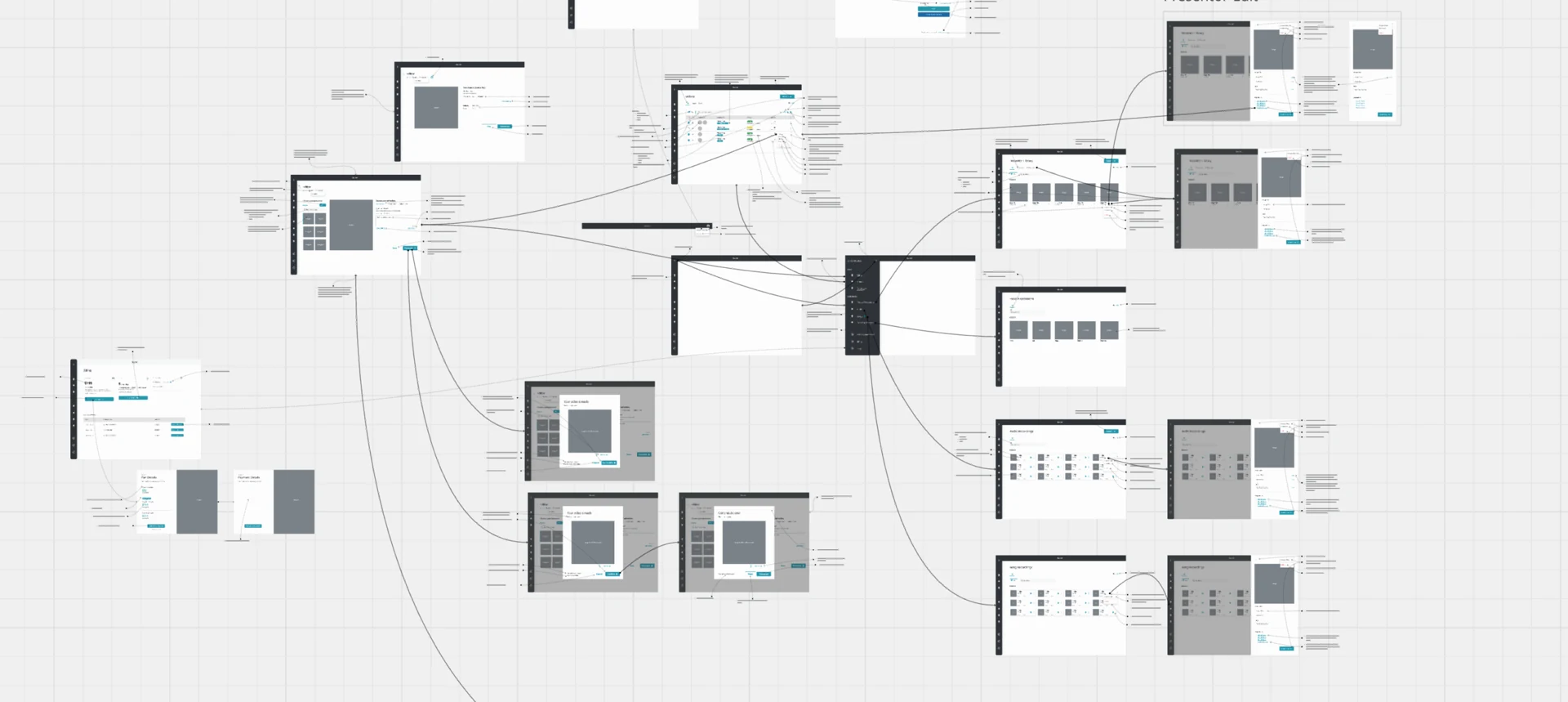
- 04I designed the end-to-end flow: Avatar, Speak, Scene, Video.
Who needed video without a production team
- 01
Marketers
Video content created without a production team.
- 02
Learning professionals
Video content for training and education.
- 03
Developers & CX experts
Talking avatars built into their own products and experiences.
Constraints
- 01
Three engines, one experience
Face animation, ChatGPT and Stable Diffusion each behave differently; the studio had to feel like one tool.
- 02
Unpredictable output
Generative video quality varies with the face, script and voice a user brings.
- 03
Every audience starts elsewhere
Some arrive with a photo, some with a recording, some with nothing at all.
How might we
…design one tool that lets anyone explore all of the company’s technology, whatever they start with?
02Define
Three technologies, one four-step flow.
The studio combines D-ID’s face animation, ChatGPT text generation and Stable Diffusion text-to-image. I organised them around what a creator does, not around the technology.
The self-service studio combines
- 01
Face animation
D-ID’s deep-learning face animation technology.
- 02
Text generation
ChatGPT text generation to help write the script.
- 03
Text-to-image
Stable Diffusion text-to-image capabilities to generate any face you can imagine.
Key decisions
- 01
ChoseOne linear flow: Avatar → Speak → Scene → Video
Overa separate tool per technology
Becausethe brief was a single tool to explore all of D-ID’s technology; a creator thinks in face, words and scene, not in models.
- 02
ChoseThree ways into every step: pick, upload or generate
Overone required input per step
Becausemarketers, learning teams and developers arrive with different material; each can start from what they already have.
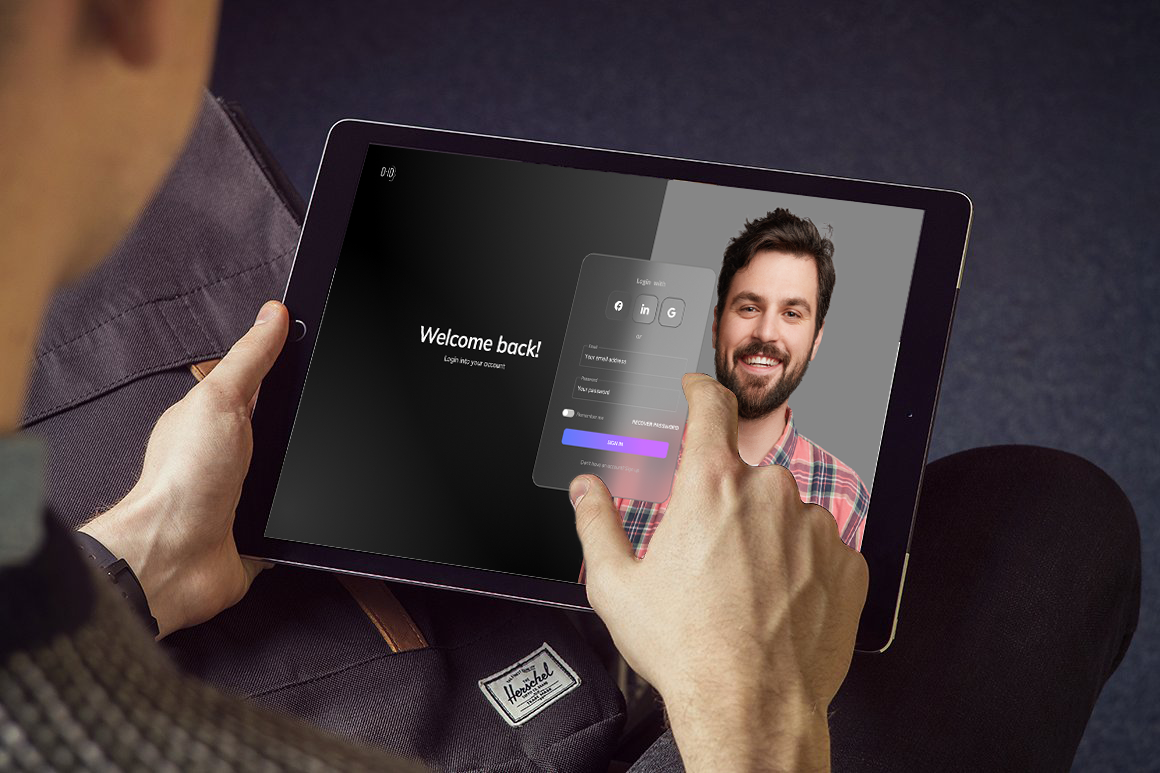
03Design
Pick, upload or generate, at every step.
Each step offers three ways to the result. Here is how that decision plays out across the studio.
01Avatar: 3 ways to create a face
Choose an optimised photorealistic or illustrated face, upload your own image, or generate any face with Stable Diffusion.
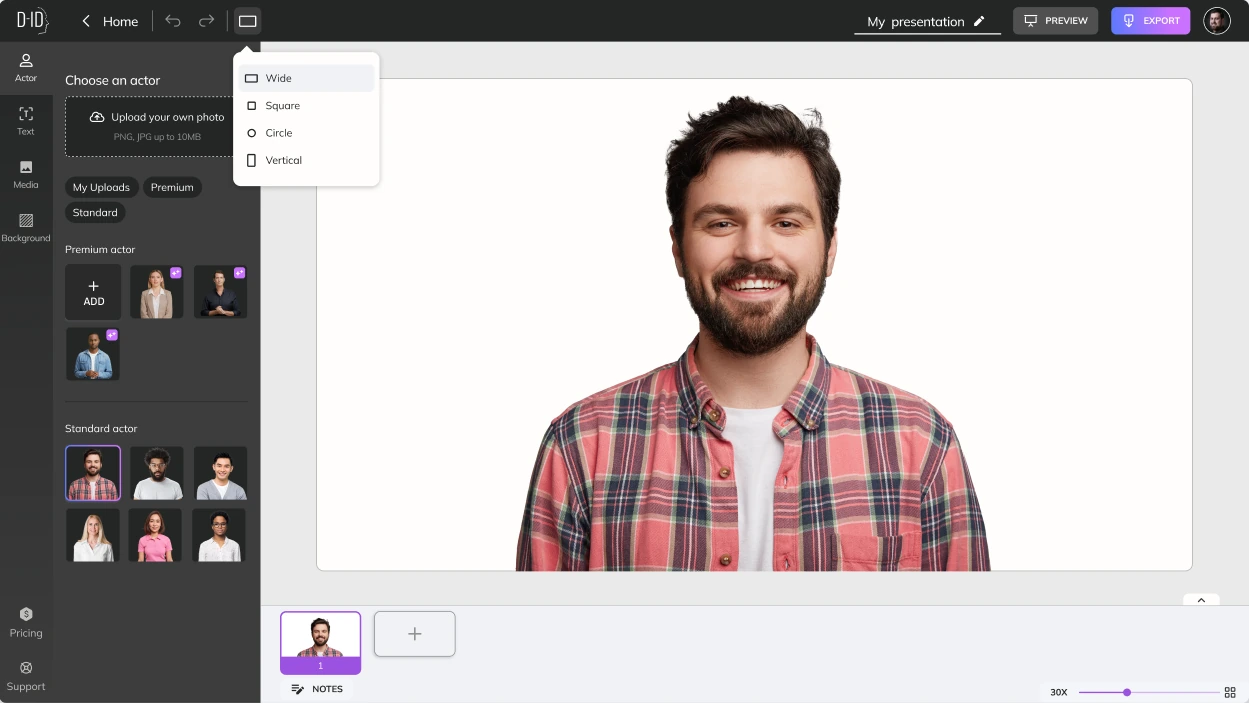
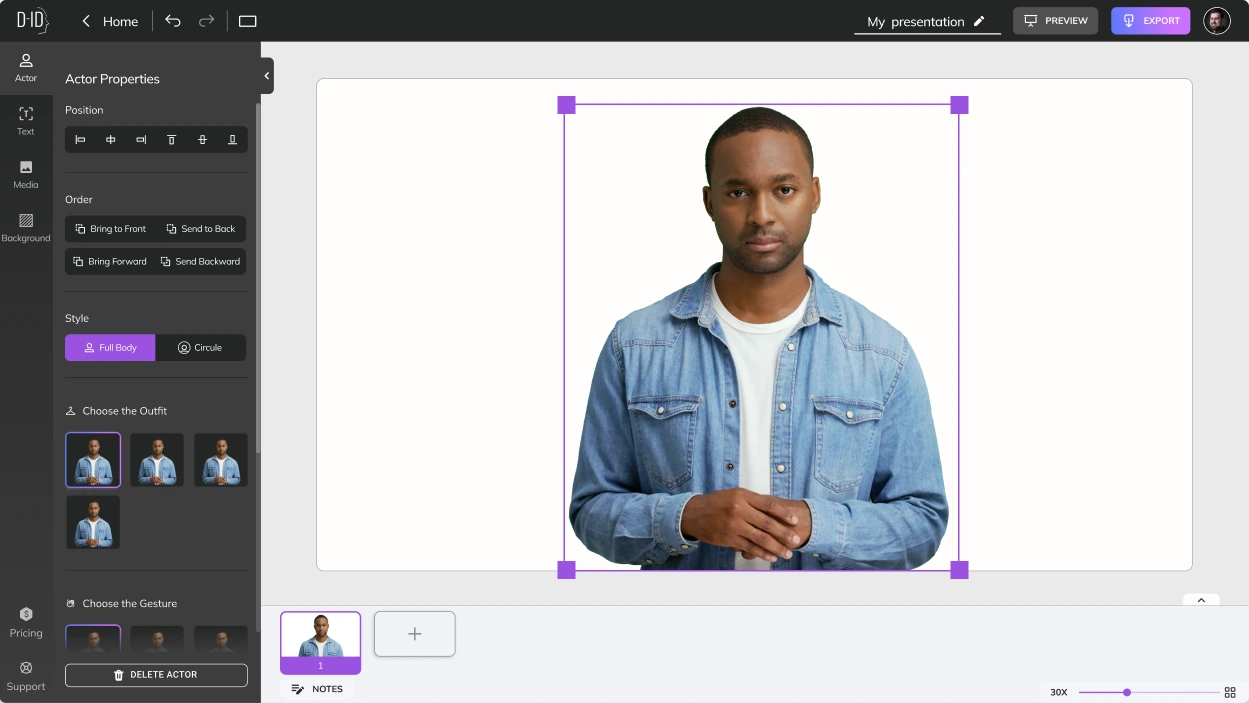
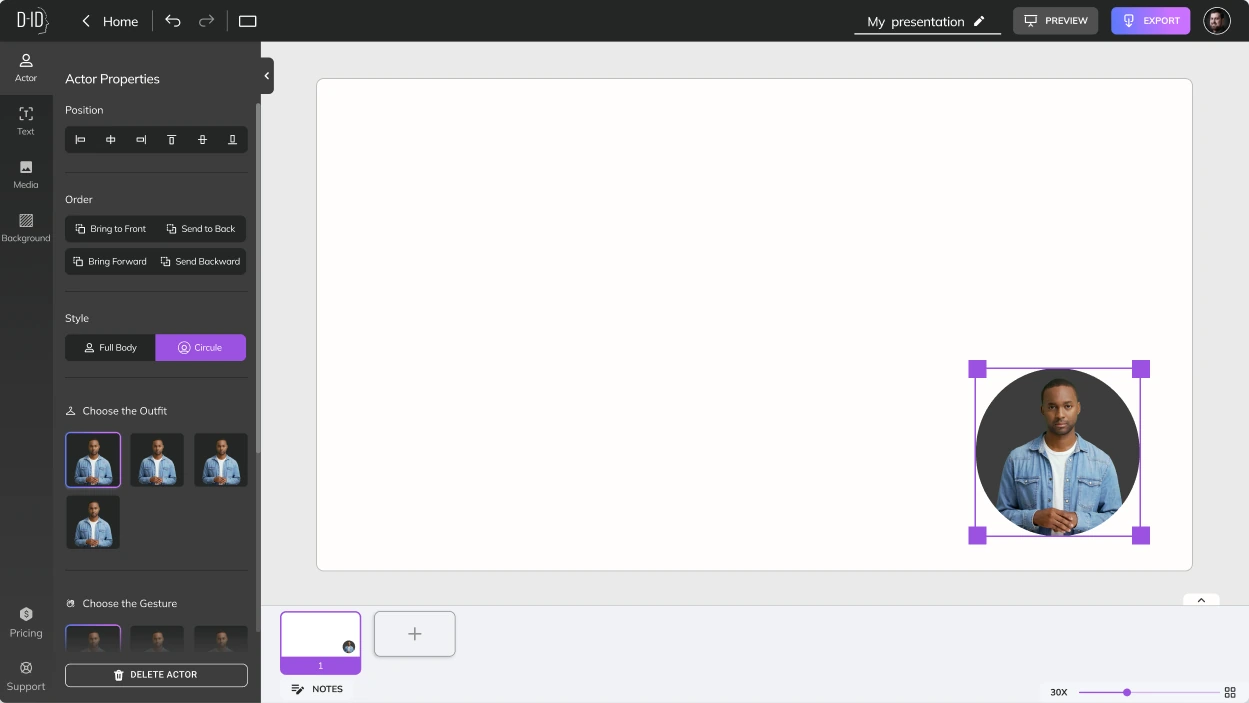
Pick a face or upload your own, in wide, square, circle or vertical format.Set the actor’s position, order and full-body or circle style.The circle style frames the avatar as a presenter over the scene.

02Speak: 3 ways to make your avatar speak
Type any text, let ChatGPT help write the script, or upload a recording. Then choose from hundreds of languages and accents, the voice and its speaking style.
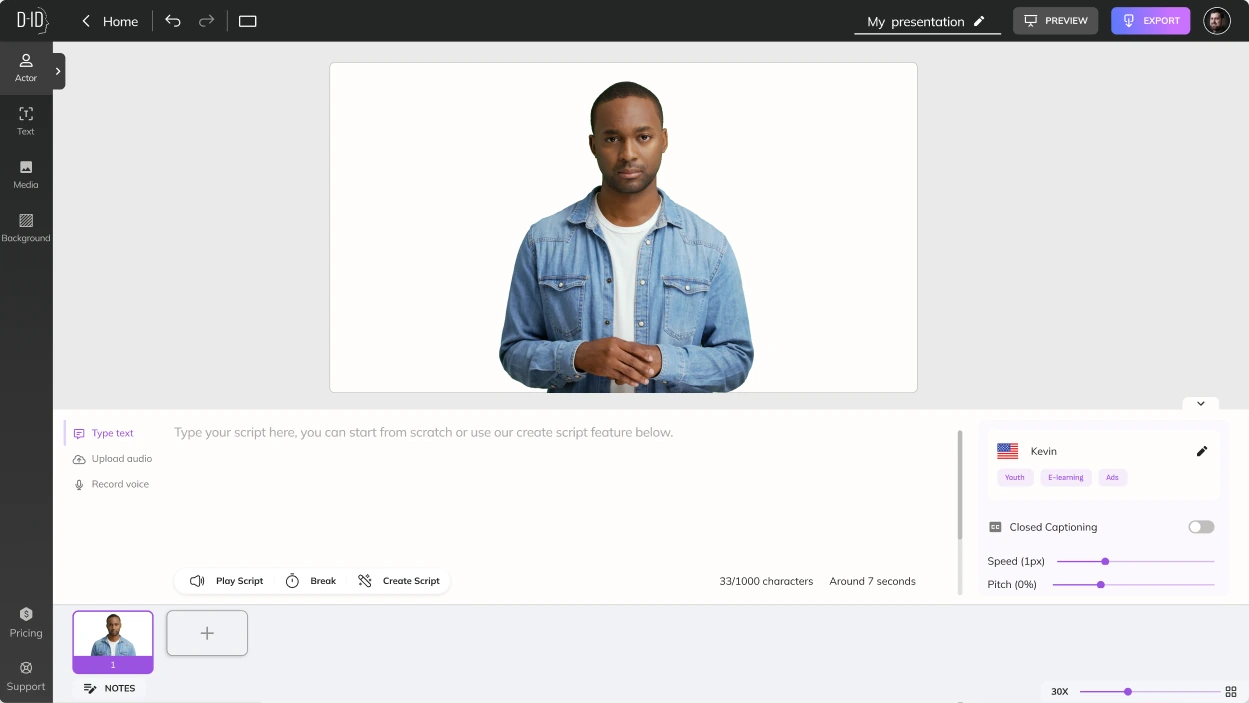
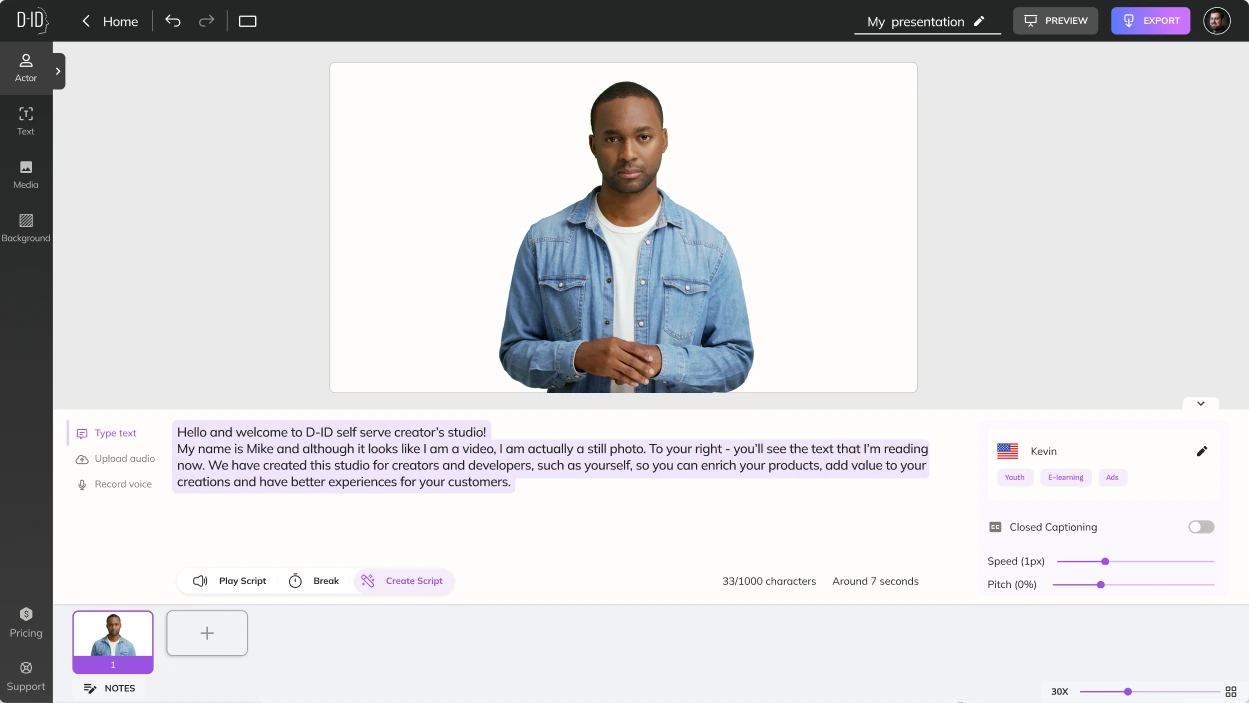
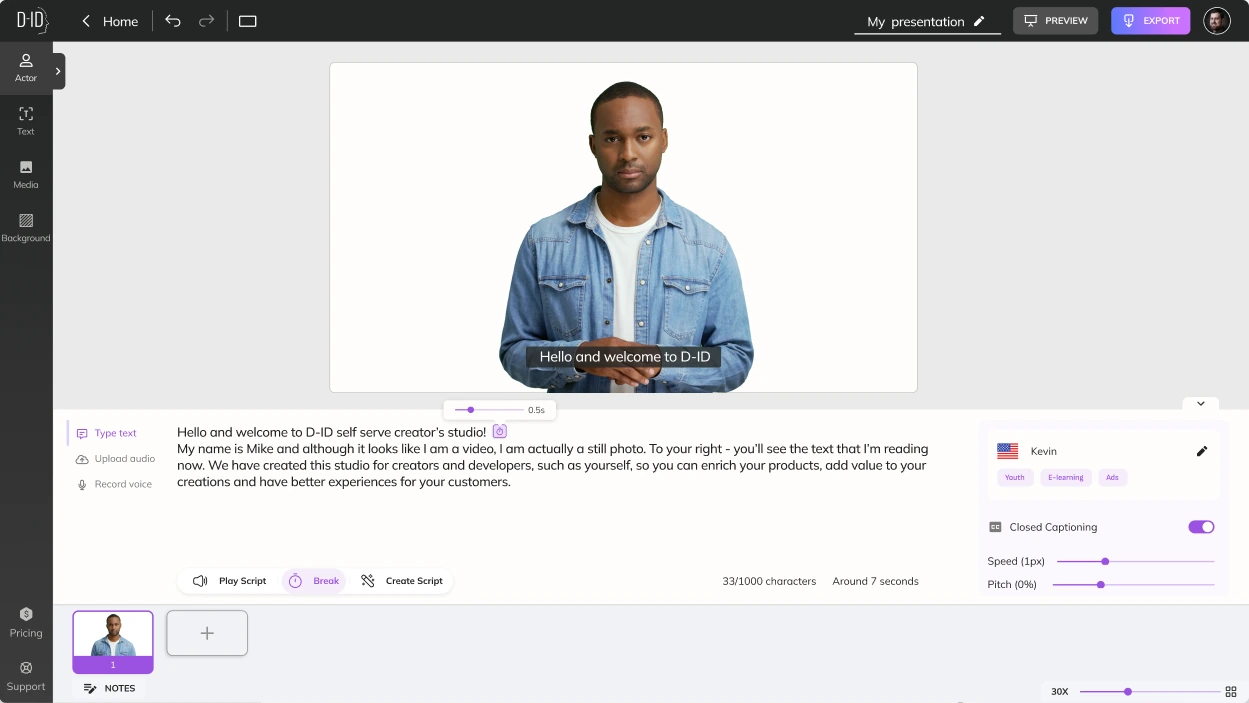
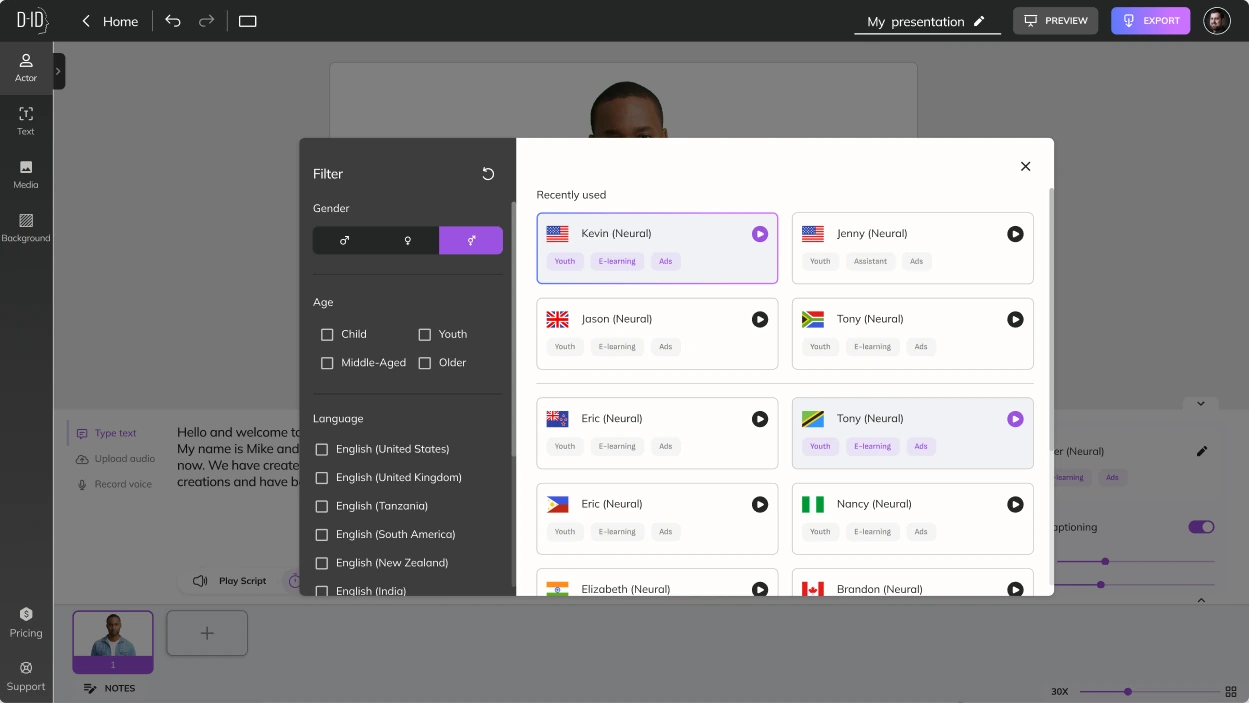
Type a script, upload audio or record your voice, then play it back.Create the script with ChatGPT text generation.Insert breaks and closed captions into the script.Filter voices by language, gender and age.

03Scene: 3 ways to modify scenarios
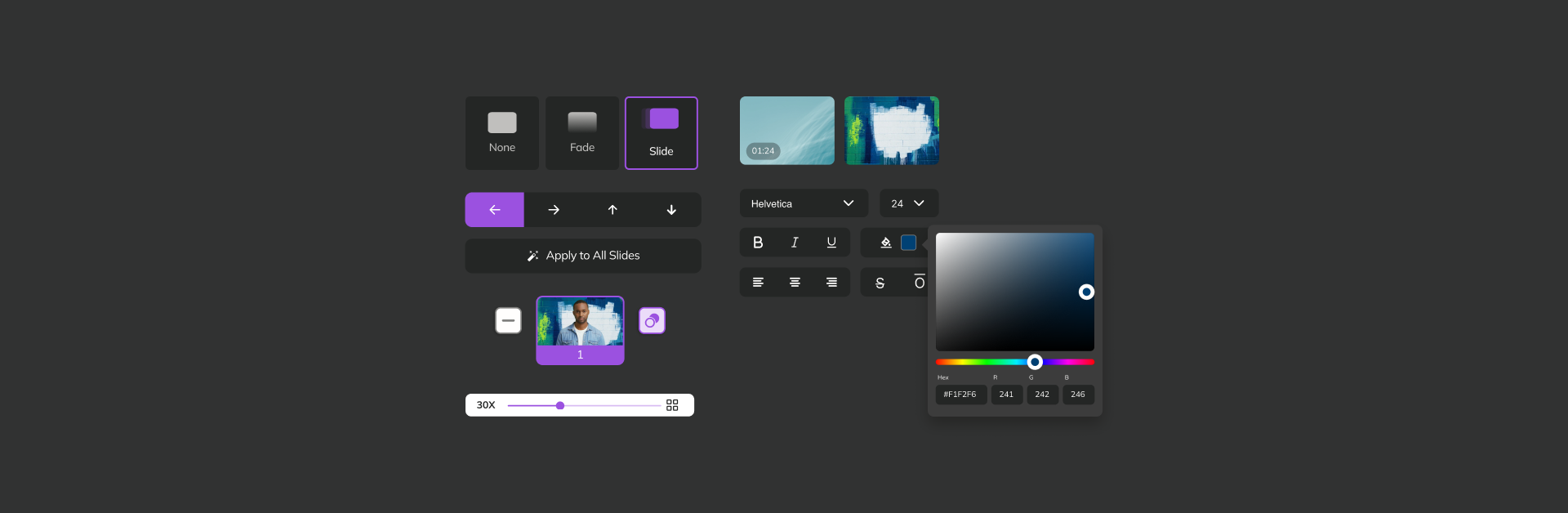
Add text, personalise the background with an image or video, and build multiple scenes with transitions between them.
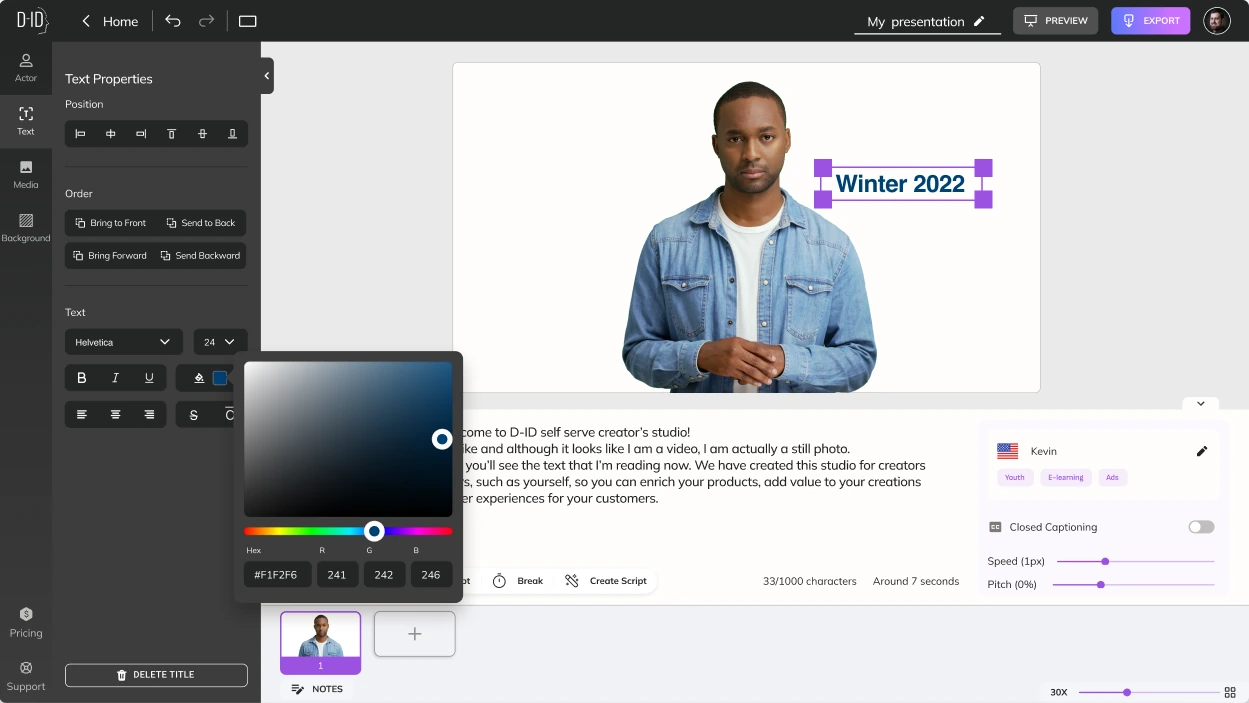
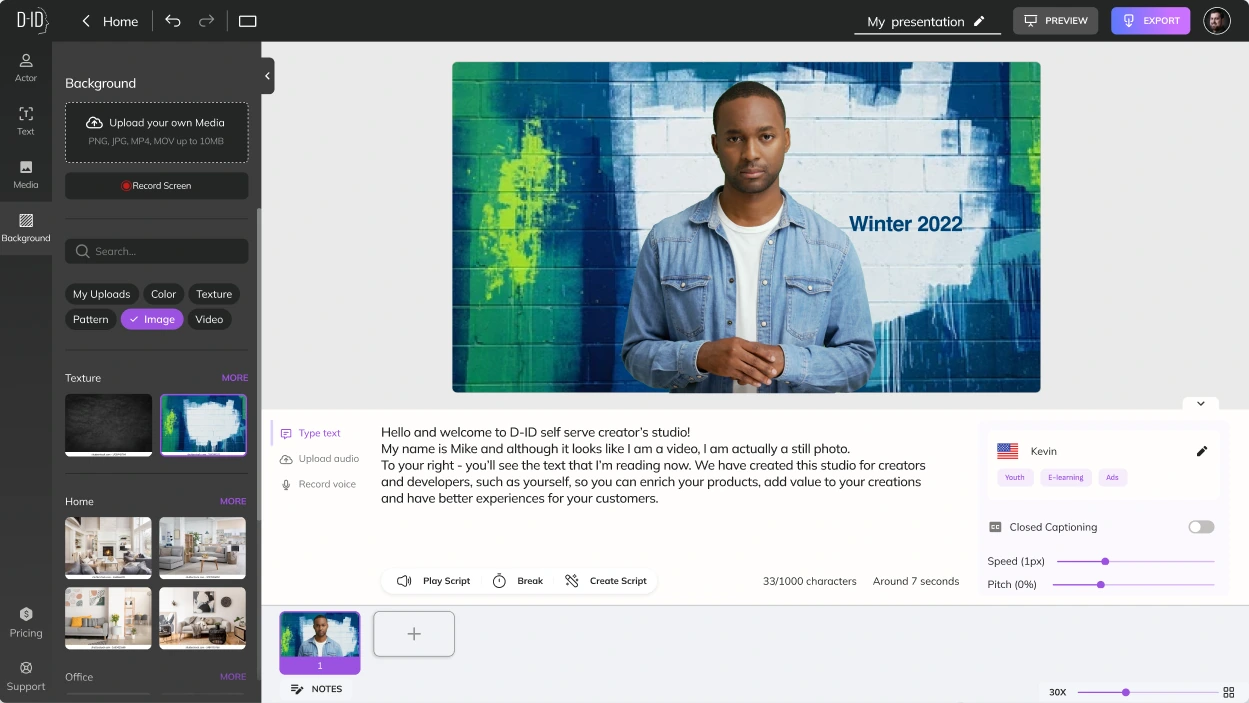
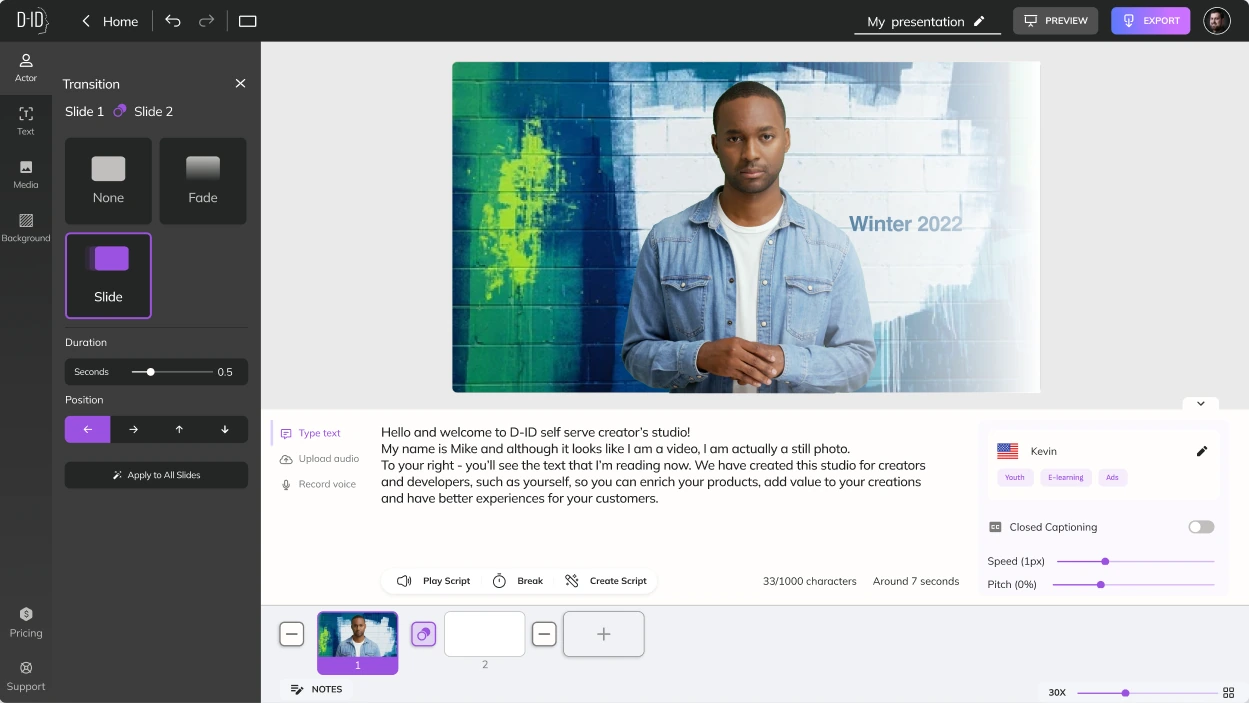
Add text to the scene and set its font and colour.Use a colour, image, video or texture, or upload your own media.Choose a transition between scenes and its duration.
04Video: 3 ways to export your video
Download an MP4, share directly to social media, or copy a link with permission restrictions. Every result asks for feedback on its quality.
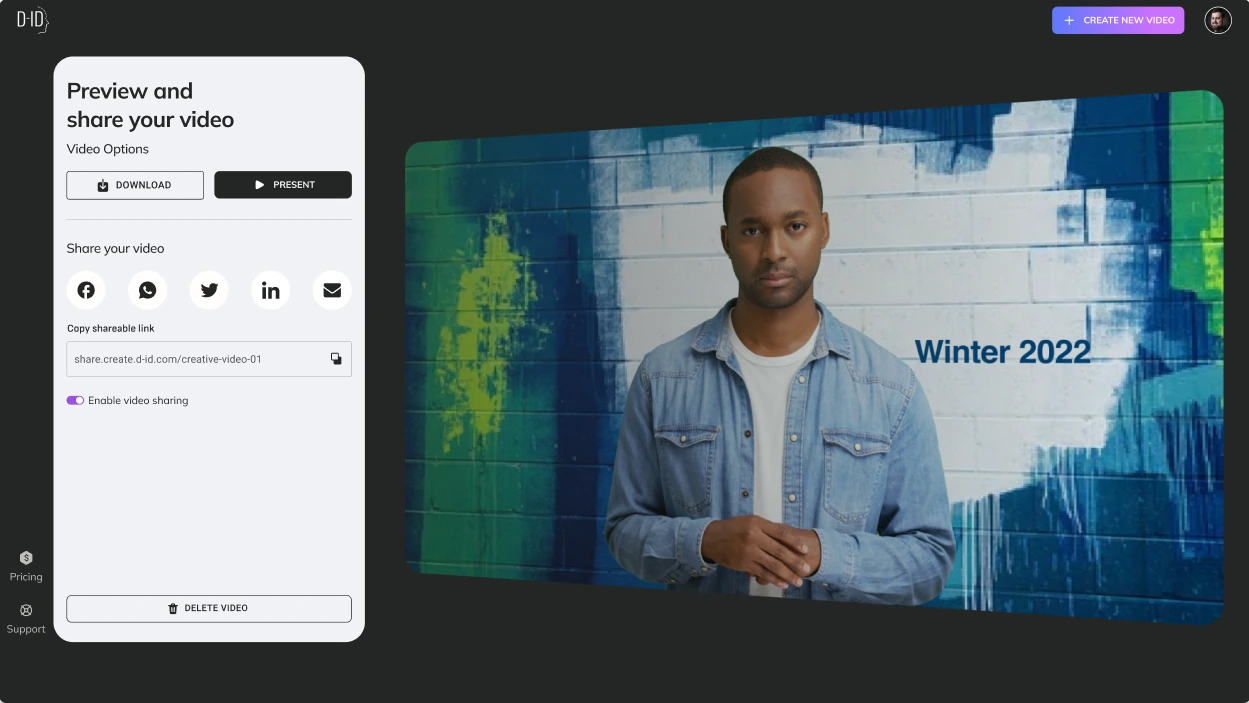
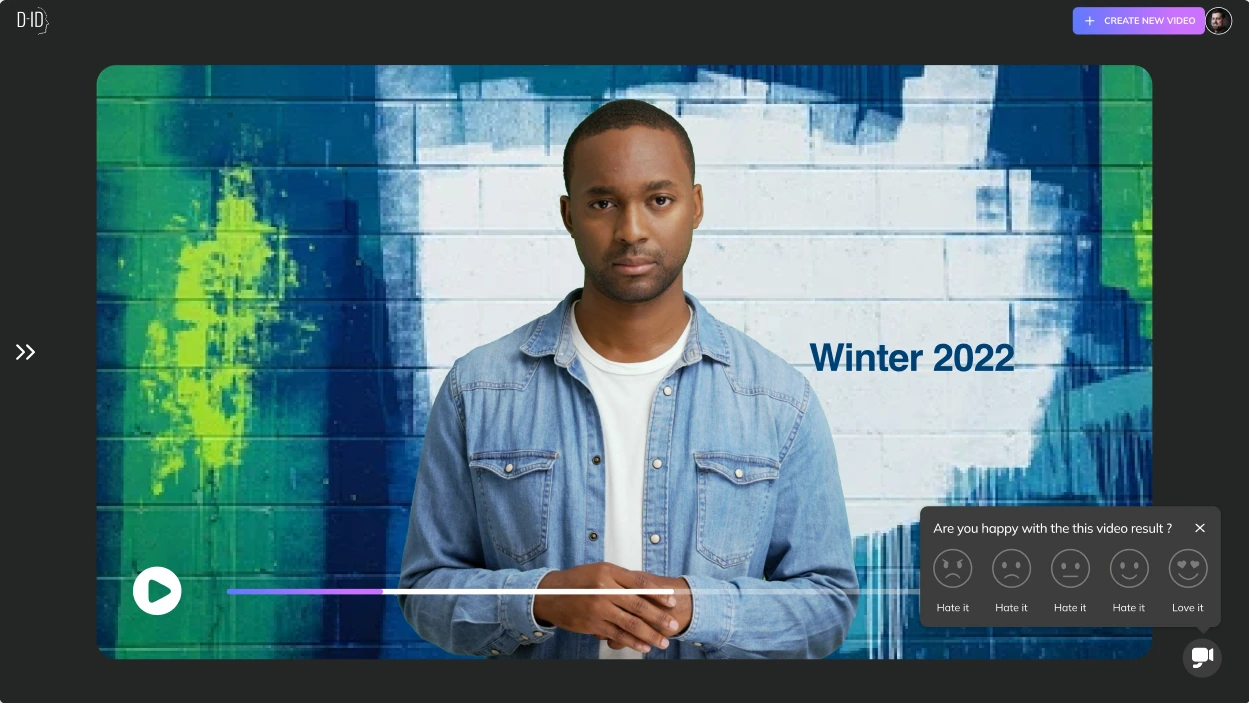
Download, present, share to social media or copy a shareable link.Feedback on every video: “Are you happy with this video result?”

Closing the loop on quality
- 01
ChoseA quality question on every generated video
Overending the flow at export
Becausegenerative output varies; a one-tap rating gives the team a signal on every result.
04Outcome
One studio anyone can use: #1 on Product Hunt.
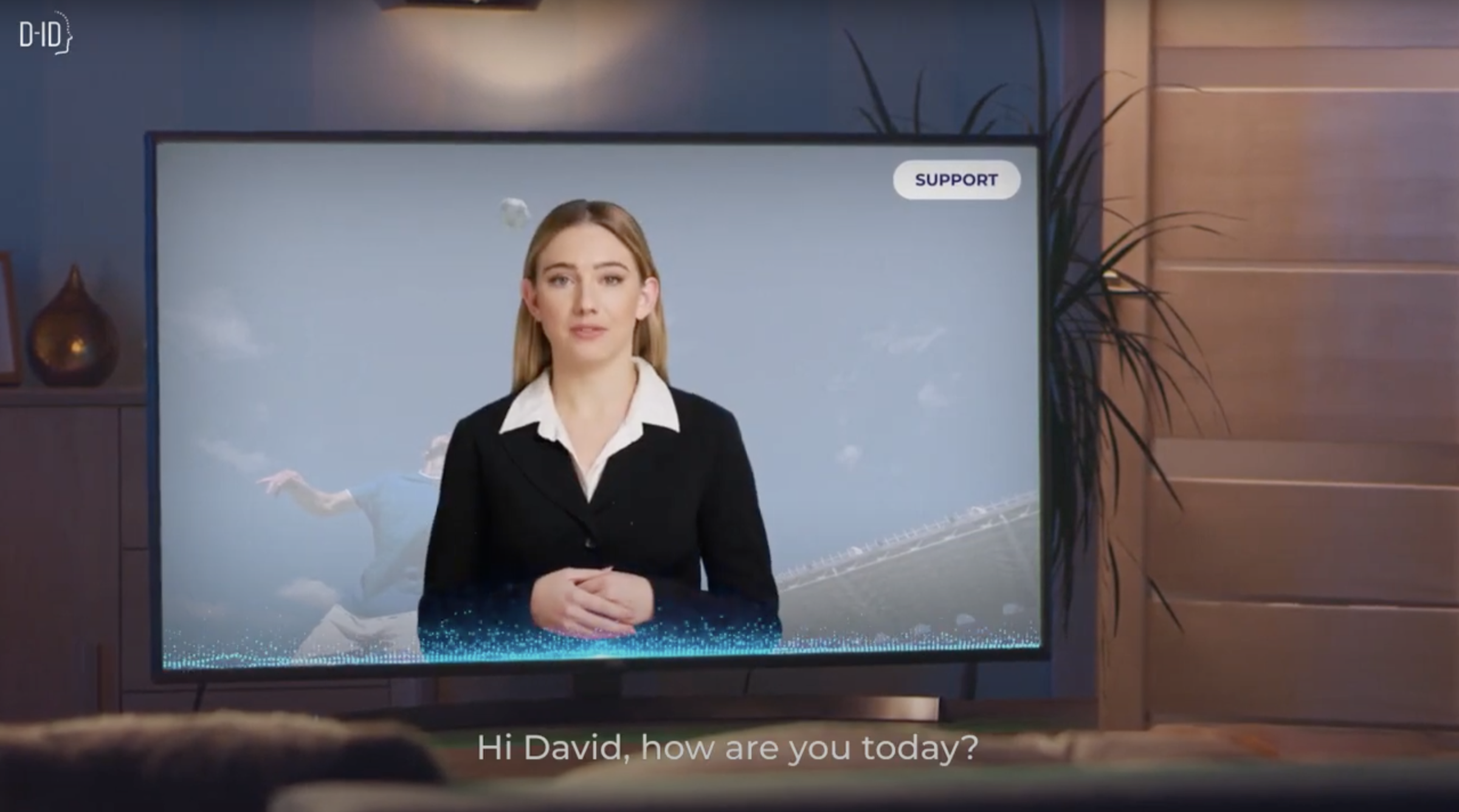
The problem was a way in. The studio became that way in: a talking avatar from a face, a script and a scene, without a production team.
Results
- 01
#1 on Product Hunt
The Creative Reality™ Studio was #1 Product of the Day on Product Hunt.
- 02
Large-scale video, without the cost
It has proven to eliminate the hassle and cost of producing large-scale videos by generating photorealistic digital humans from text.
- 03
Trusted by global brands
Clients including Warner Brothers Pictures, Publicis, Mondelez, Skilldora and MyHeritage have used D-ID’s platform to create extraordinary experiences.

What I learned
Design for the starting point
Organising by what people bring (a photo, a recording, nothing) mattered more than exposing each model.
Generative UX needs a feedback loop
When output varies, the interface has to ask how it went, every time.
One flow hides three engines
A consistent step pattern let very different technologies feel like one product.
Next timeMeasure time to first finished video for each audience, and test the generate paths with first-time users who arrive with no material.
Credits
- Role
- Product Design Consultant
- Client
- D-ID
- Timeline
- 2023
- Disciplines
- Product Design
- UX/UI Design
- Generative AI
- Interaction Design
- Prototyping
- Recognition
- #1 Product of the Day on Product Hunt
- Featured by TechCrunch at public launch, 2023