SaaS · AI2024–2026
Tableau Semantics: From decoding columns to describing intent: how I led the design of an AI-ready semantic layer and validated it with 50 analysts before beta.
Tableau SemanticsSalesforce · Tableau Next
- Role
- Design Lead · Senior Product Designer
- Team
- Six product designers, with PM and Engineering
- Platform
- Tableau Next · Salesforce
- Scope
- Authoring, Foundation & AI · research · Design Ops
01Challenge
Analysts were decoding columns instead of deciding.
Tableau Semantics is the backbone of trusted data across Tableau Next and Salesforce: every dashboard, report and AI agent reads from its models. Building one meant decoding cryptic field names and reconciling metrics that teams defined differently, and the result was a model AI couldn’t read.
Consumption layer
- BI tools & agentic analytics
- Enterprise reports
- Customer 360 applications
Tableau Semantics
Translates complex data into familiar business terms
Data layer
Ingests, unifies and harmonizes data in a single source of truth
Primary user
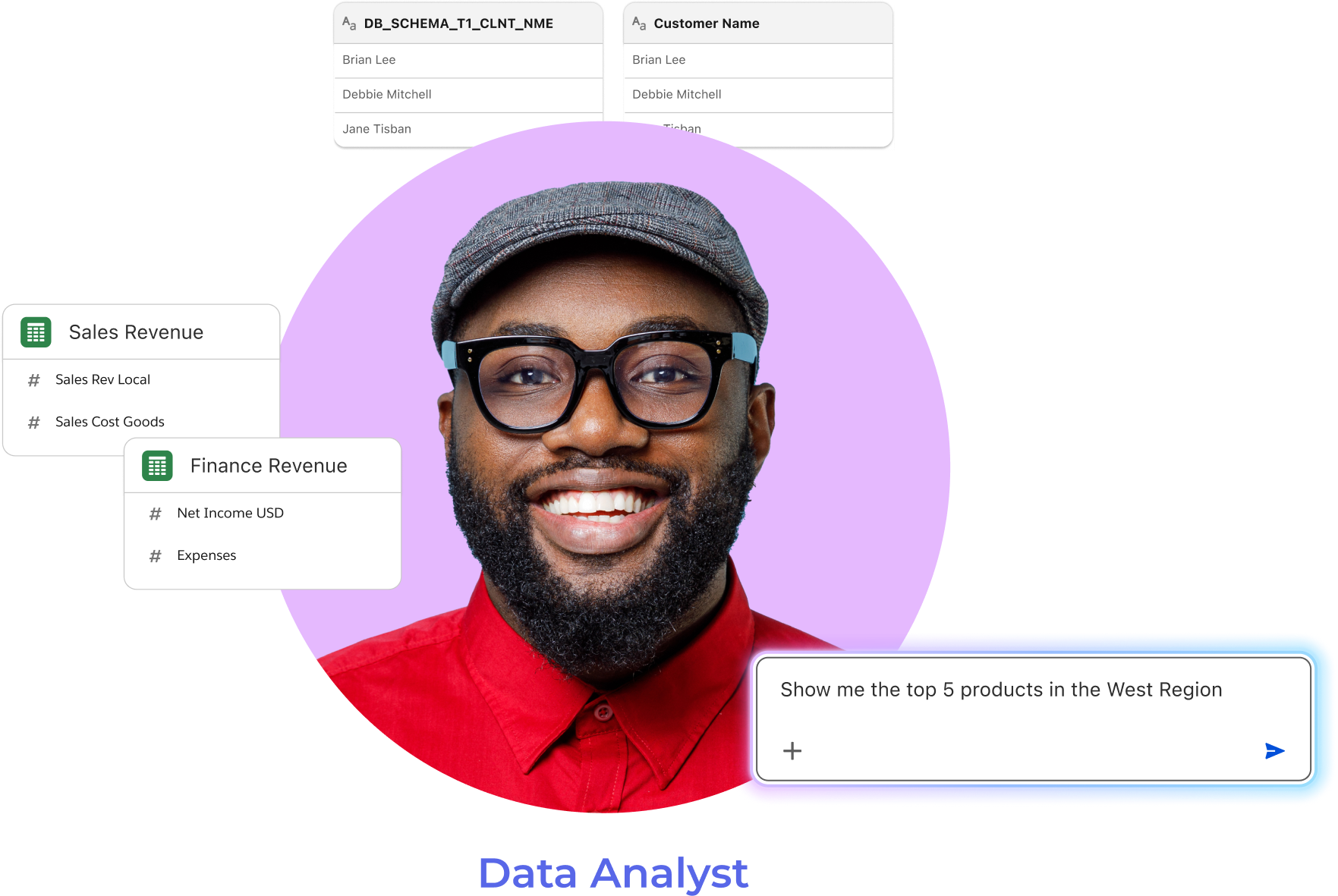
The data analyst
The person who builds the models that dashboards, reports and AI agents depend on.
They know the data deeply, but enterprise tooling made them translate it column by column, and reconcile definitions team by team.
Three pain points that came up again and again
- 01
Cryptic field names
Low productivity from decoding technical field names before any real work could start.
- 02
Conflicting metric logic
Teams defined the same metric differently, so the numbers disagreed from one report to the next.
- 03
Models AI can’t read
Data models weren’t self-explanatory, so natural-language questions had nothing reliable to stand on.
How might we
…let data analysts build high-scale, AI-ready models without the typical cognitive tax of enterprise tools?
02Role
My role, and the limits we worked within.
I led a team of six product designers on the Authoring, Foundation & AI experience. The product design was a team effort; research, the design system and the team’s operating model were mine to own.
What I did
Design lead, end to end
Alongside the team’s product work, I owned the pieces that let six designers move as one.
- 01I set up and ran the AI-driven research stack that validated four features with 50 professionals before beta.
- 02I architected the Surface Component Library, linked live to the Salesforce Lightning Design System.
- 03I built the team’s workflow, file structure and task tracking in Slack Lists.
- 04I created the Cursor AI Methodology and trained PMs and designers in it.
Constraints
- 01
Inside the Salesforce ecosystem
Every pattern had to harmonise with existing Salesforce products, SLDS and industry best practice.
- 02
No end users yet
The product was pre-beta, so there was a gap in end-user validation that we had to close another way.
- 03
One model, many consumers
Whatever an analyst defines is inherited by every dashboard, report and agent; mistakes travel.
03Define
Structure before screens.
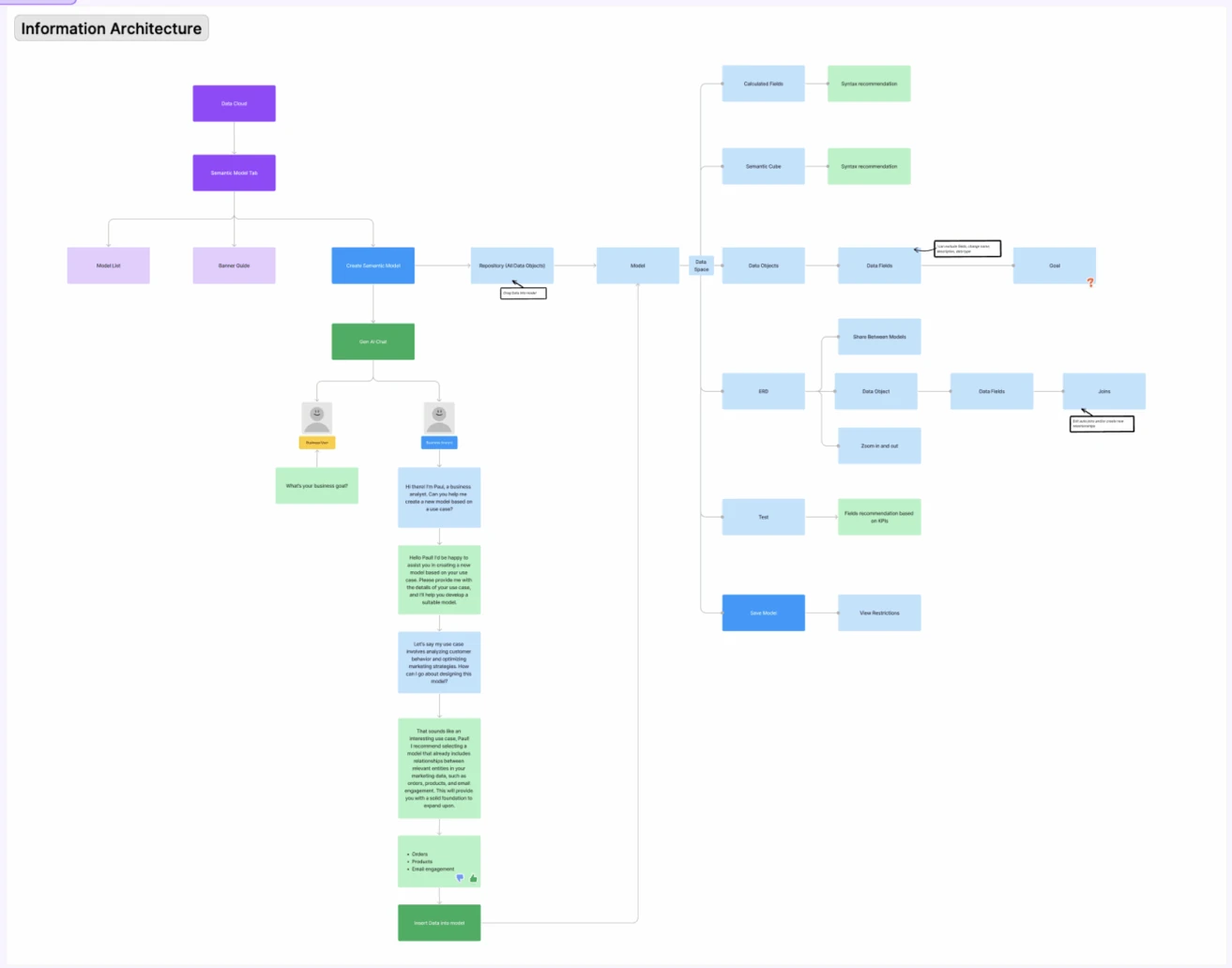
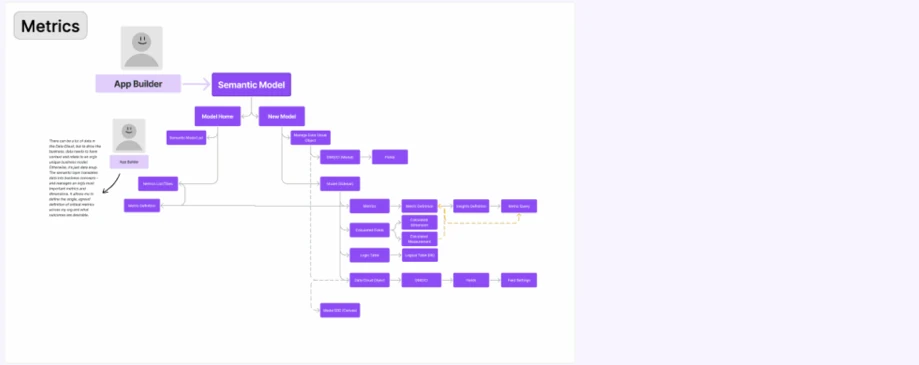
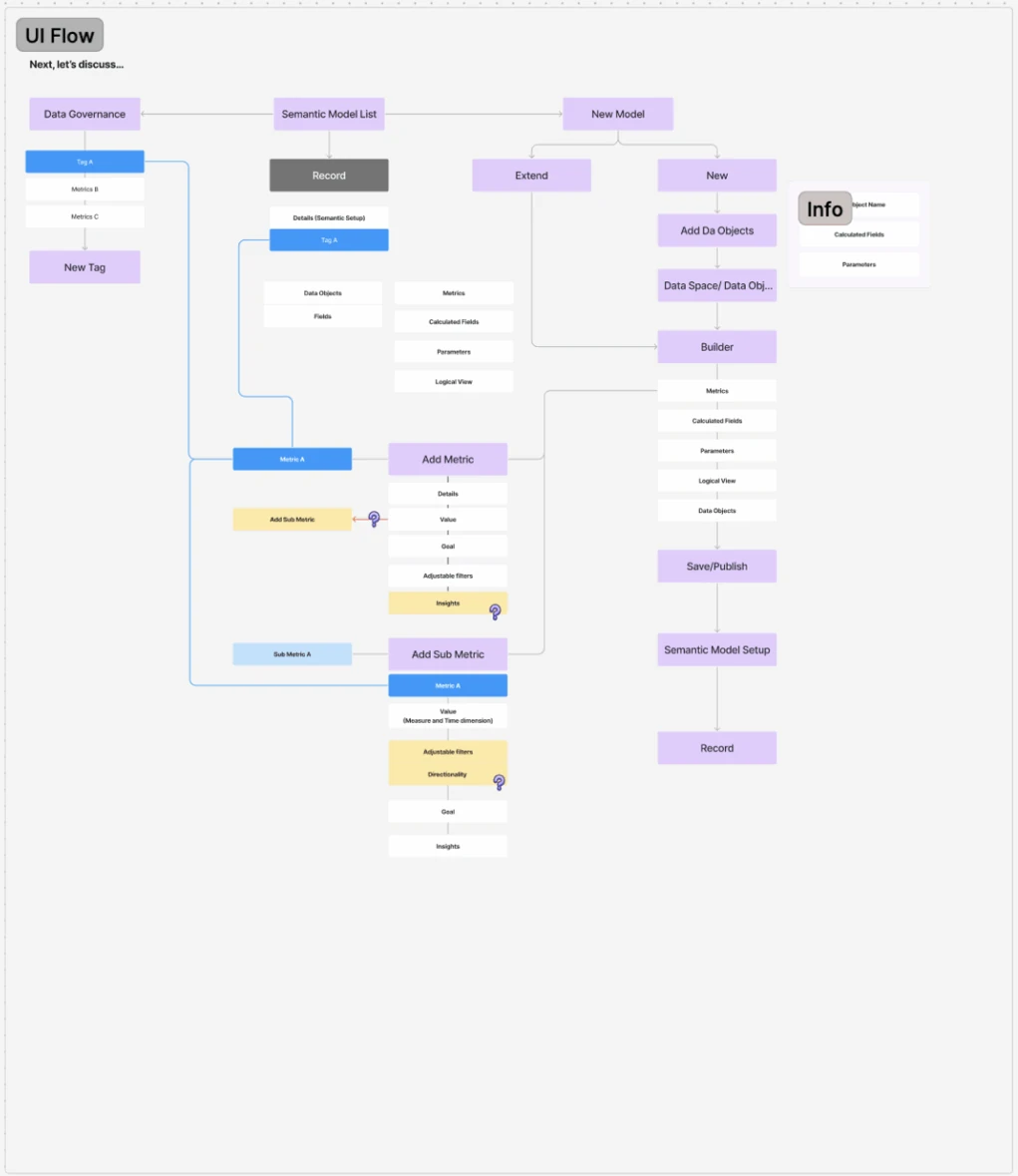
Before drawing a screen, we restructured the information architecture to bridge platform silos into a Single Source of Truth. Each pain point became one design decision.
Three decisions, one per pain point
- 01
ChoseTranslate technical fields into business language on a visual canvas: Customer Name, not cust_nm__c.
OverLeaving analysts to work from raw technical column names.
BecauseDecoding cryptic field names was the first productivity drain analysts described.
- 02
ChoseDefine logic once, in the model, as calculated fields, metrics, hierarchies and logical views.
OverLetting each team define metrics inside its own reports.
BecauseConflicting metric logic across teams meant the same number disagreed from report to report.
- 03
ChoseAn intent-based, conversational GenAI entry point that drafts definitions from a sentence.
OverManual configuration of every step.
BecauseModel building had a steep learning curve, and models had to be readable by AI, not only by people.
04Explore
Four concepts, then a pivot to intent.
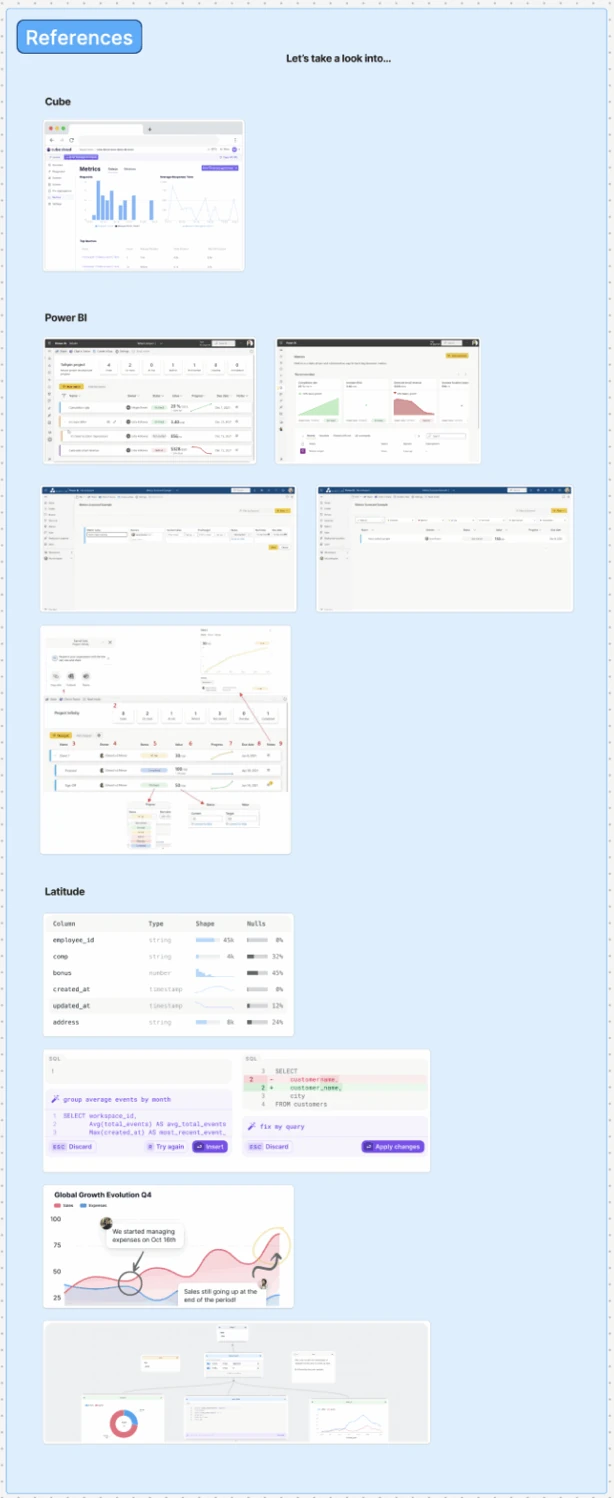
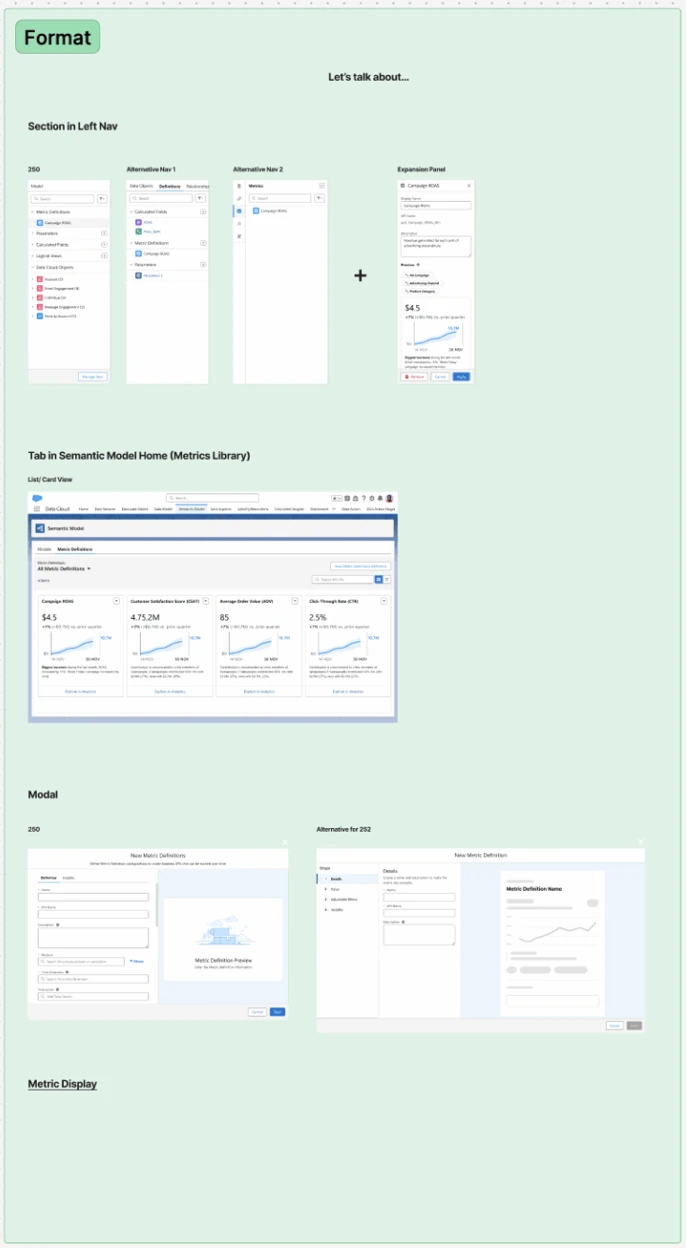
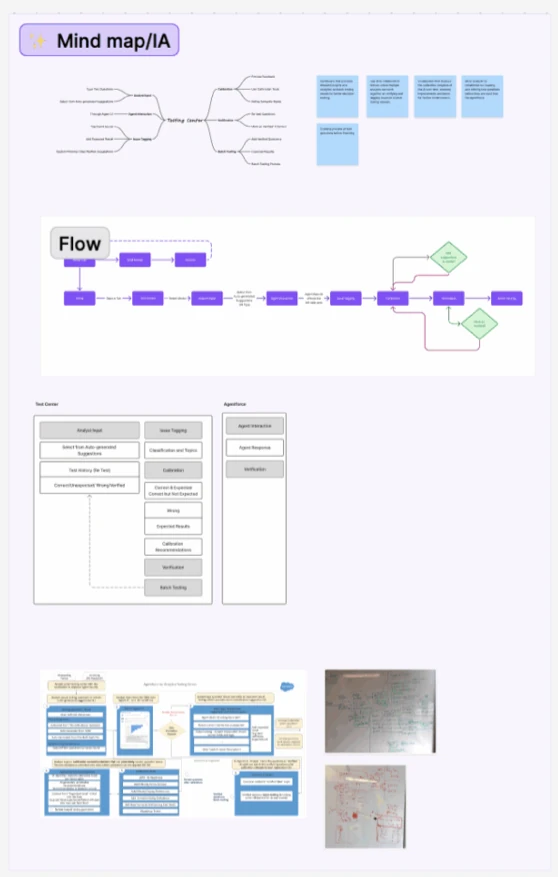
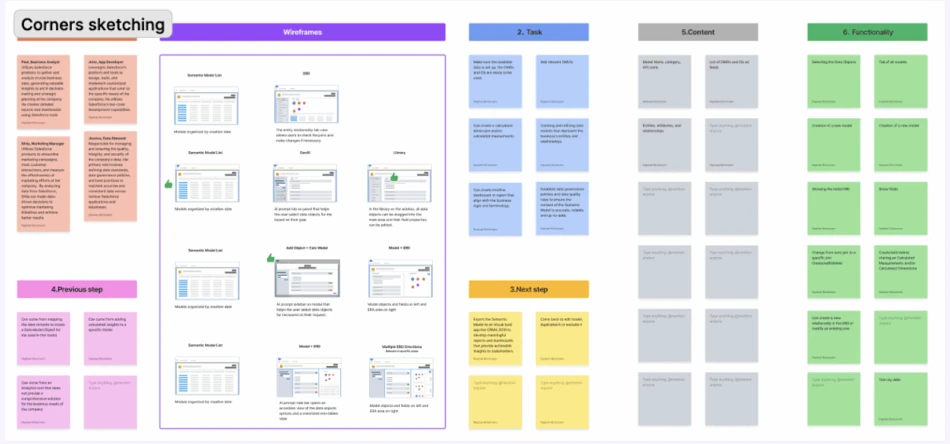
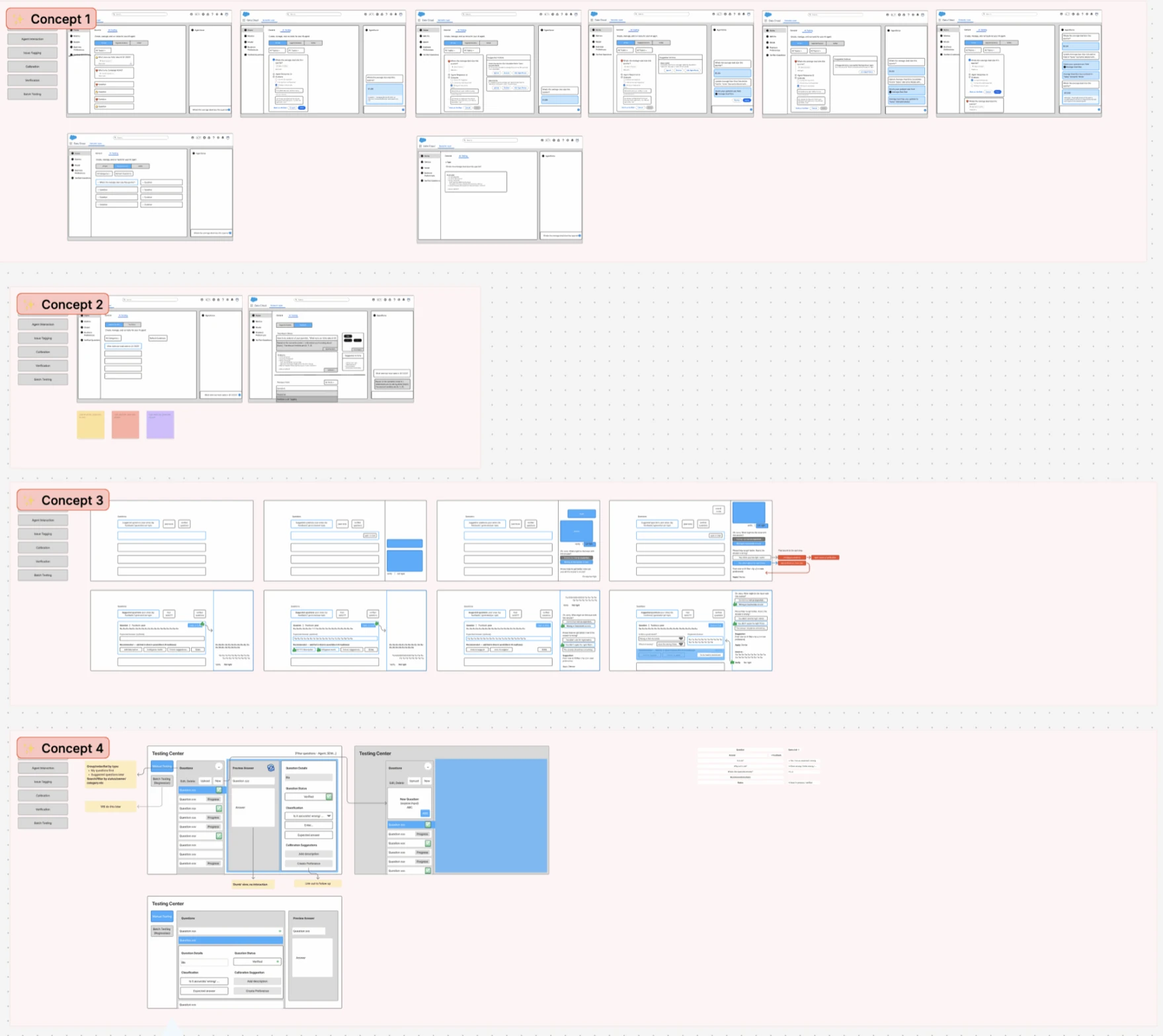
We mapped structure in mind maps and flows, sketched each step in corners, and pushed four wireframe concepts side by side before committing.
The pivot
- We assumed
Analysts would build models by configuring each step by hand, like in existing enterprise tools.
- Testing showed
Model building carried a steep learning curve, and novices felt overwhelmed without guidance.
- So we
pivoted from manual configuration to intent-based authoring: a conversational GenAI entry point inside a guided step-by-step flow.
05Validate
Testing with real analysts, before beta.
With no beta users yet, I set up an AI-driven research stack aimed at expert data analysts and tested Figma prototypes before production code was written.
- professionals validated pre-beta
- 50
- AI-moderated 1:1 interviews
- 15
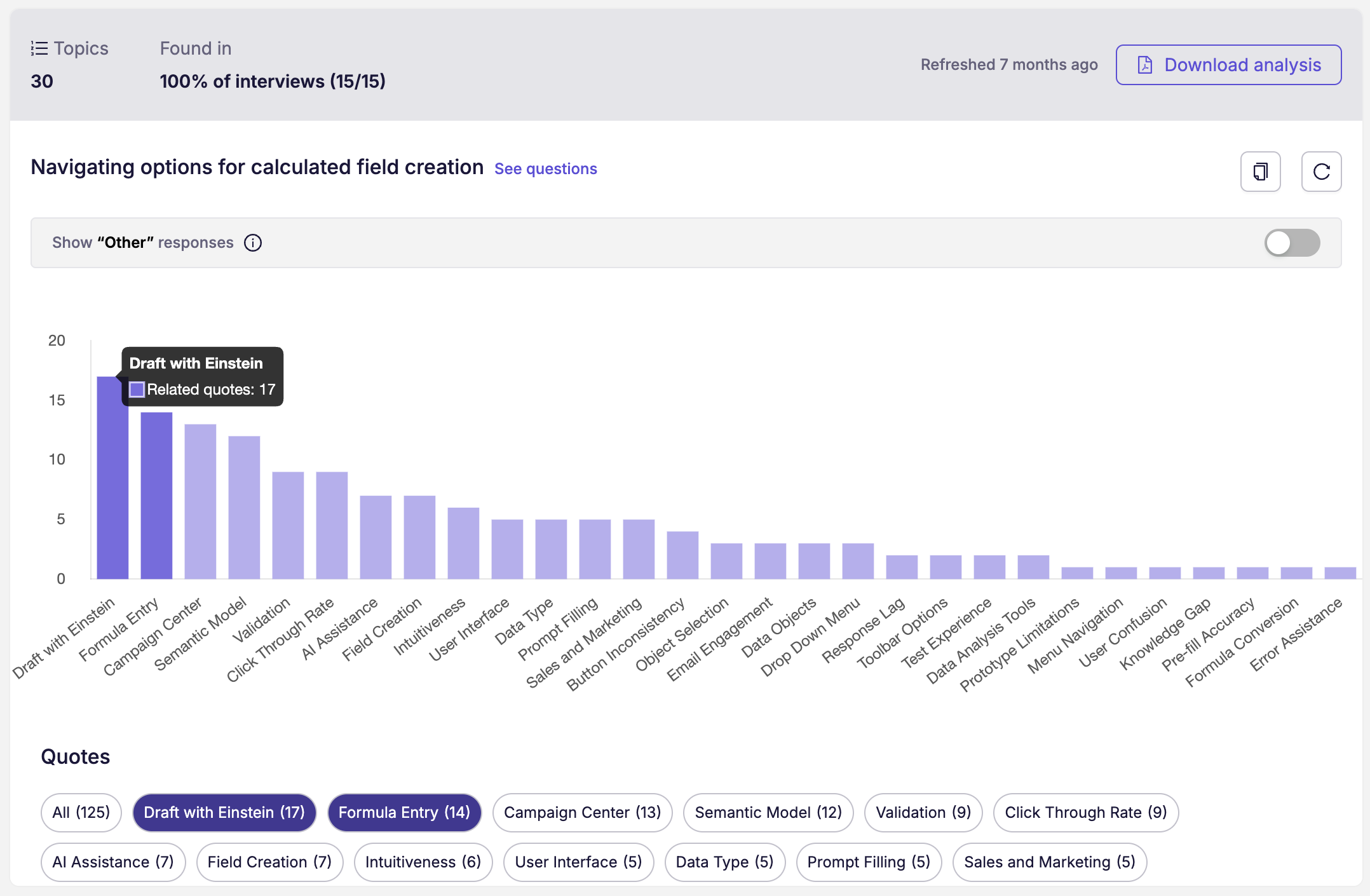
- quotes across 30 topics
- 125
- complex features validated
- 4
-
01 · Interview
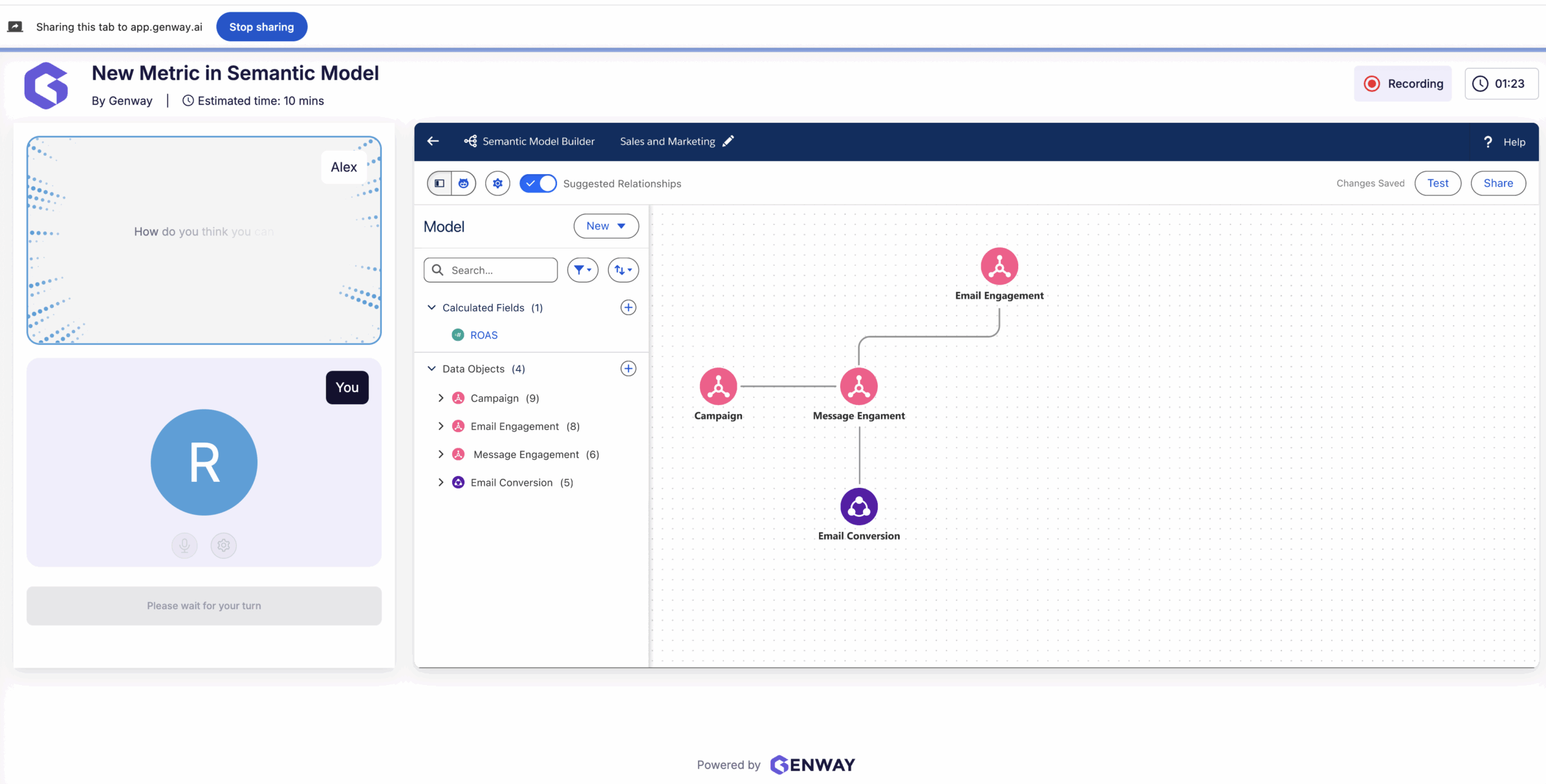
Genway
Automated 15-minute 1:1 interviews, run on Figma prototypes.
-
02 · Recruit
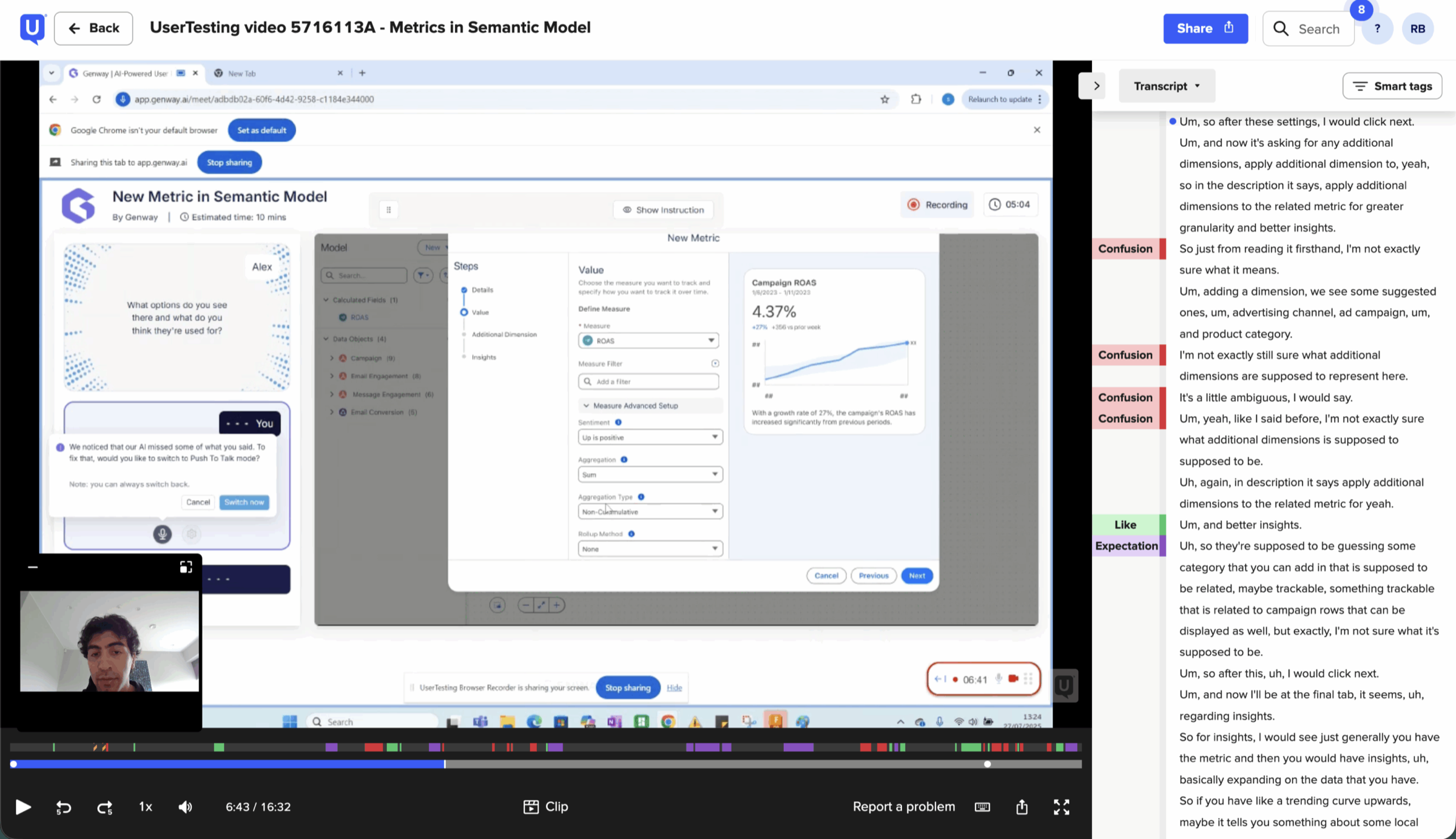
UserTesting
A specialised audience of data analysts, recruited through targeted screening.
-
03 · Synthesise
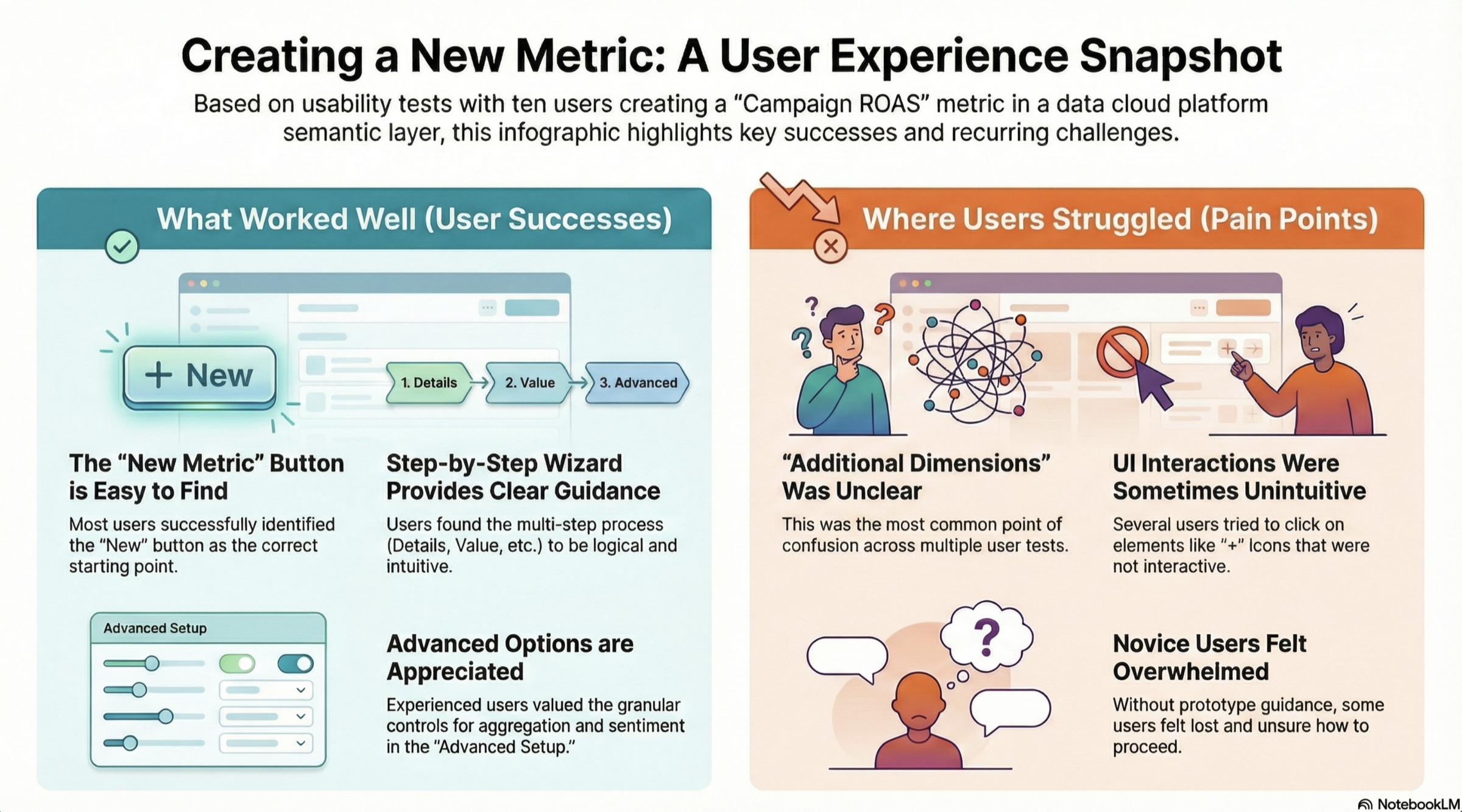
NotebookLM
AI synthesis of the transcripts to identify and organise the core pain points.
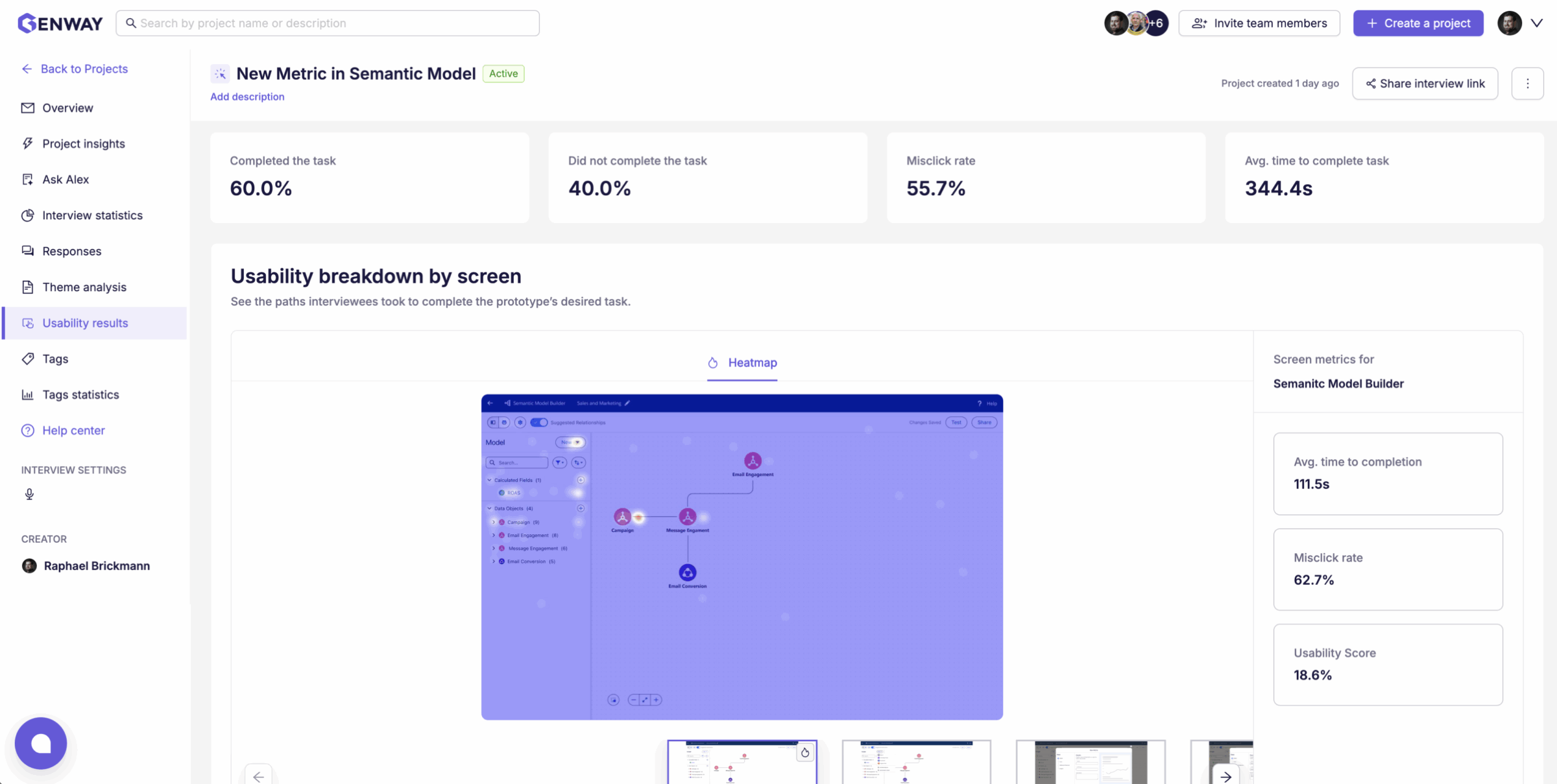
Usability test · ten analysts creating a “Campaign ROAS” metric
What worked
- The “New” button is easy to findMost users identified it as the right starting point.
- The step-by-step wizard guidesDetails → Value → Advanced felt logical and intuitive.
- Advanced options are valuedExperienced users wanted granular aggregation controls.
Where users struggled
- “Additional Dimensions” was unclearThe most common point of confusion across sessions.
- Some interactions misledUsers clicked “+” icons that weren’t interactive.
- Novices felt overwhelmedWithout guidance, some were unsure how to proceed.
Validated four complex features with 50 professionals pre-beta. These insights prioritized P0 updates and successfully realigned the product roadmap with user needs.

06Design
Three decisions, three surfaces.
Each decision became a surface: Authoring for business language, Foundation for one logic layer, and AI for models agents can trust. All three follow SLDS and Salesforce’s existing patterns.
01Authoring
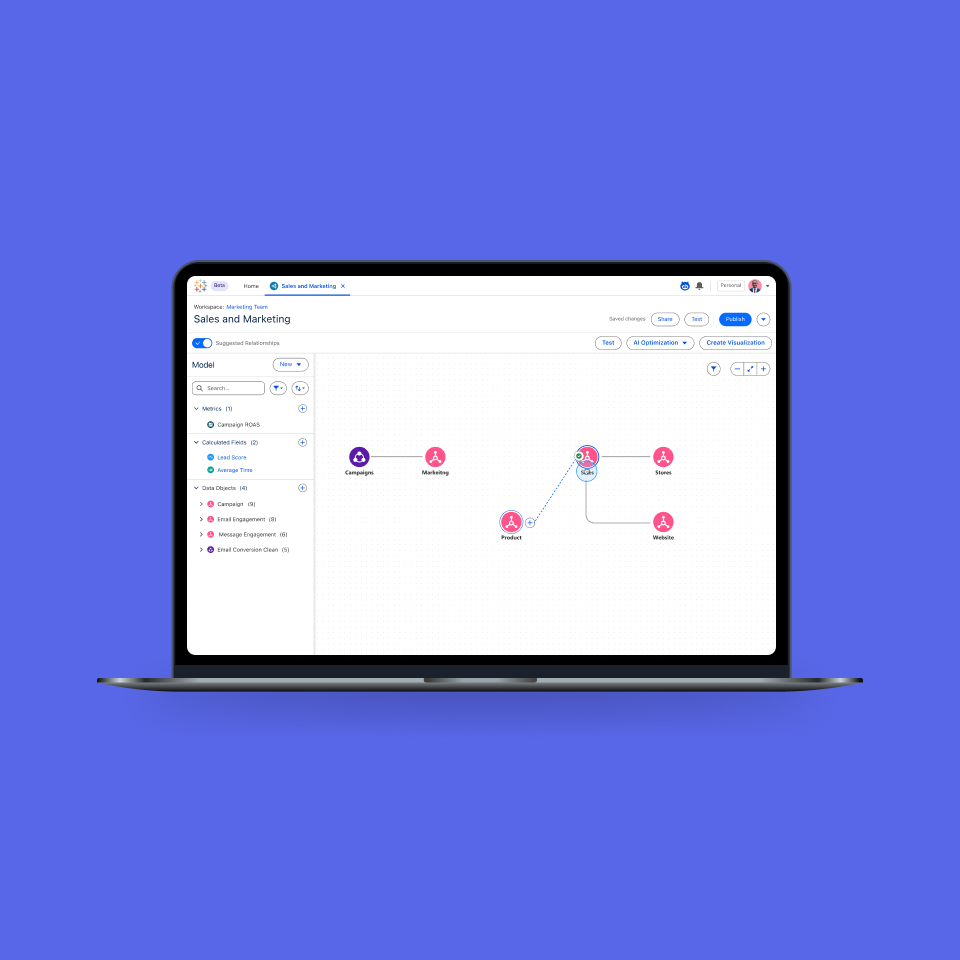
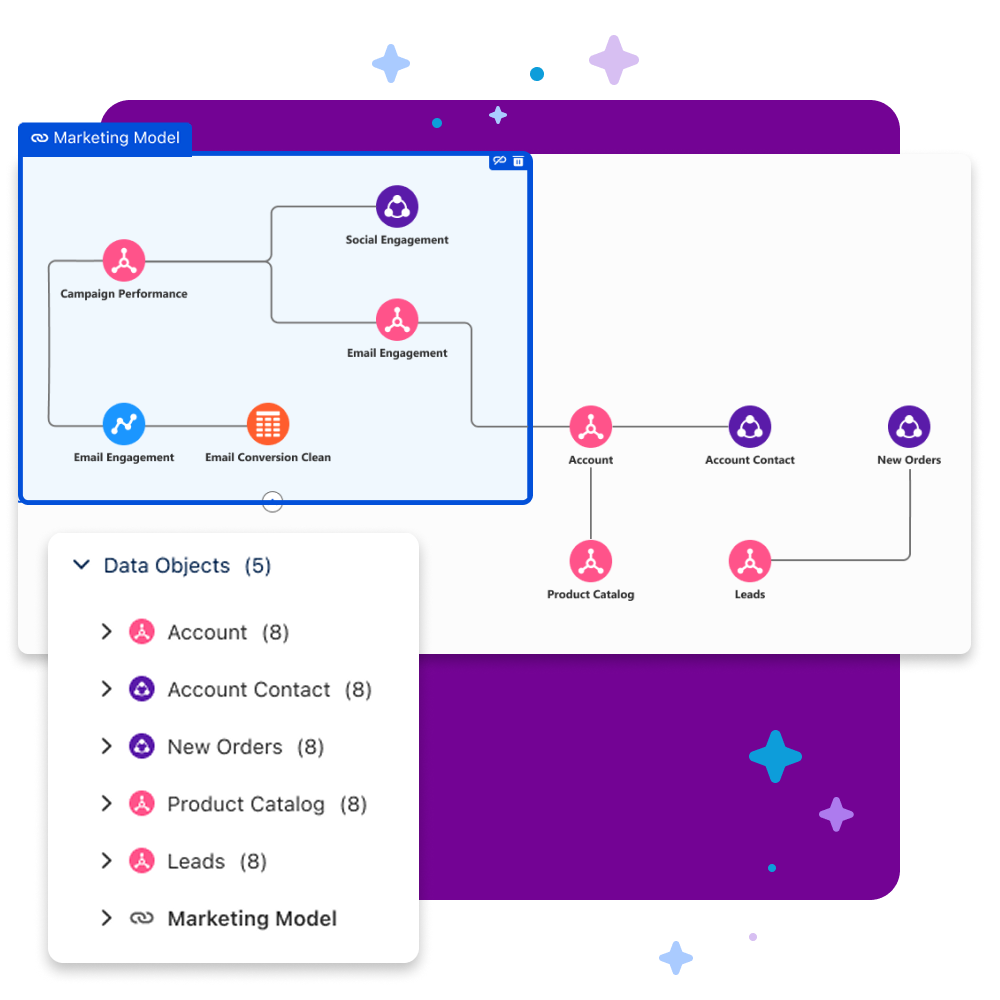
Decision 1 in the product. Data tables arrive as nodes; the left panel translates technical field names into business language while the canvas maps relationships visually, no more decoding cryptic columns.
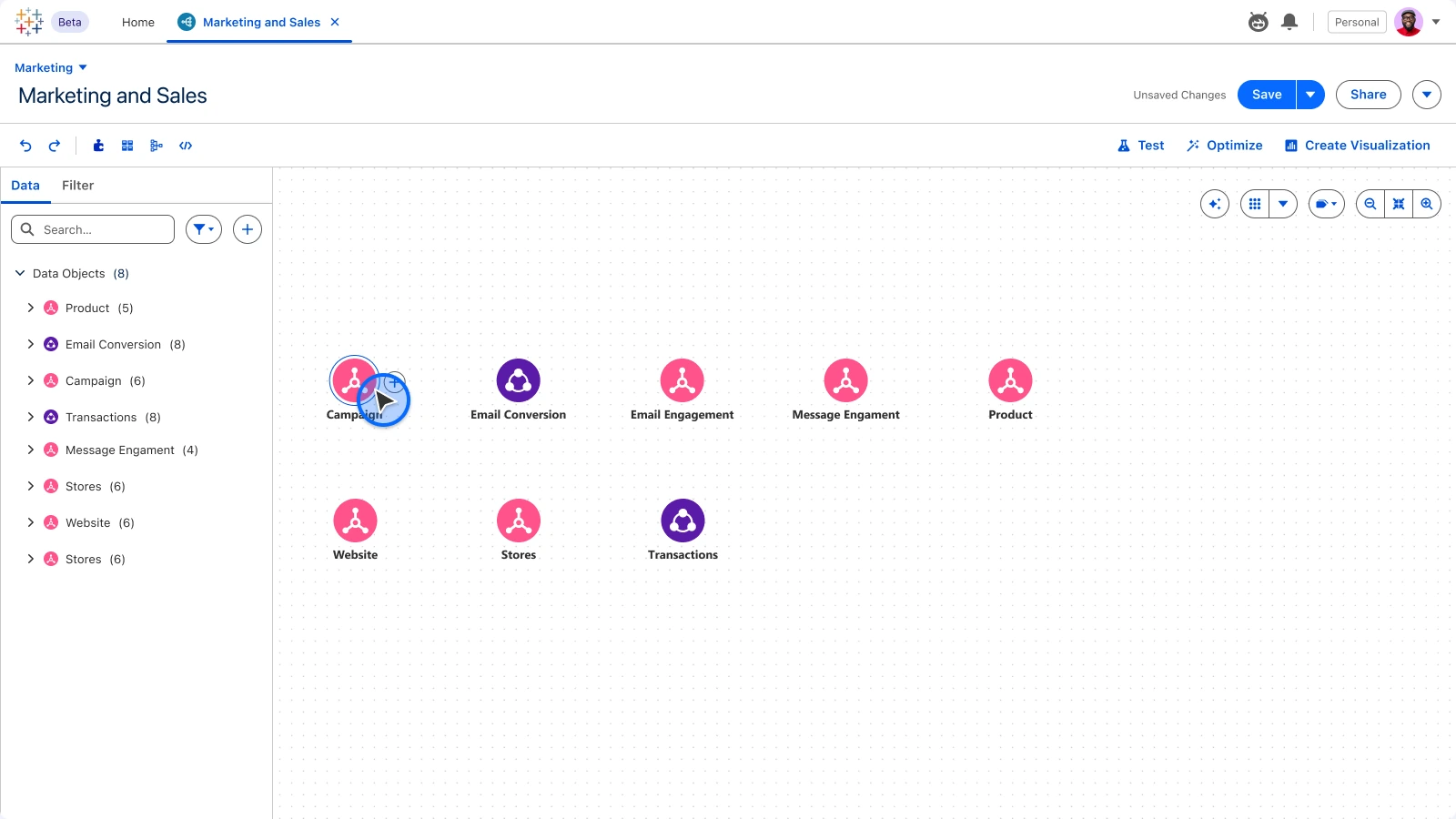
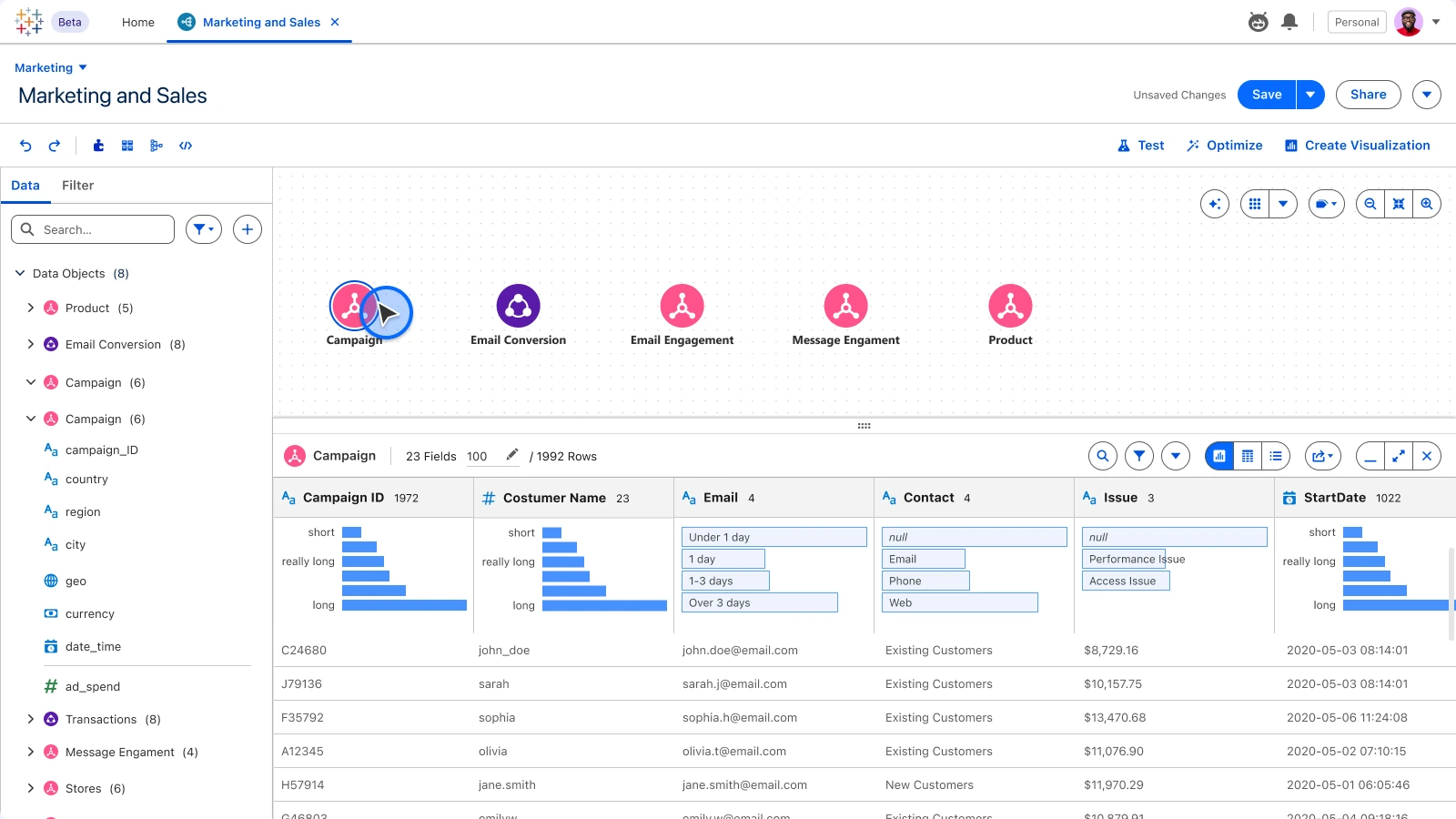
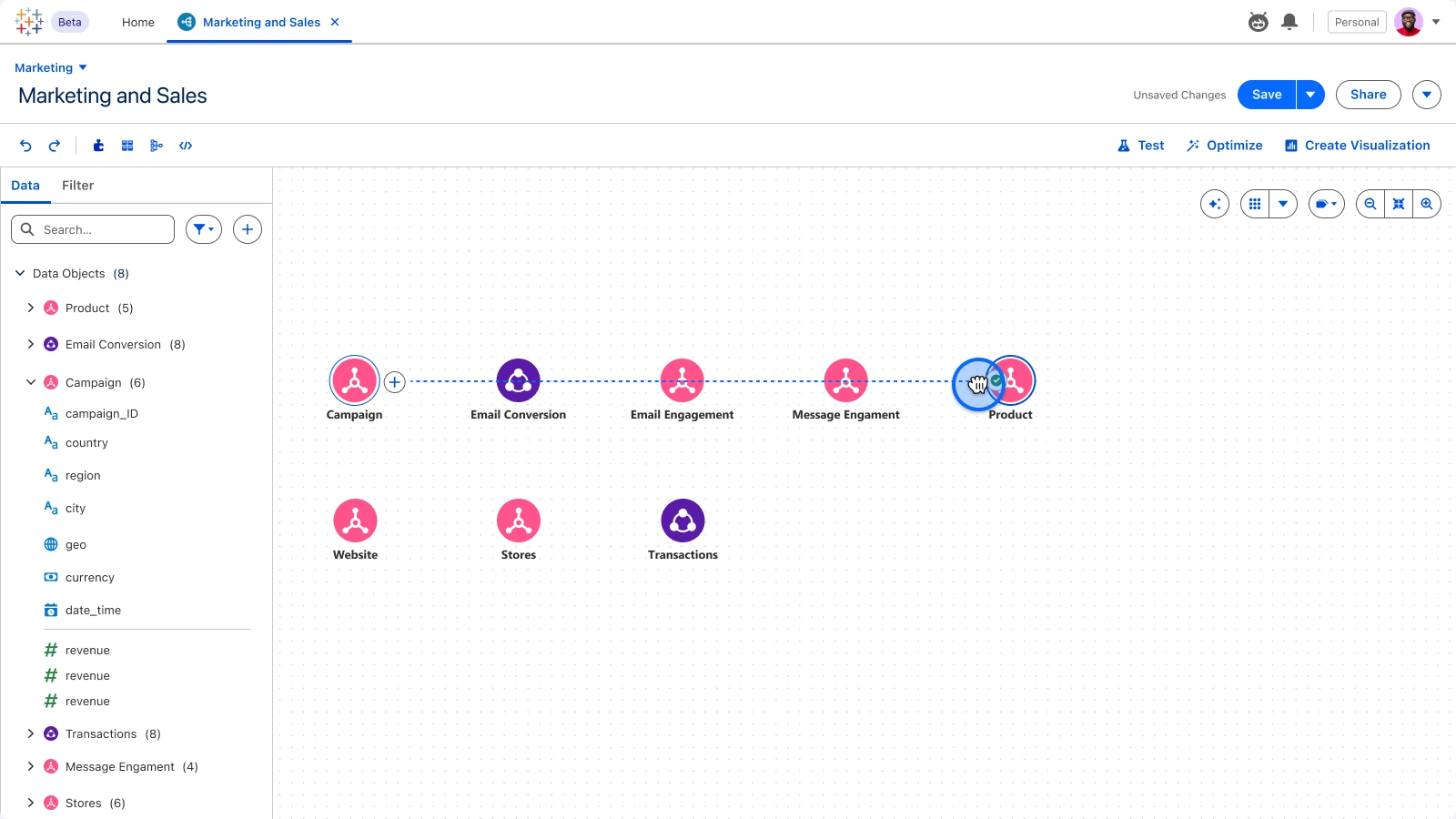
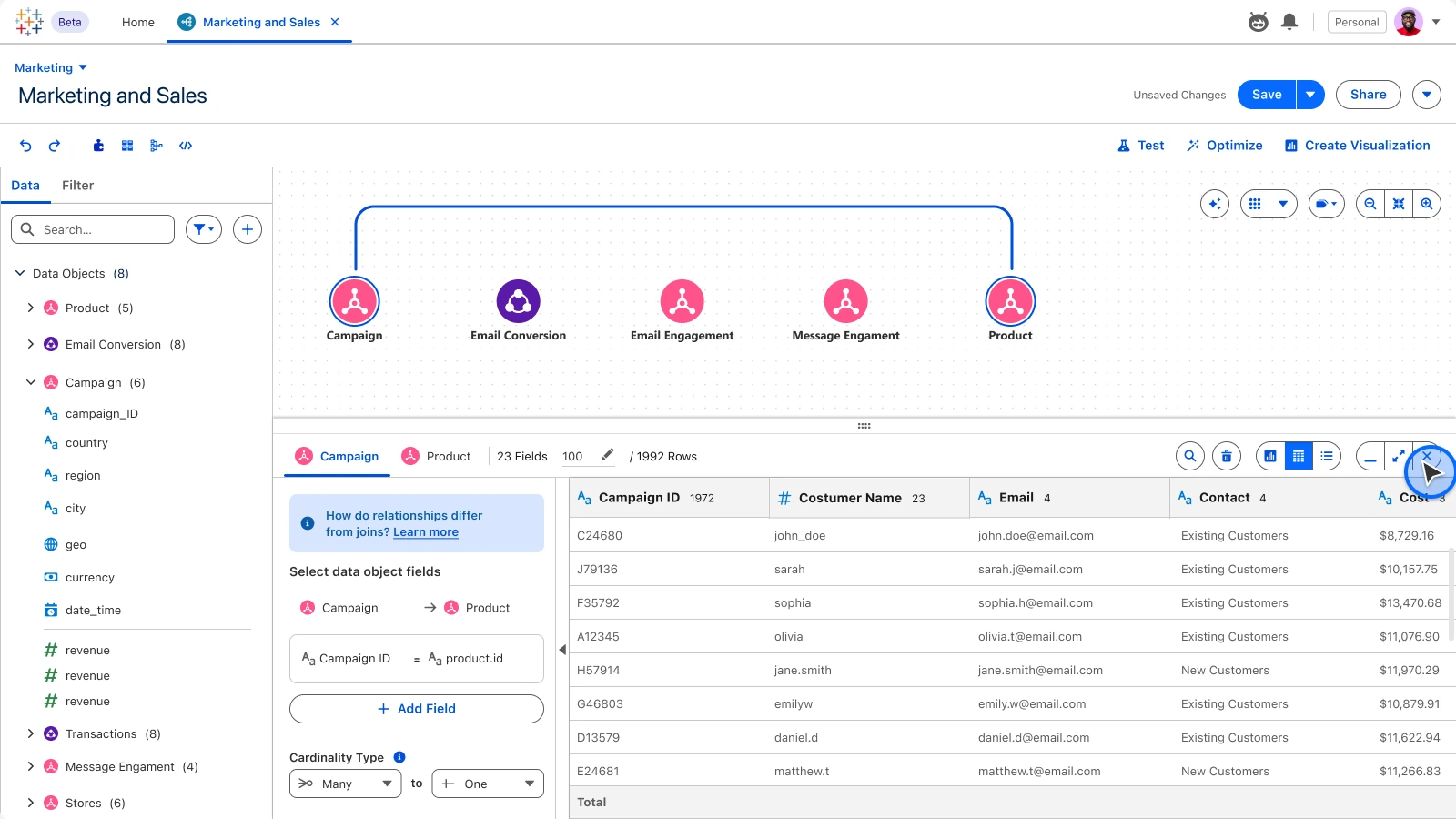
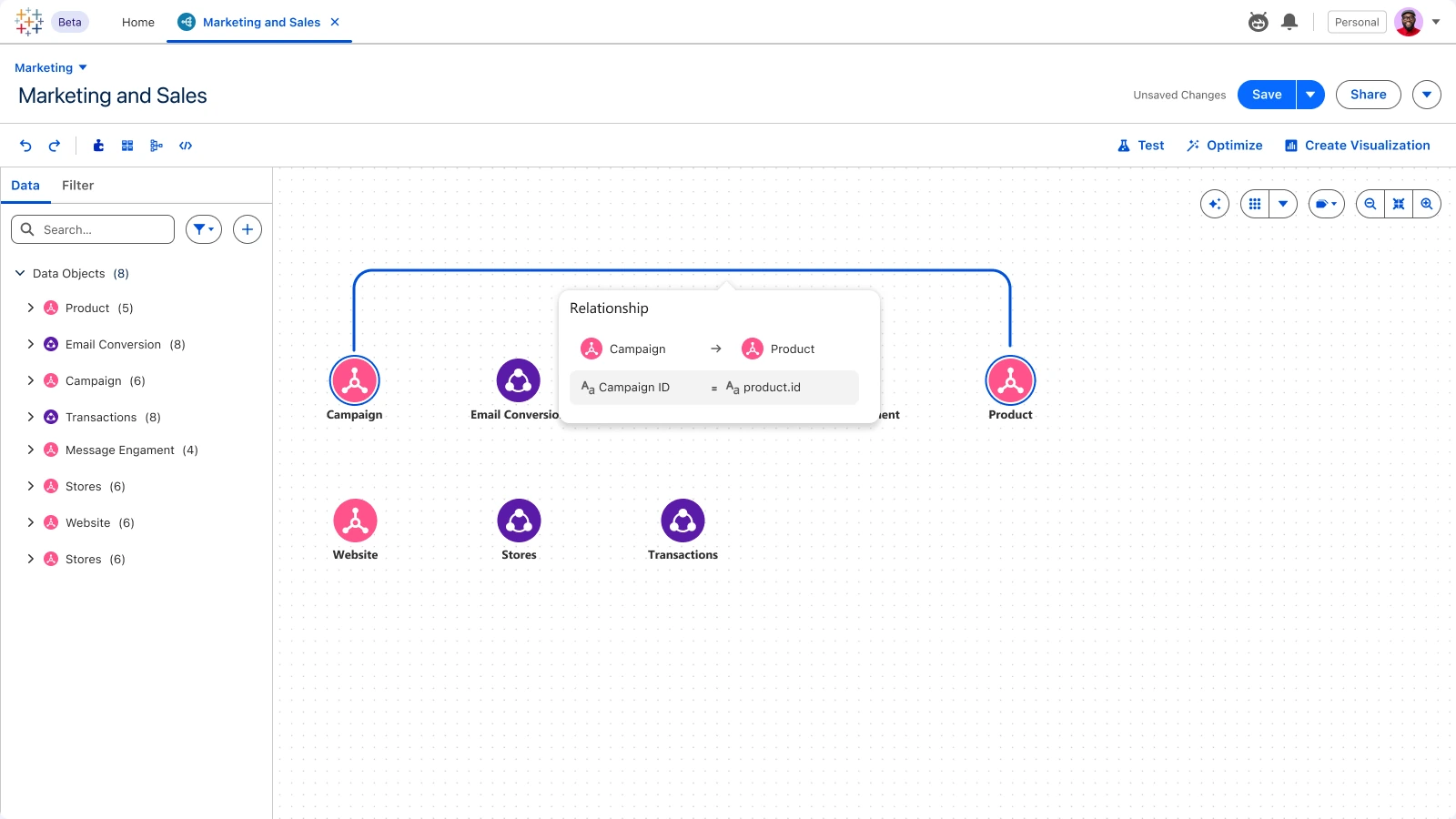
Data objects become nodes on a visual canvas.Inspect real rows without leaving the model.Drag between nodes to start a join.Match fields with a live preview of both objects.The relationship lands on the canvas, ready to use.
Iteration
Refining the canvas
We refined the canvas many times: eliminated cluttered overlaps, added hover states for focus, synced the left panel with the canvas, and introduced snap-to-grid so connected diagrams stay crisp as they move.
Layout options
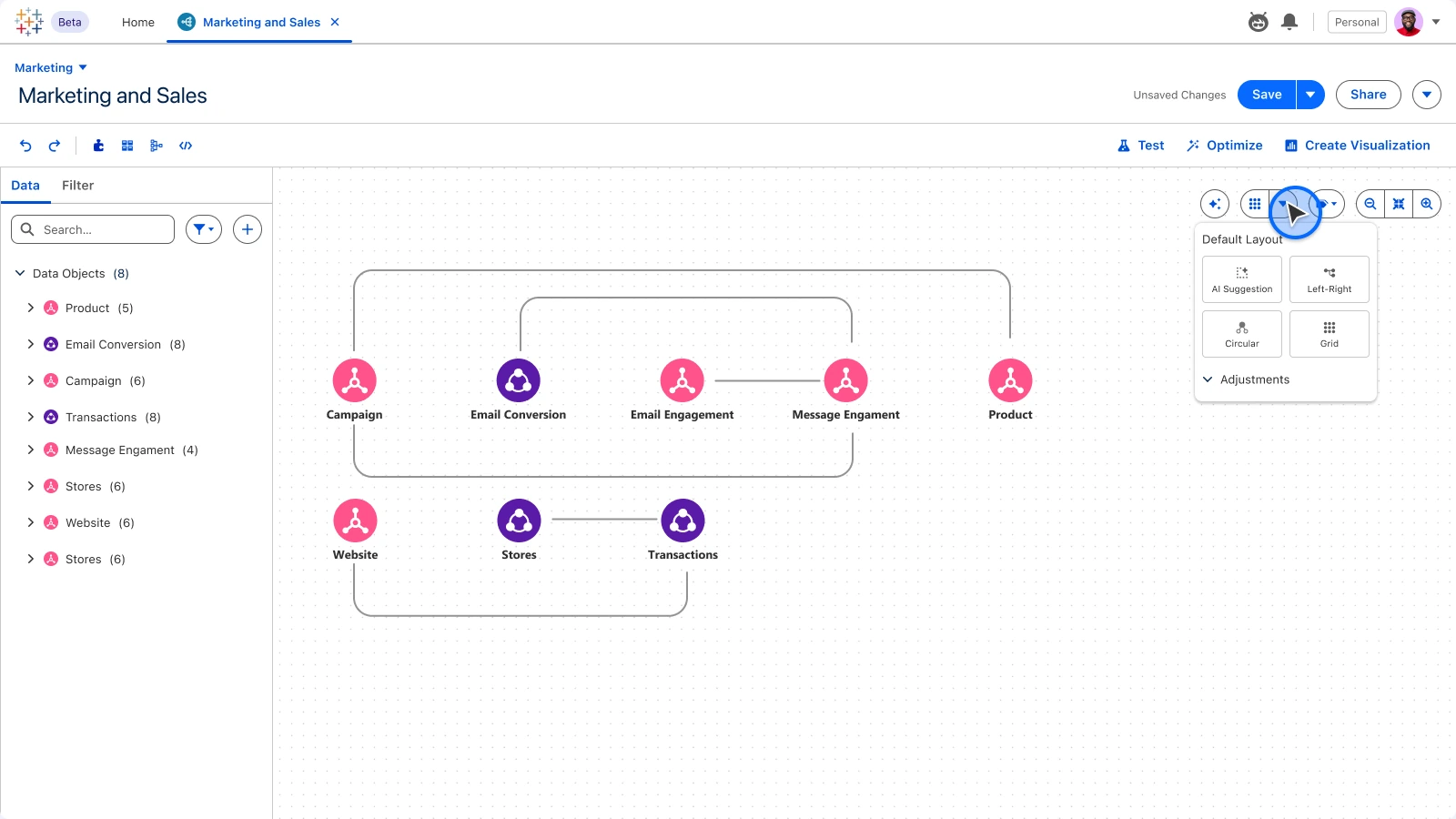
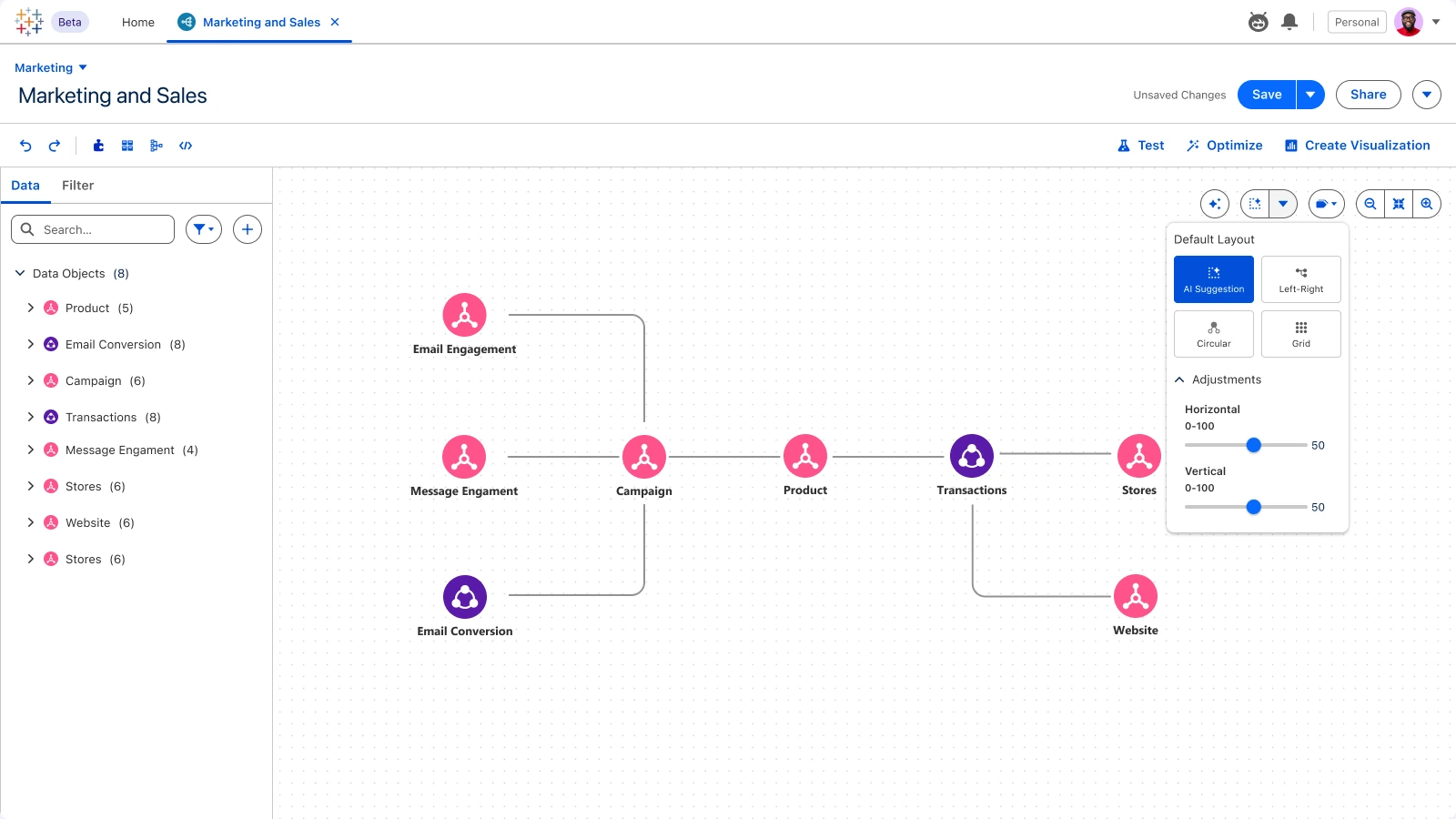
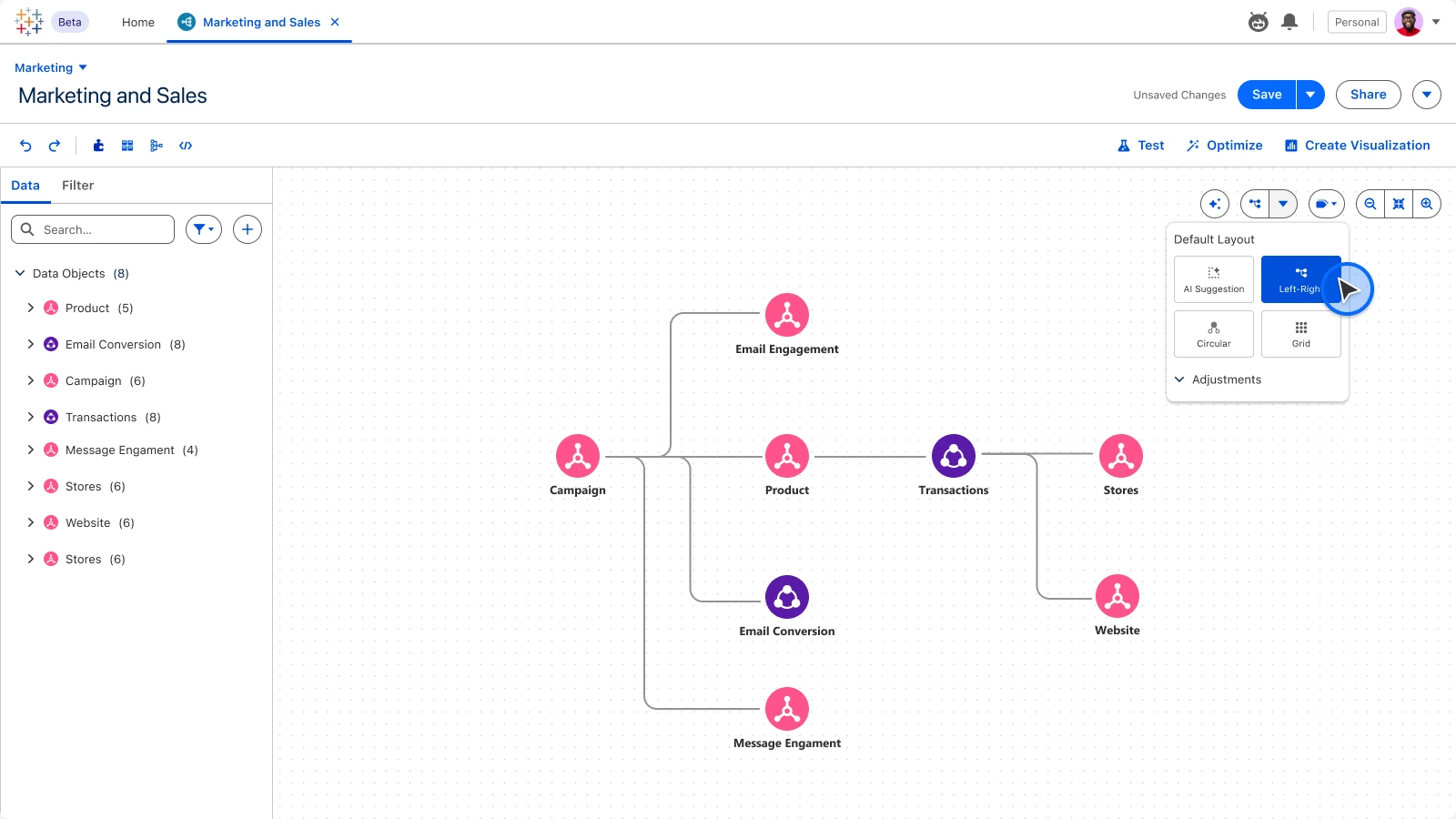
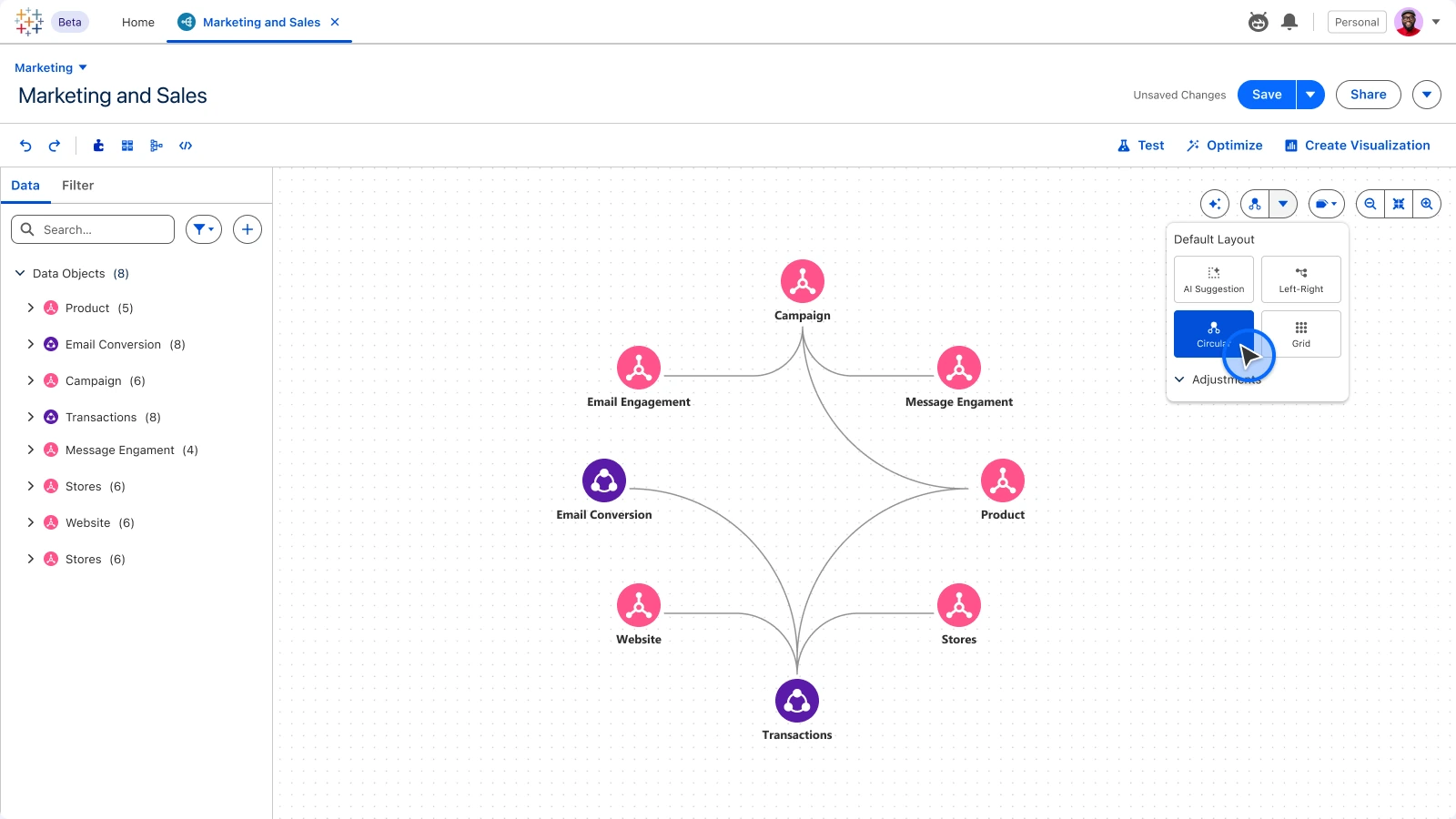
Choose how the model arranges itself.Let AI propose the clearest arrangement.A linear reading order for pipelines.Hub-and-spoke for star schemas.
02Foundation
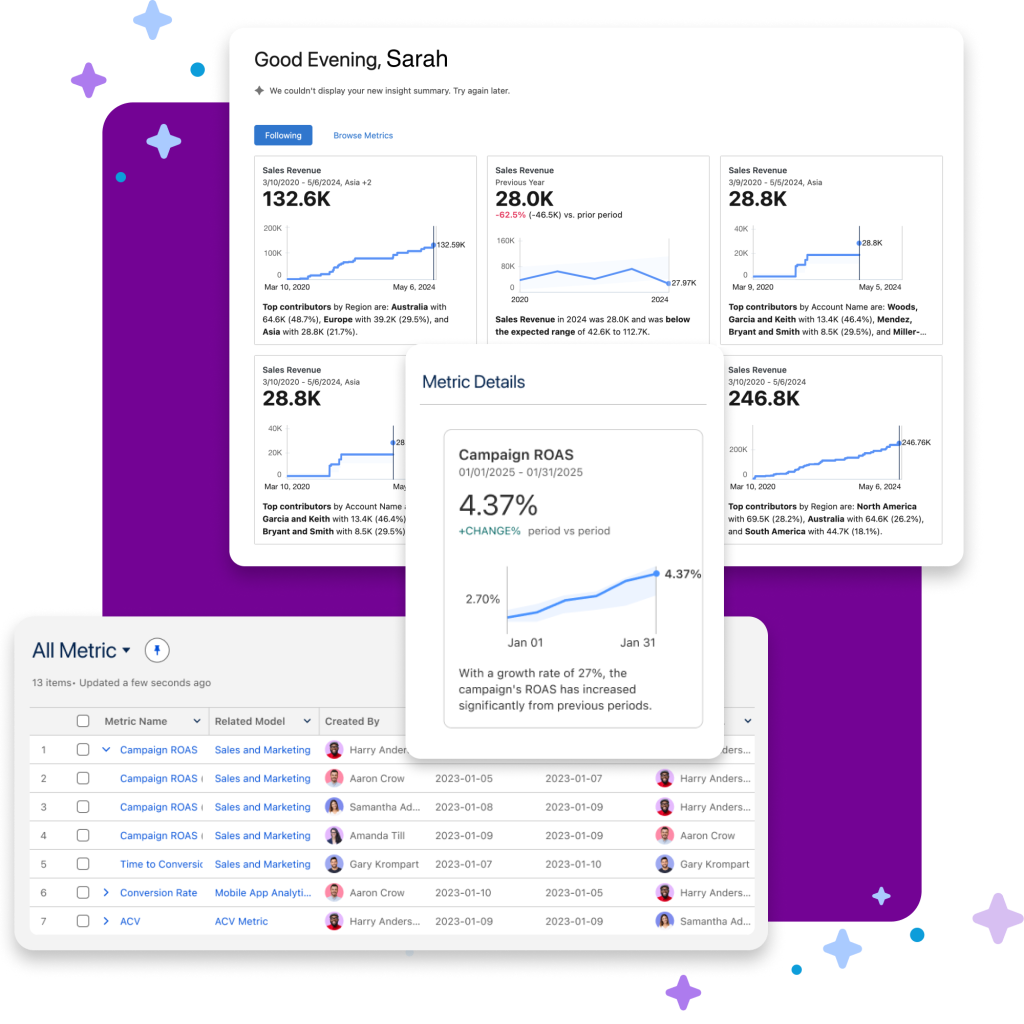
Decisions 2 and 3 in the product. Definitions live in the model as one centralised logic layer. The “New” action (the starting point testers found easily) opens calculated fields, metrics, hierarchies and logical views, or lets the agent draft them from a sentence.
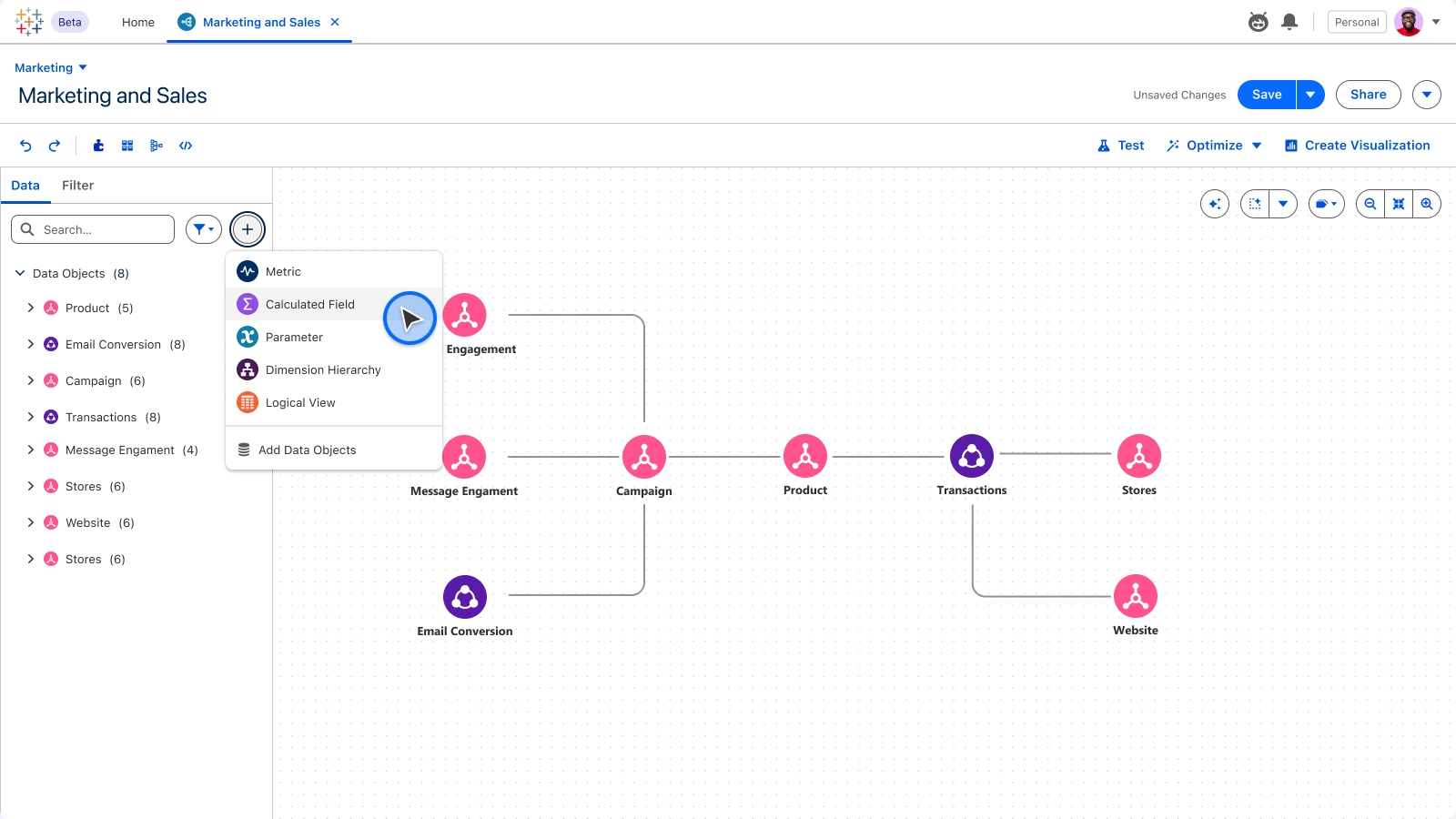
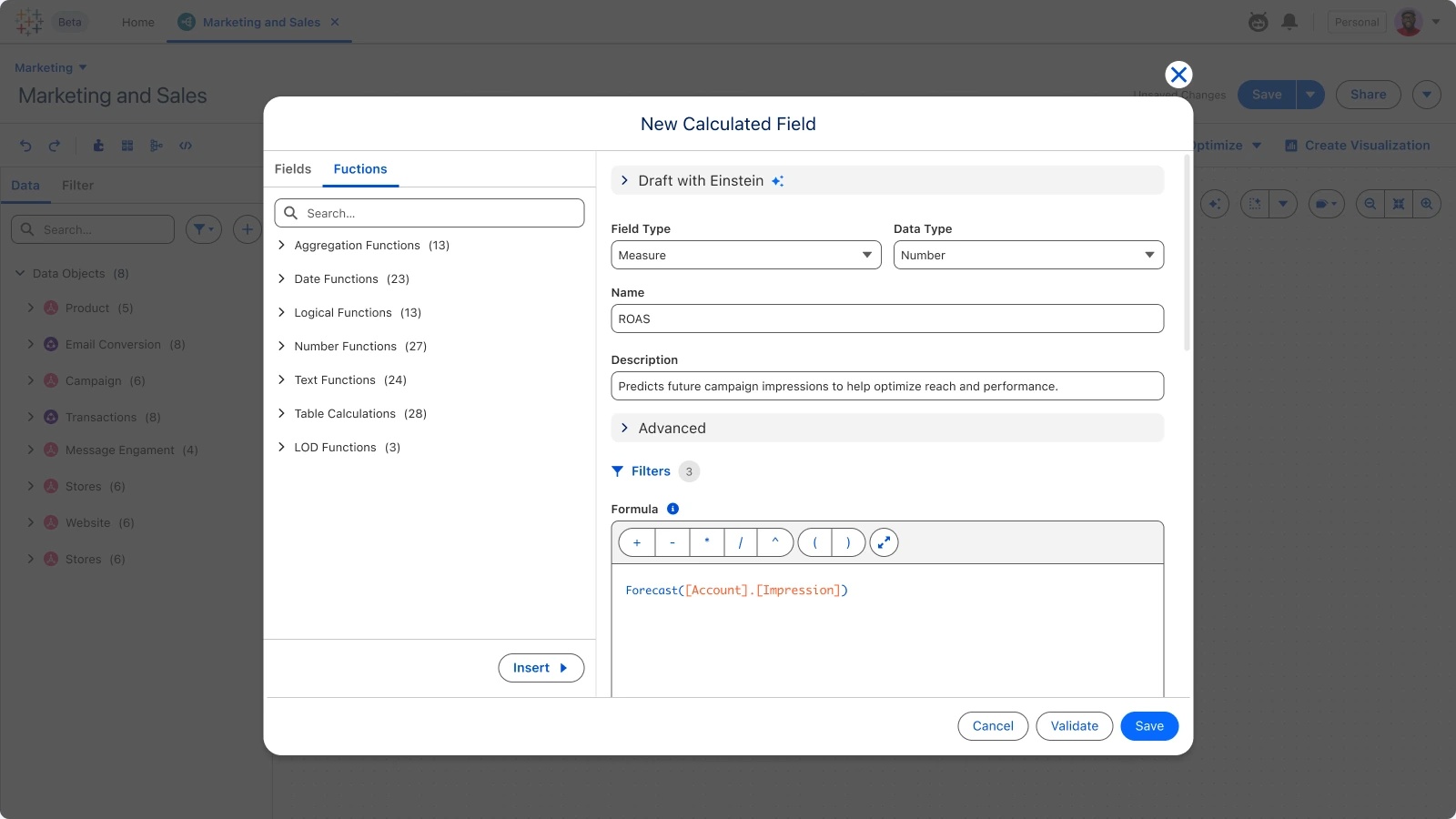
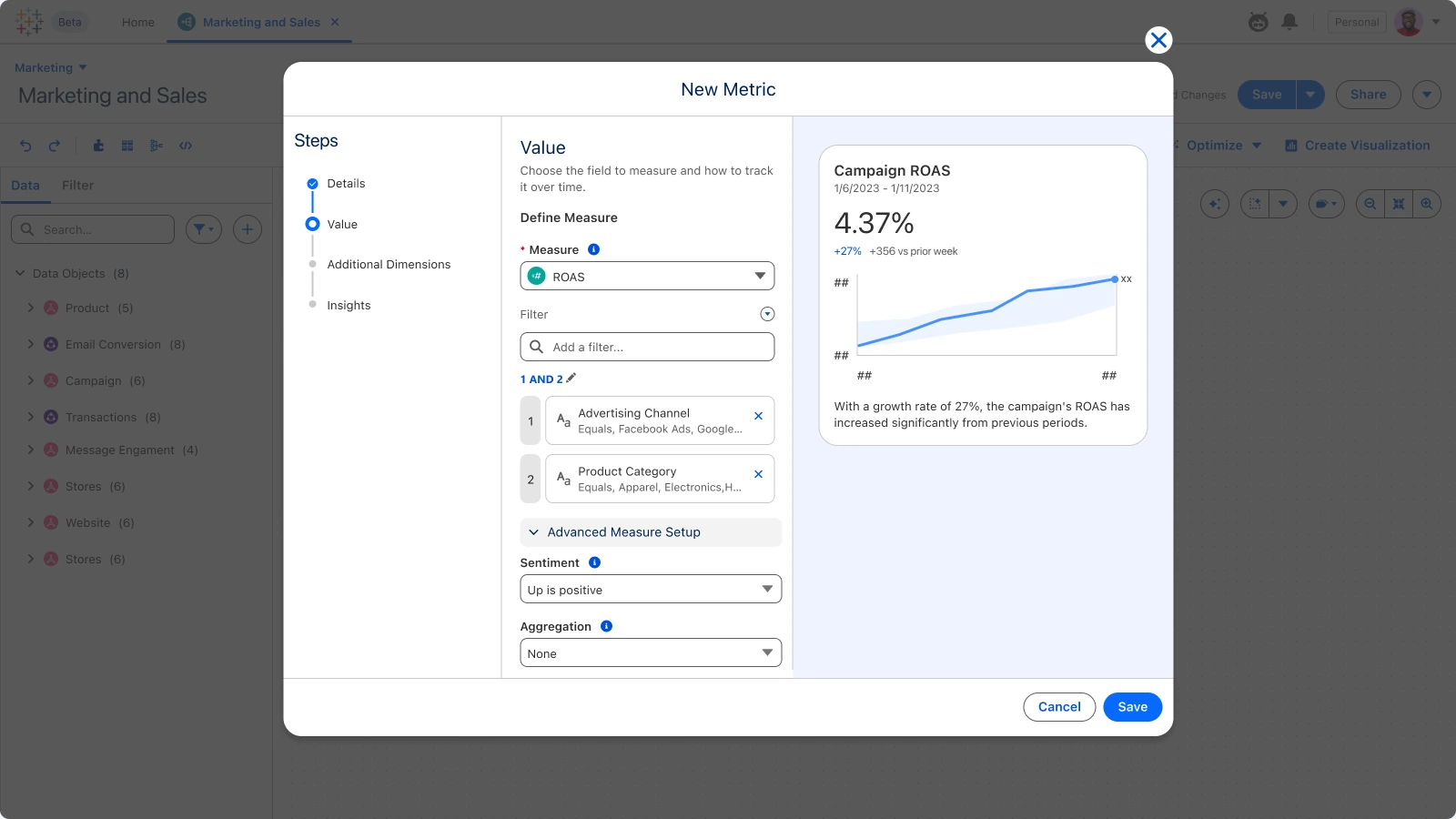
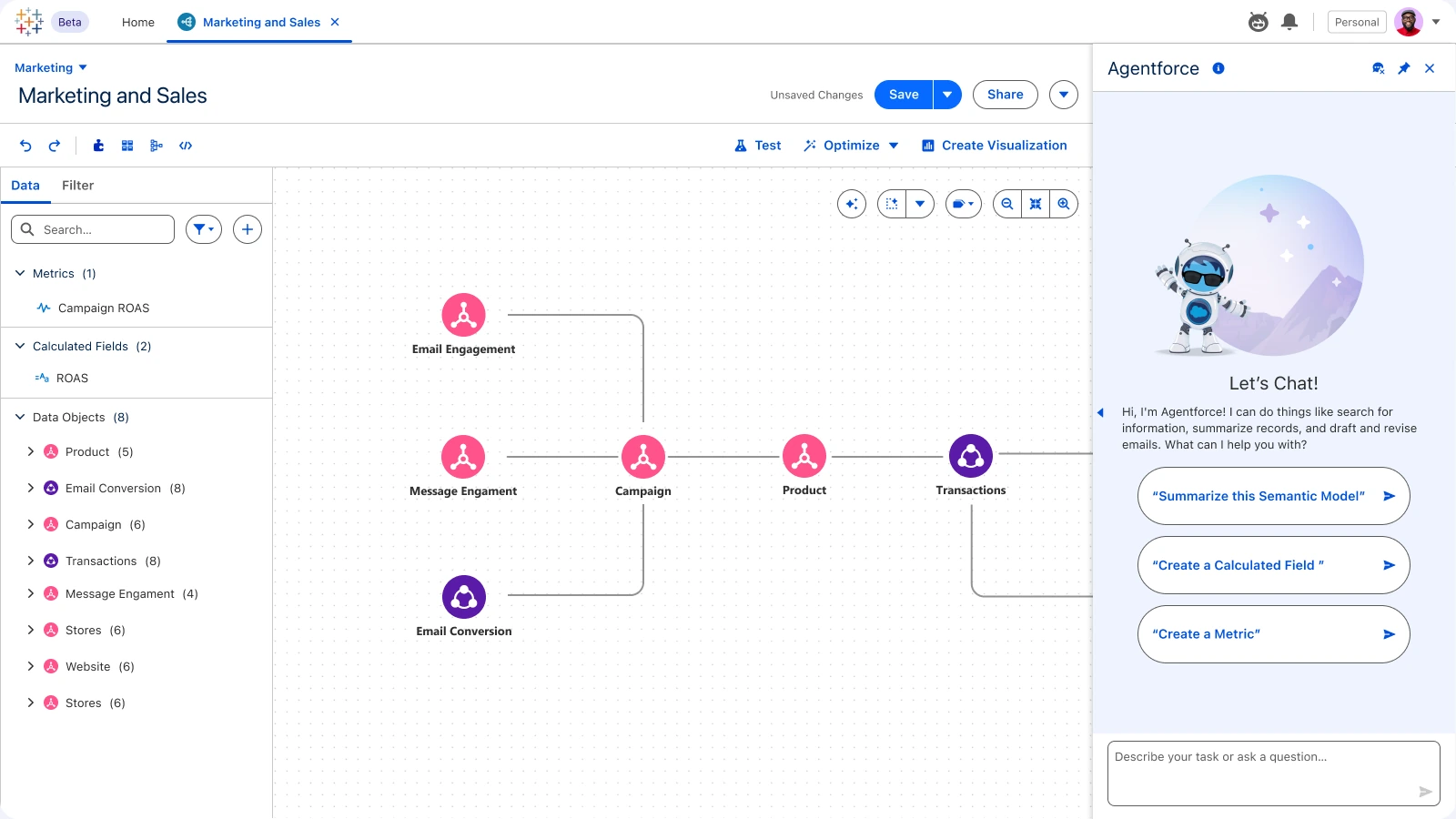
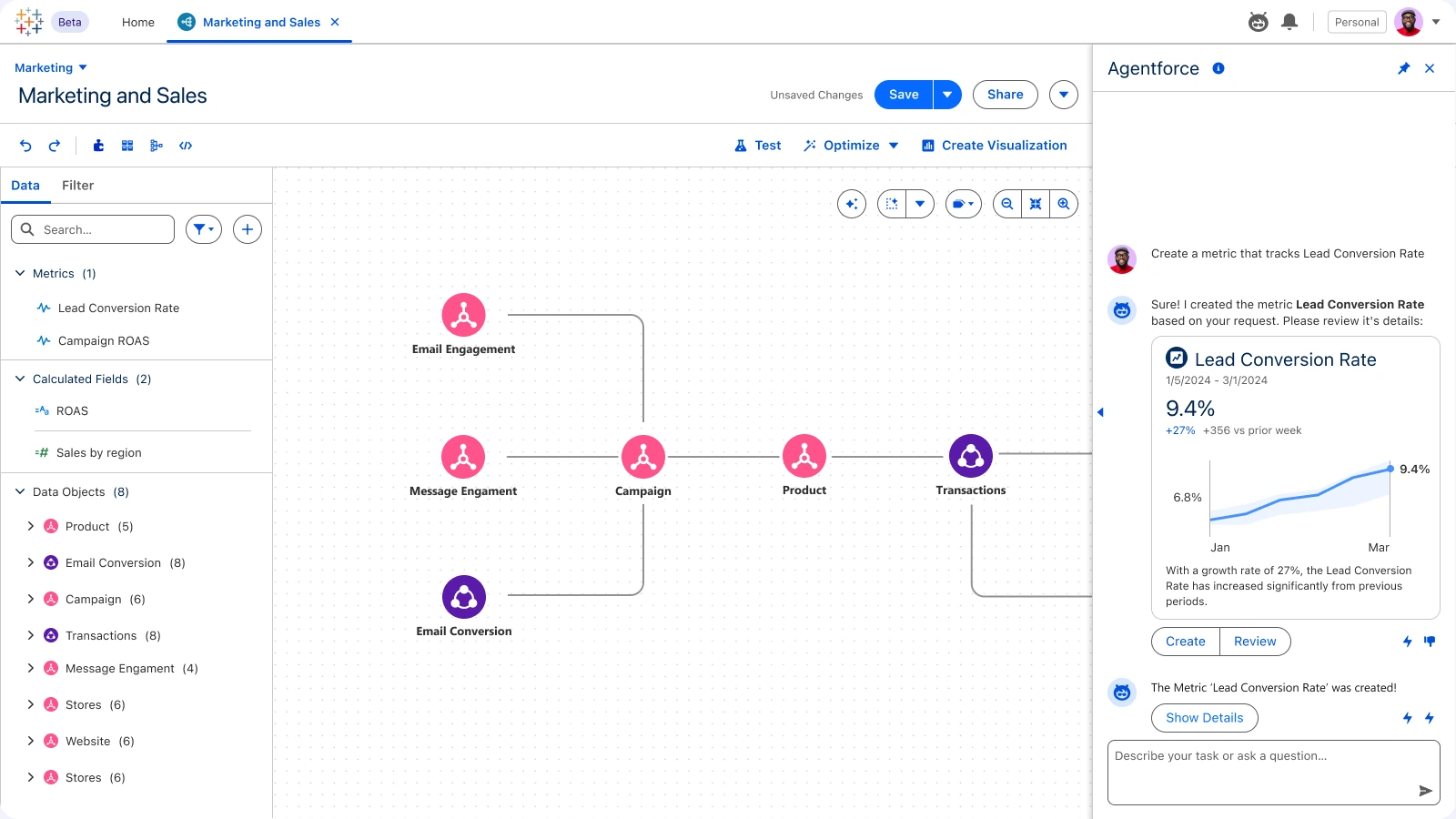
One entry point for every kind of definition.Formula, type and description in one place.Guided steps with a live preview of the result.Describe the definition in plain language.Review the draft, then add it to the model.
03AI · Optimise model
Answering “models AI can’t read”. Model Optimisation reviews the foundation and proposes fixes, so it’s robust enough for human analysis and AI agents alike.
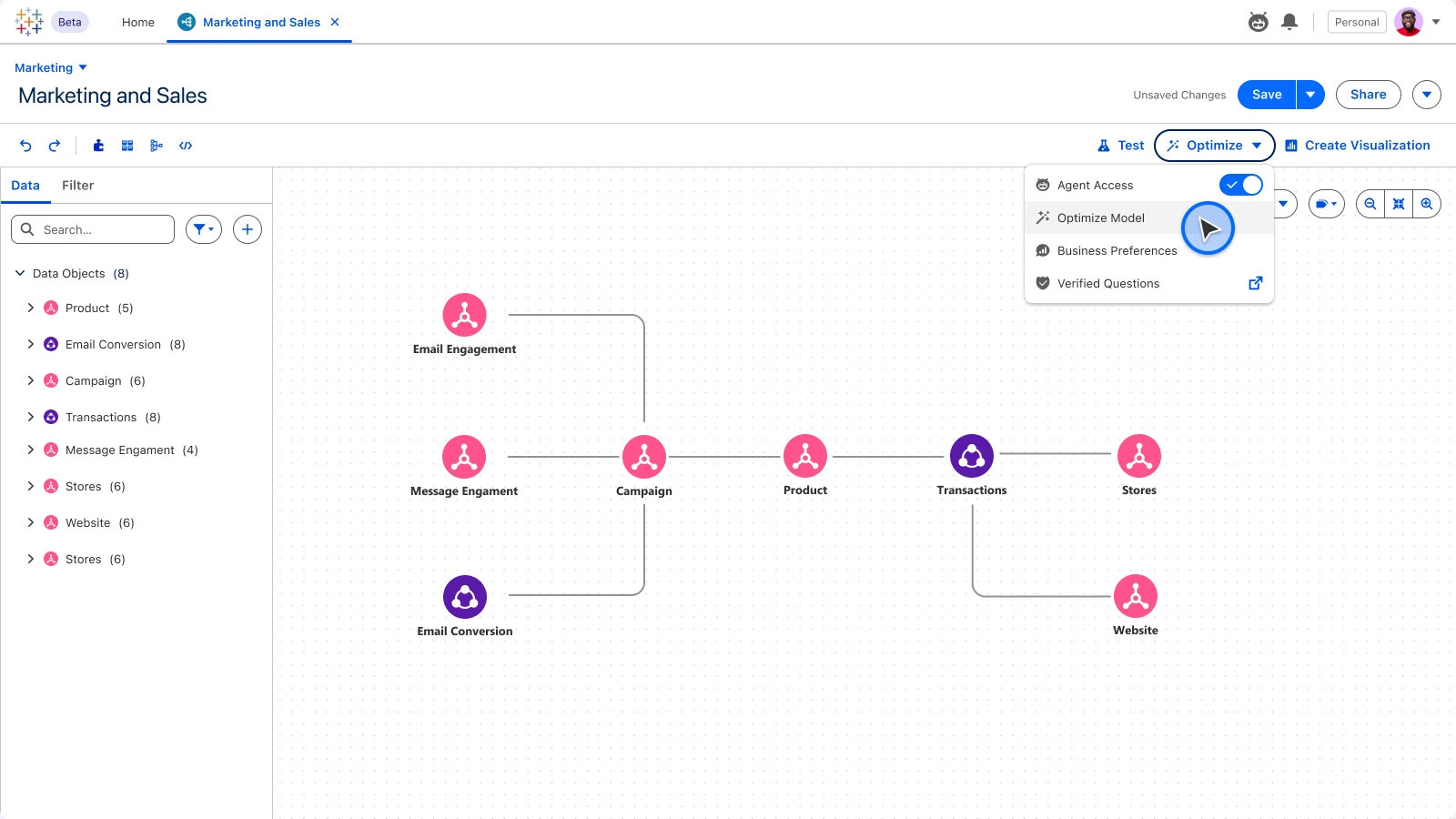
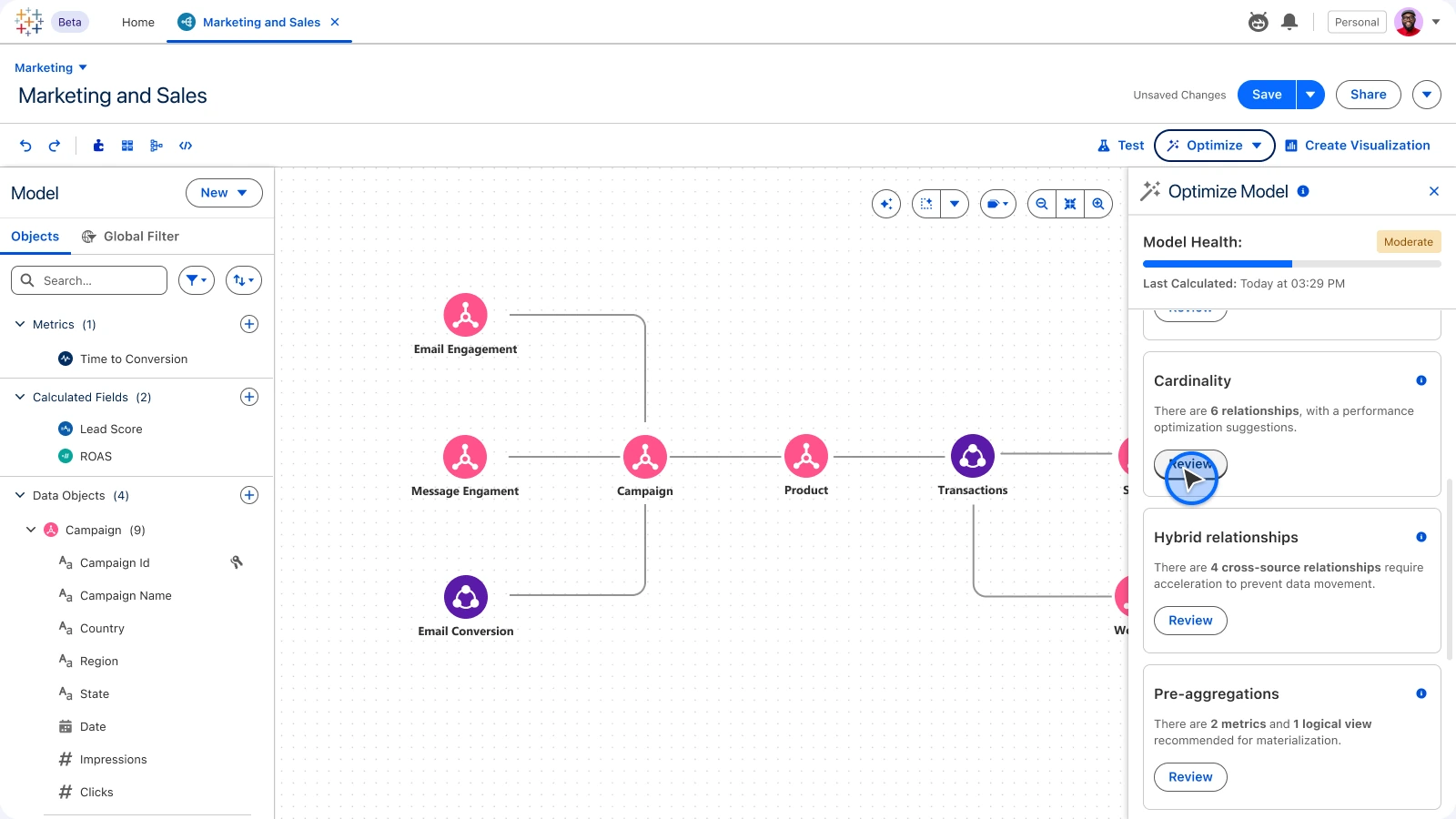
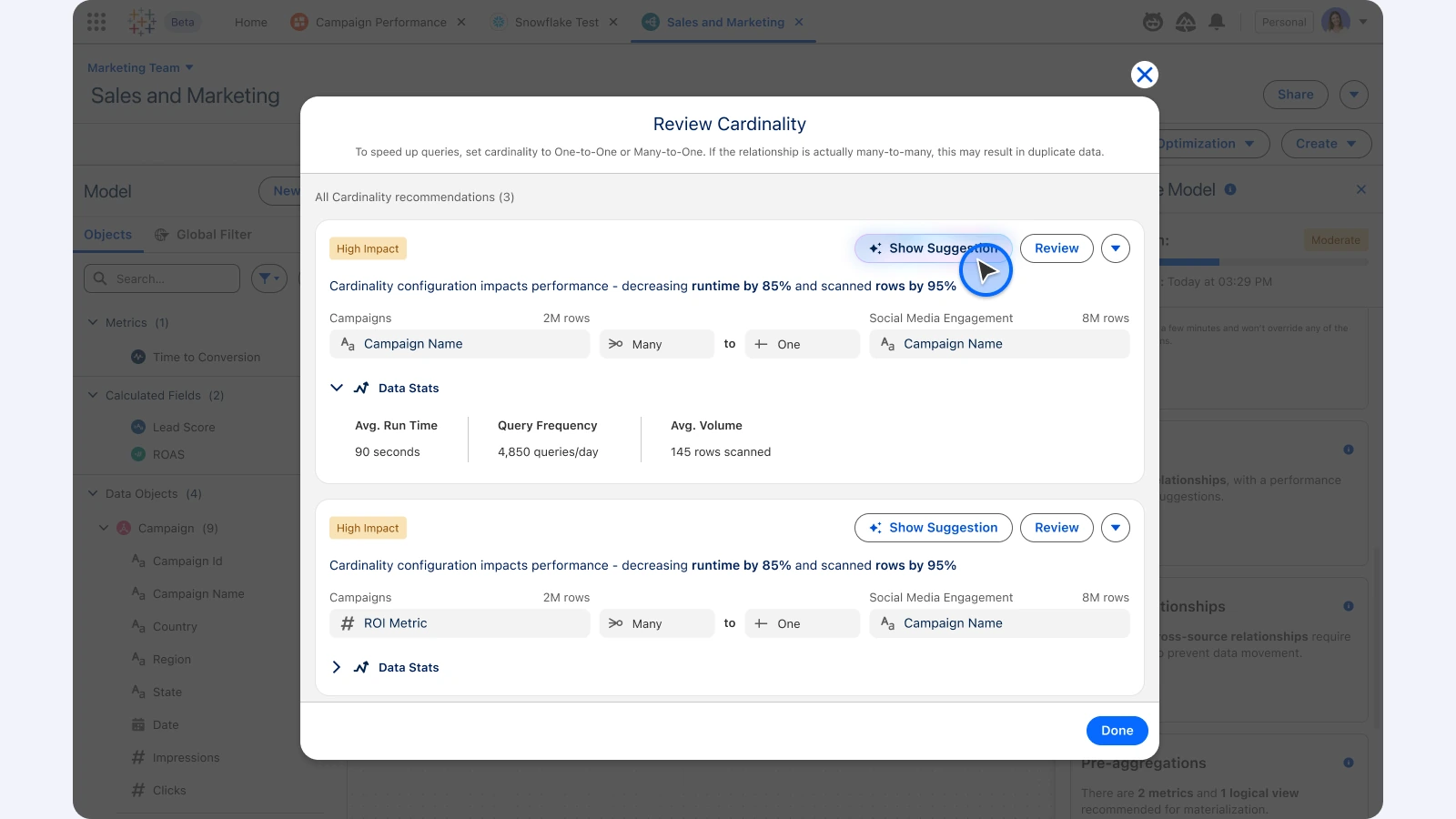
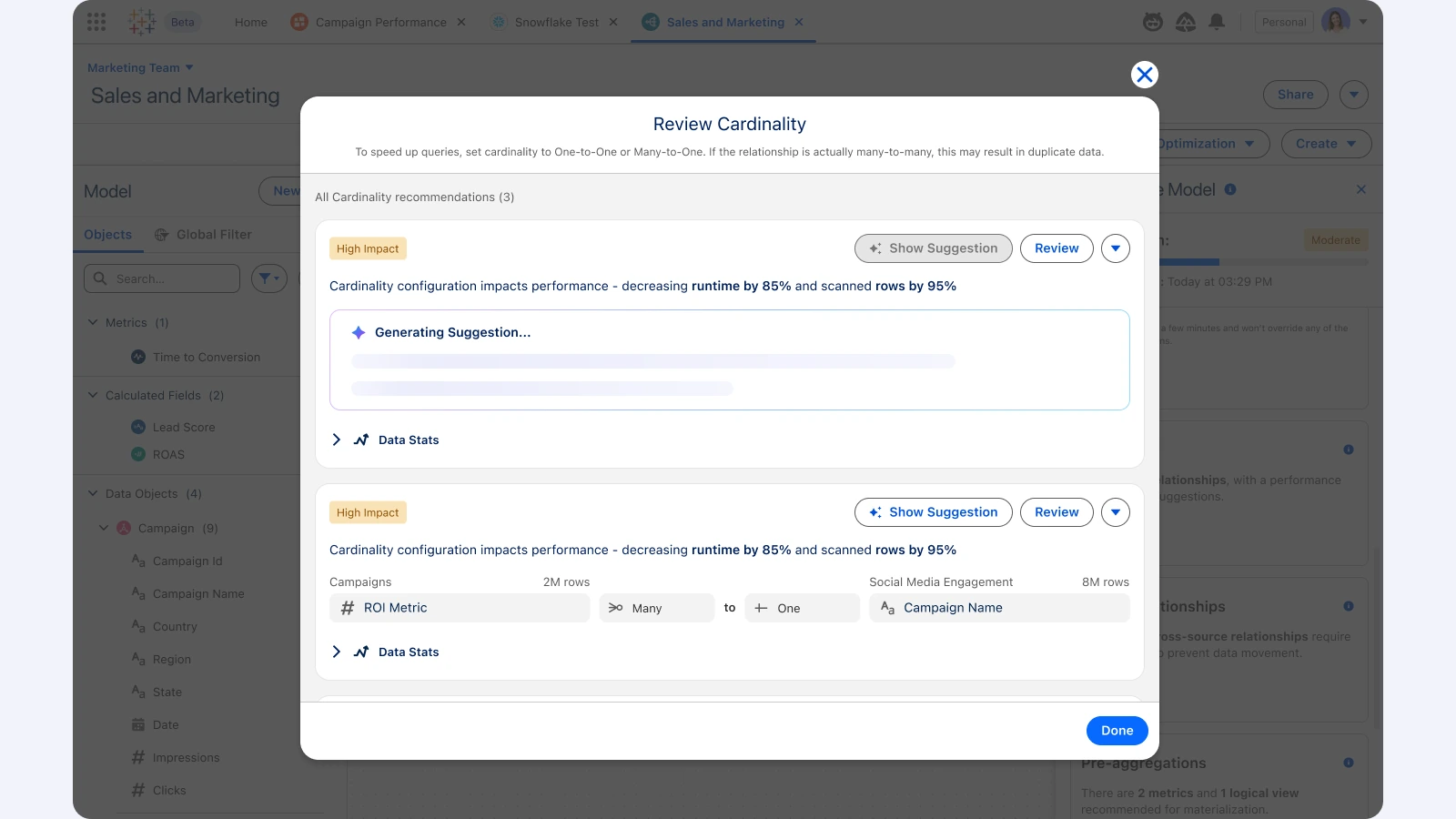
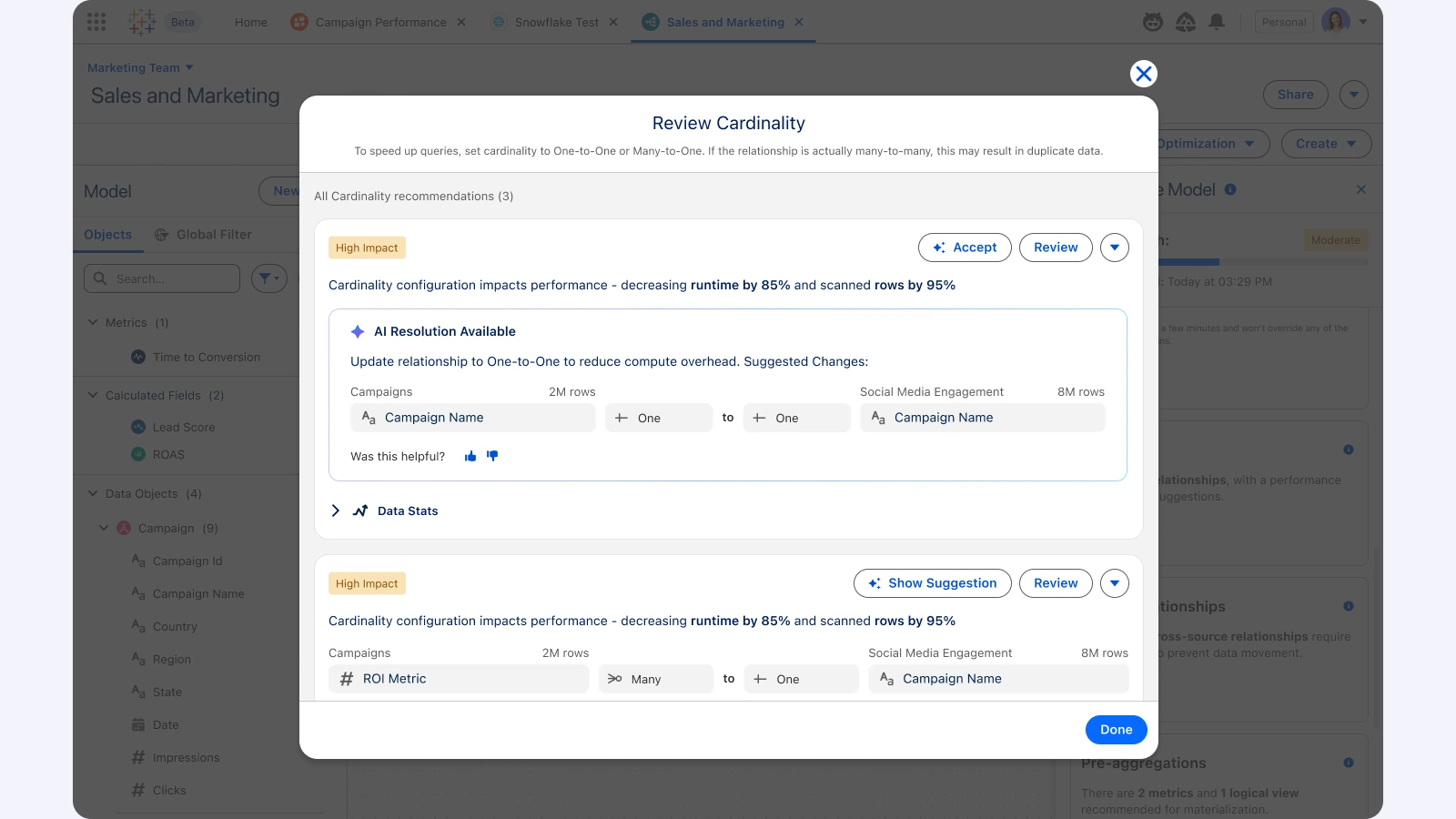
Start an optimisation pass from the toolbar.See what could weaken answers, grouped by impact.Open each issue in context.AI drafts a resolution.Accept the fix and move on.
AI · Agent Test Center
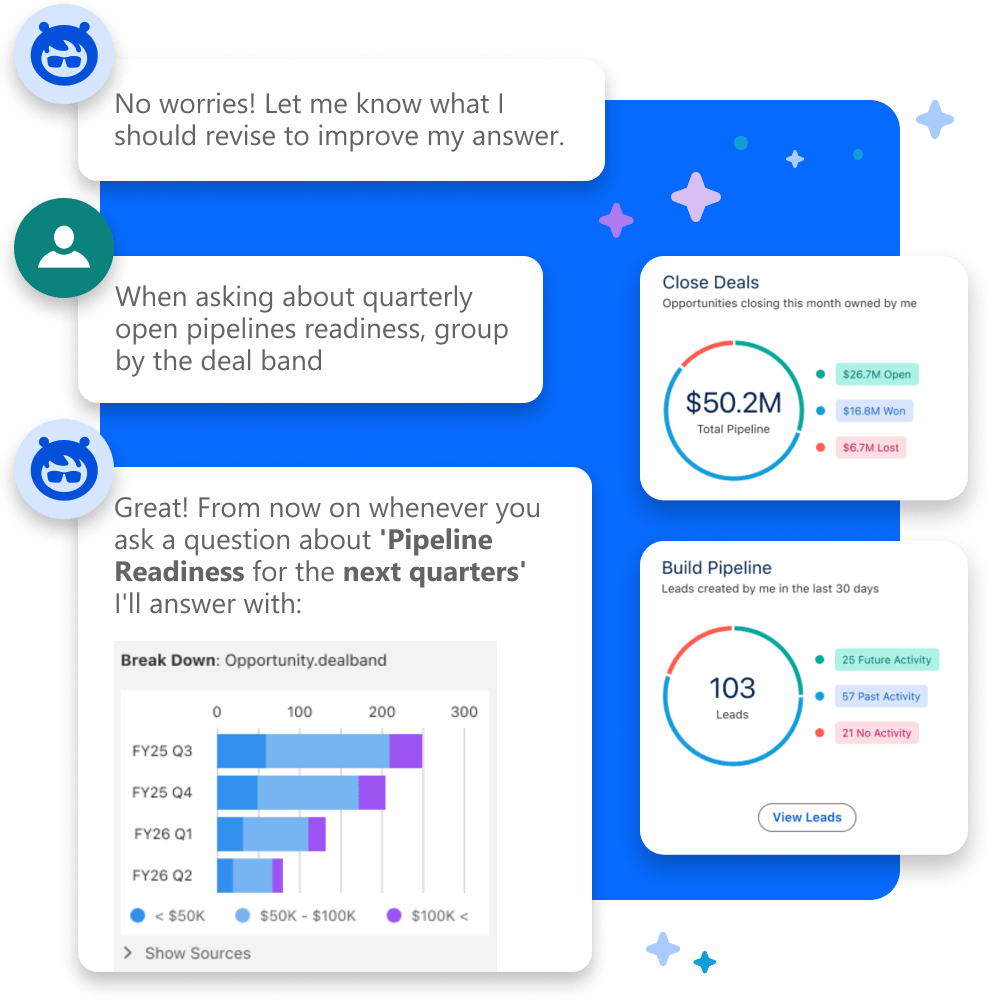
Trust before release: the Test Center shows how an agent will answer real business questions against the model, and lets analysts calibrate and verify each answer before anyone relies on it.
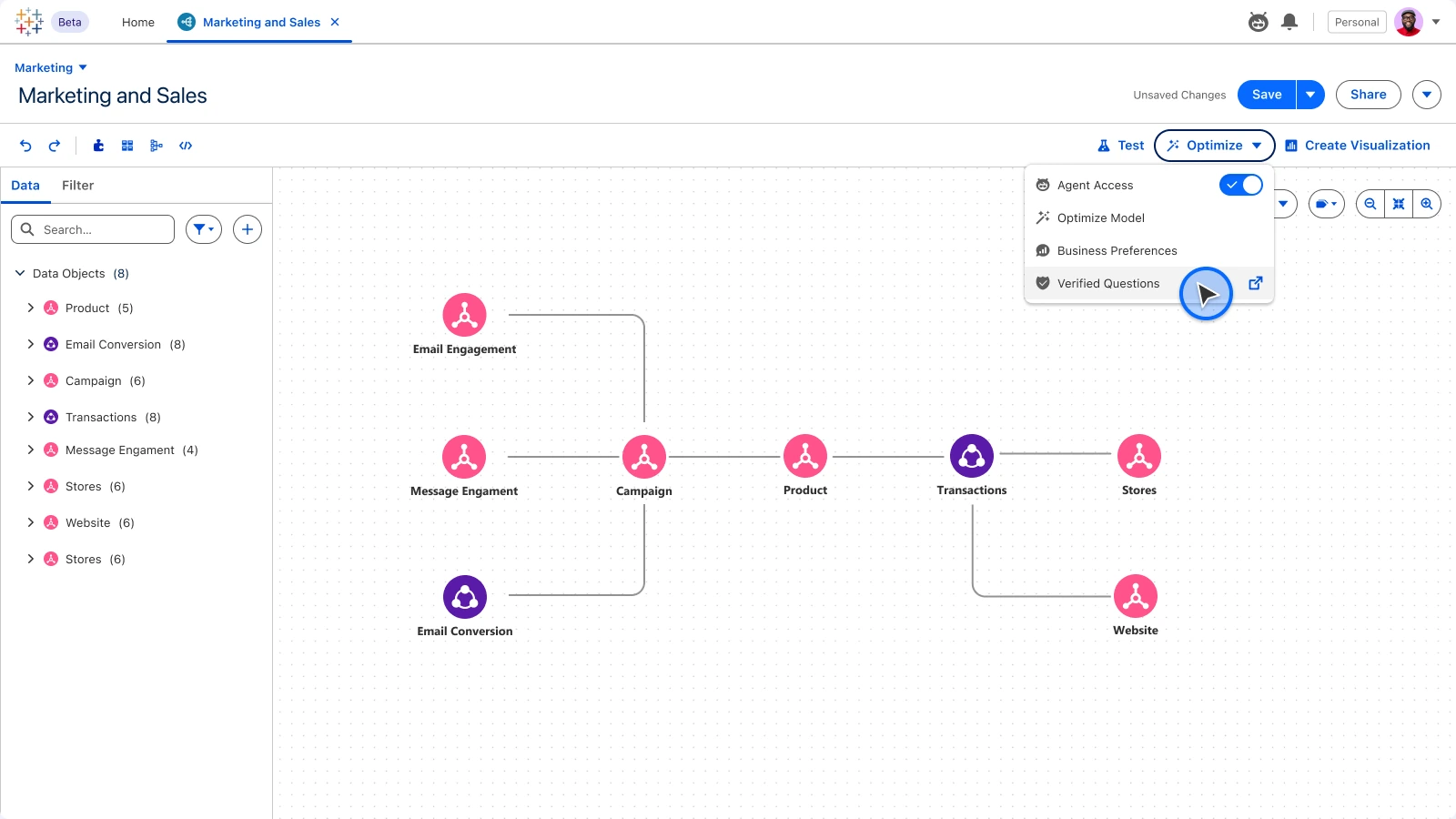
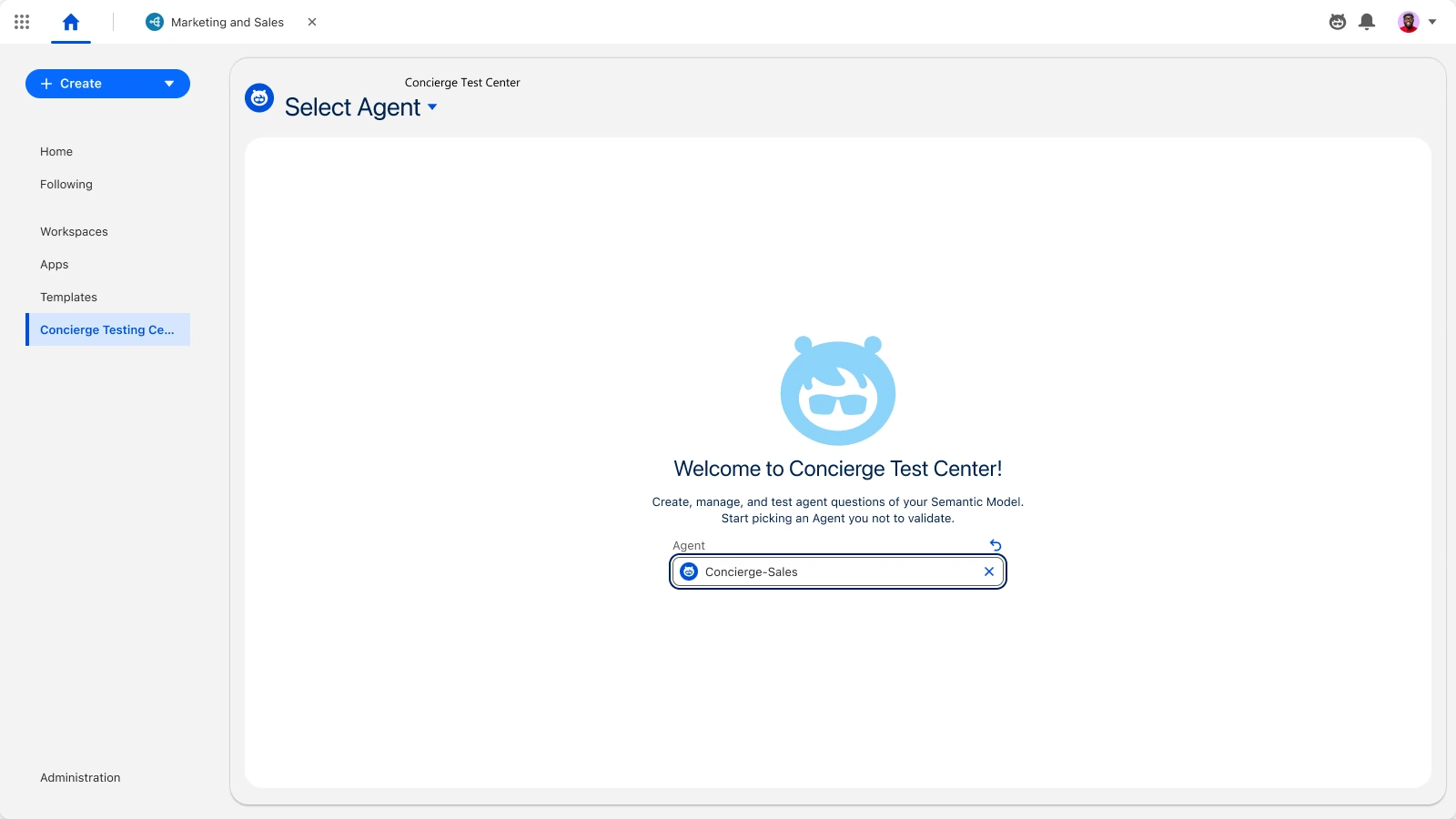
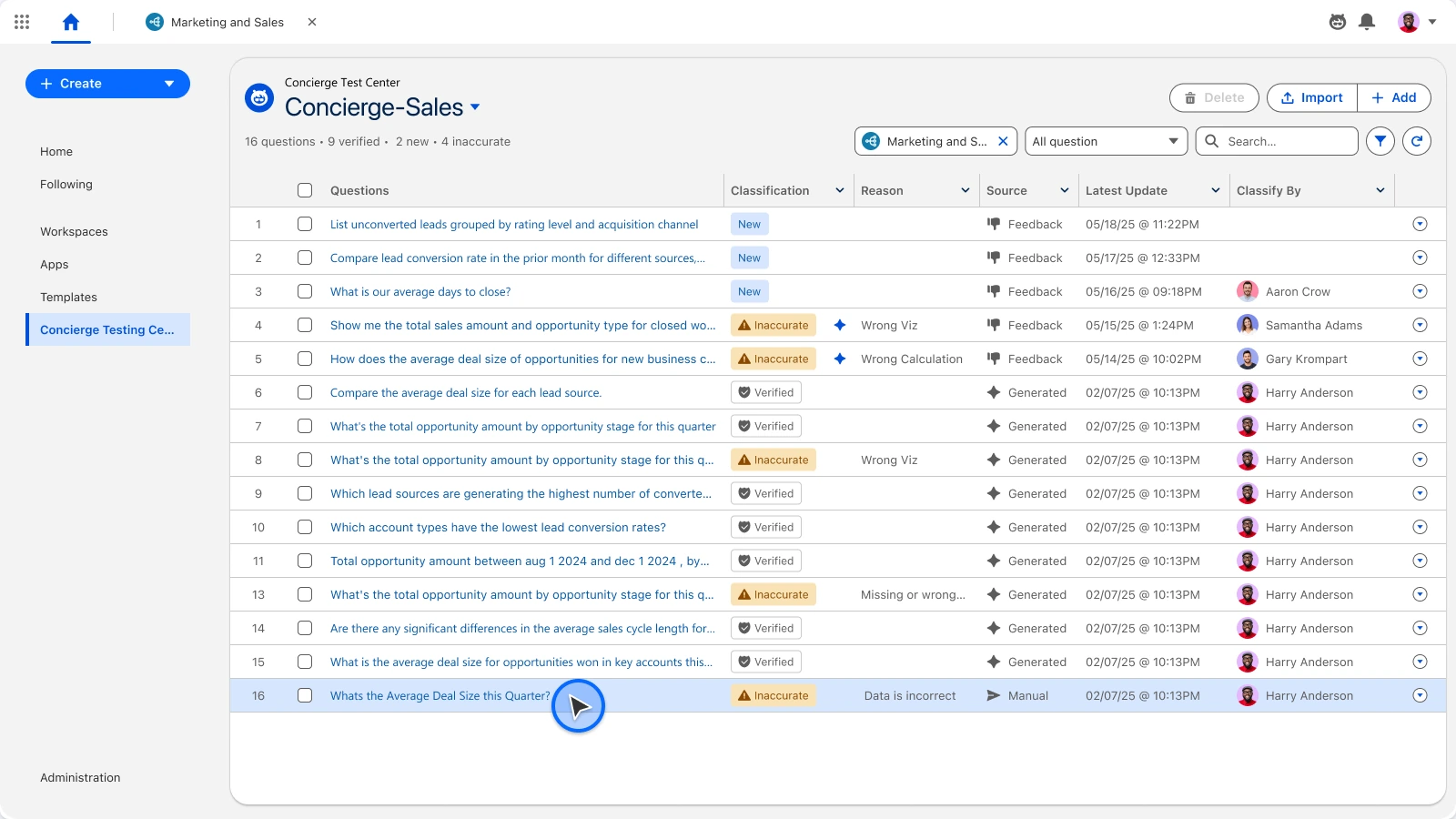
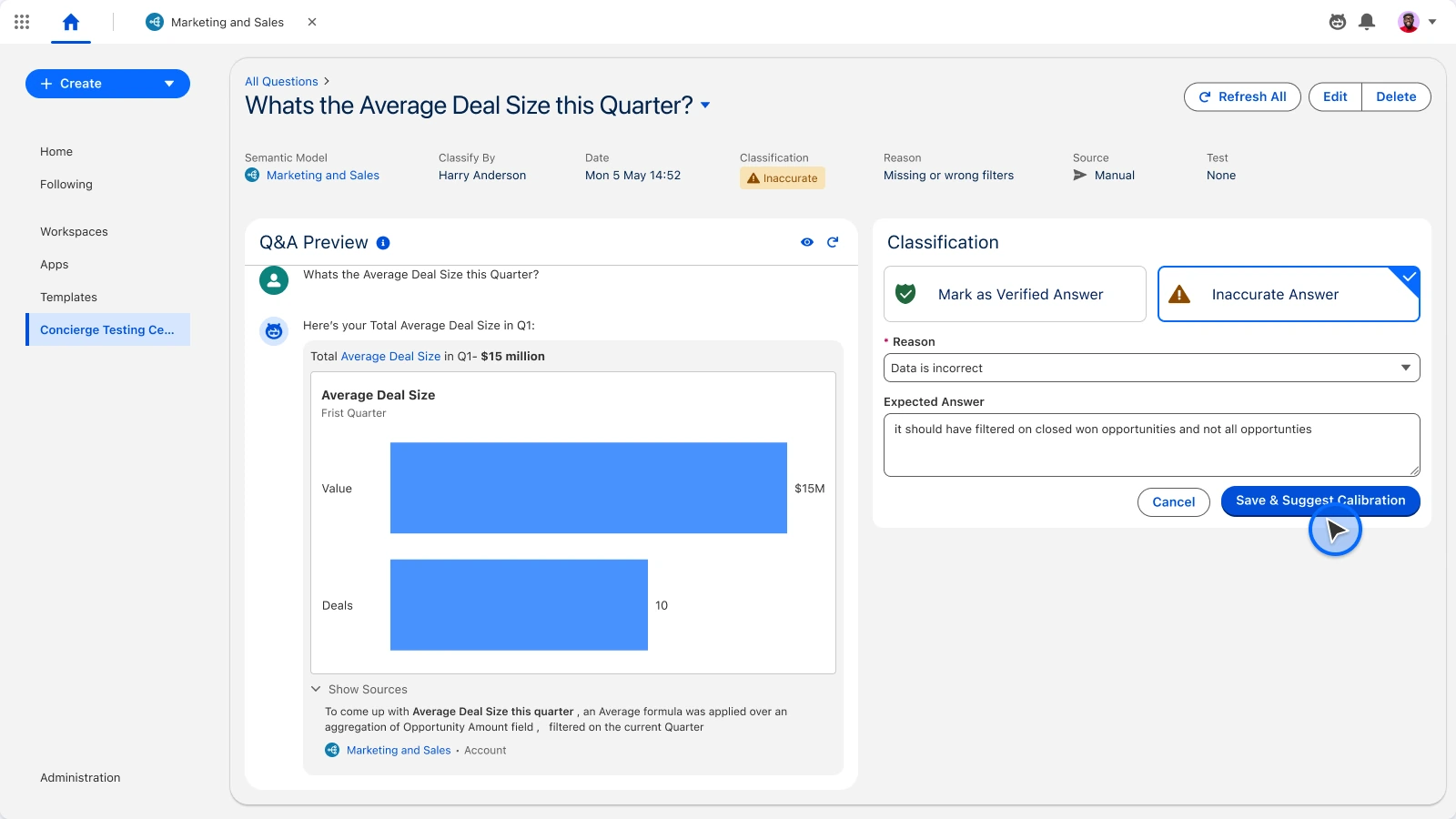
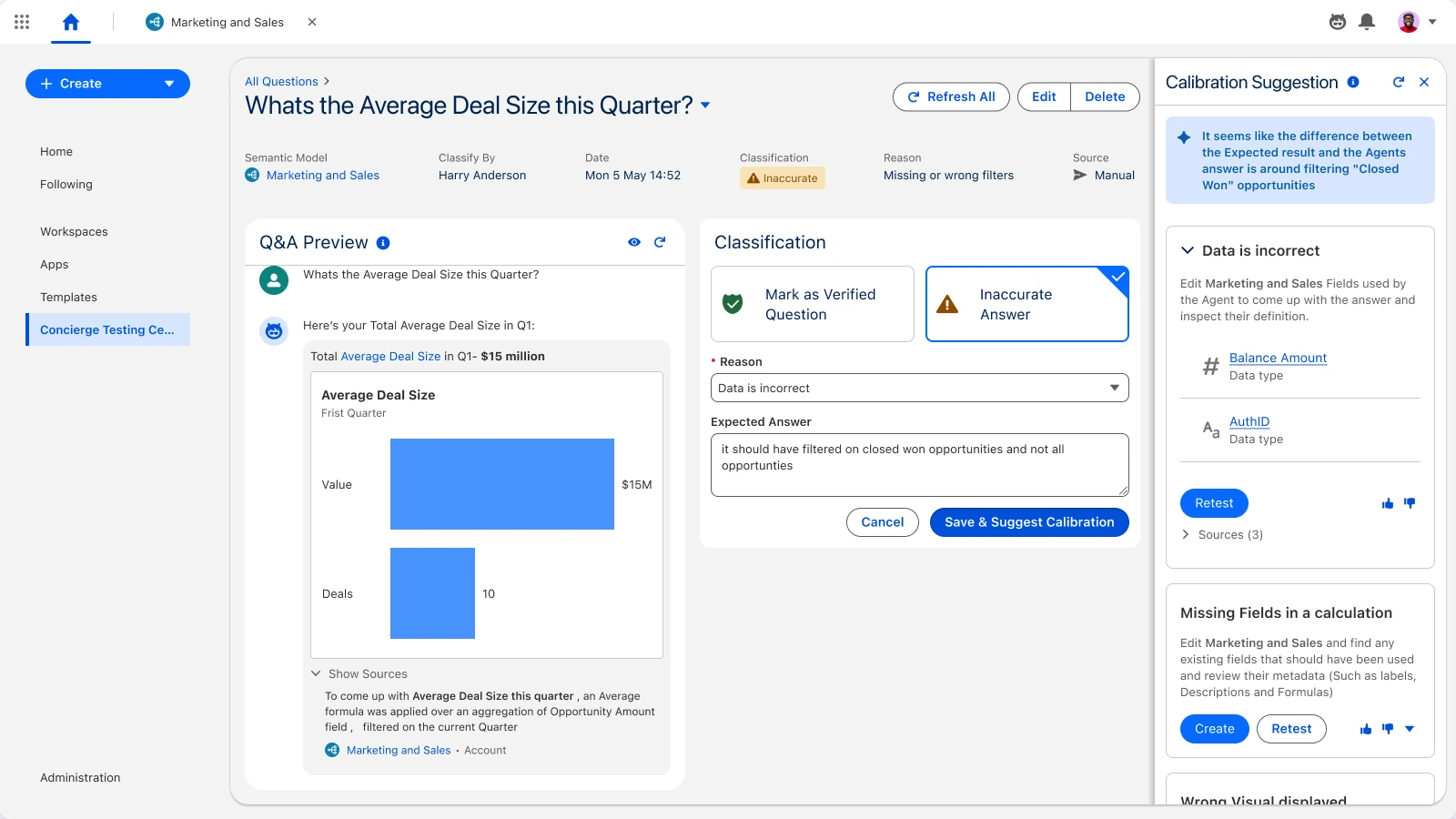
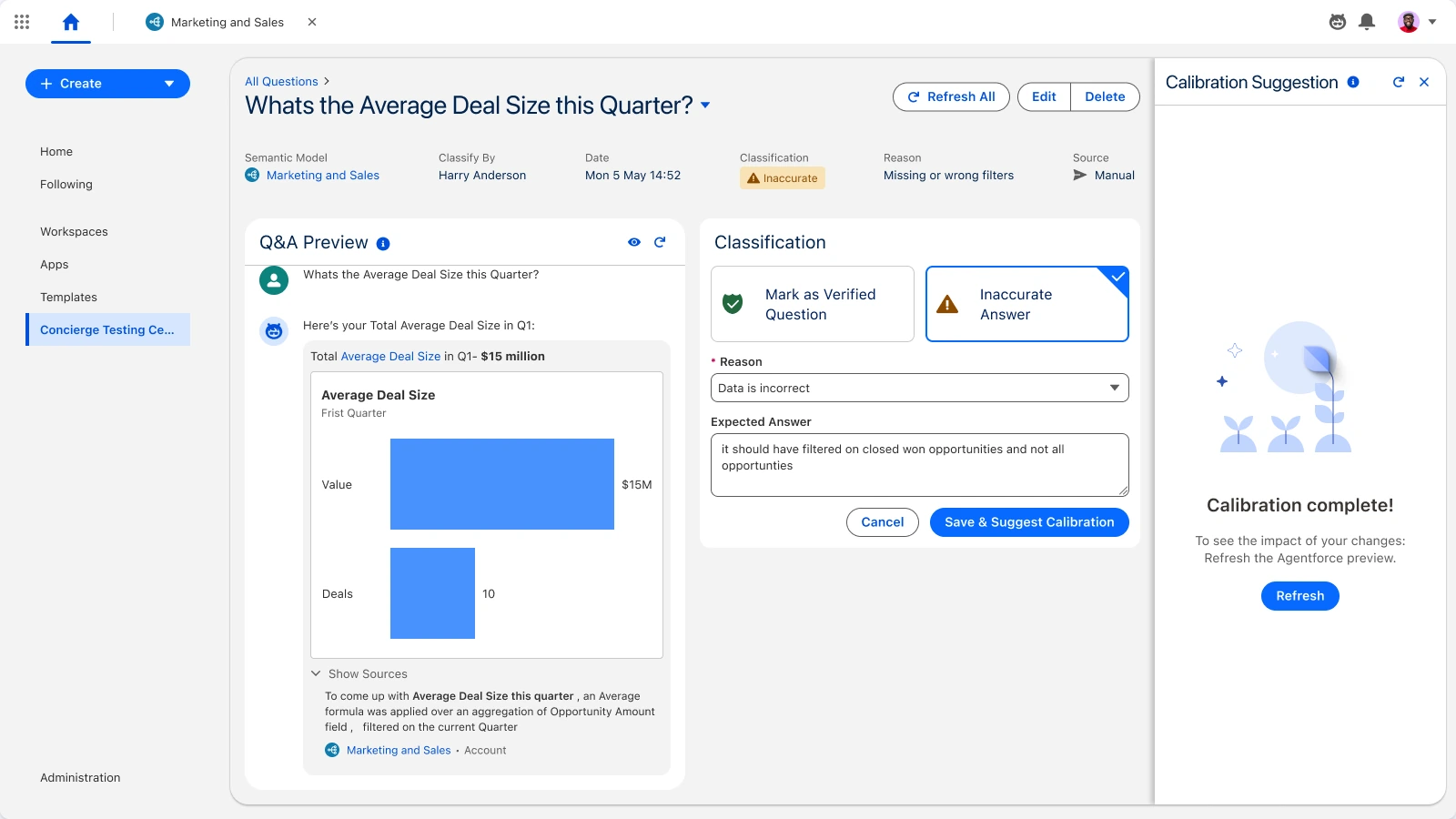
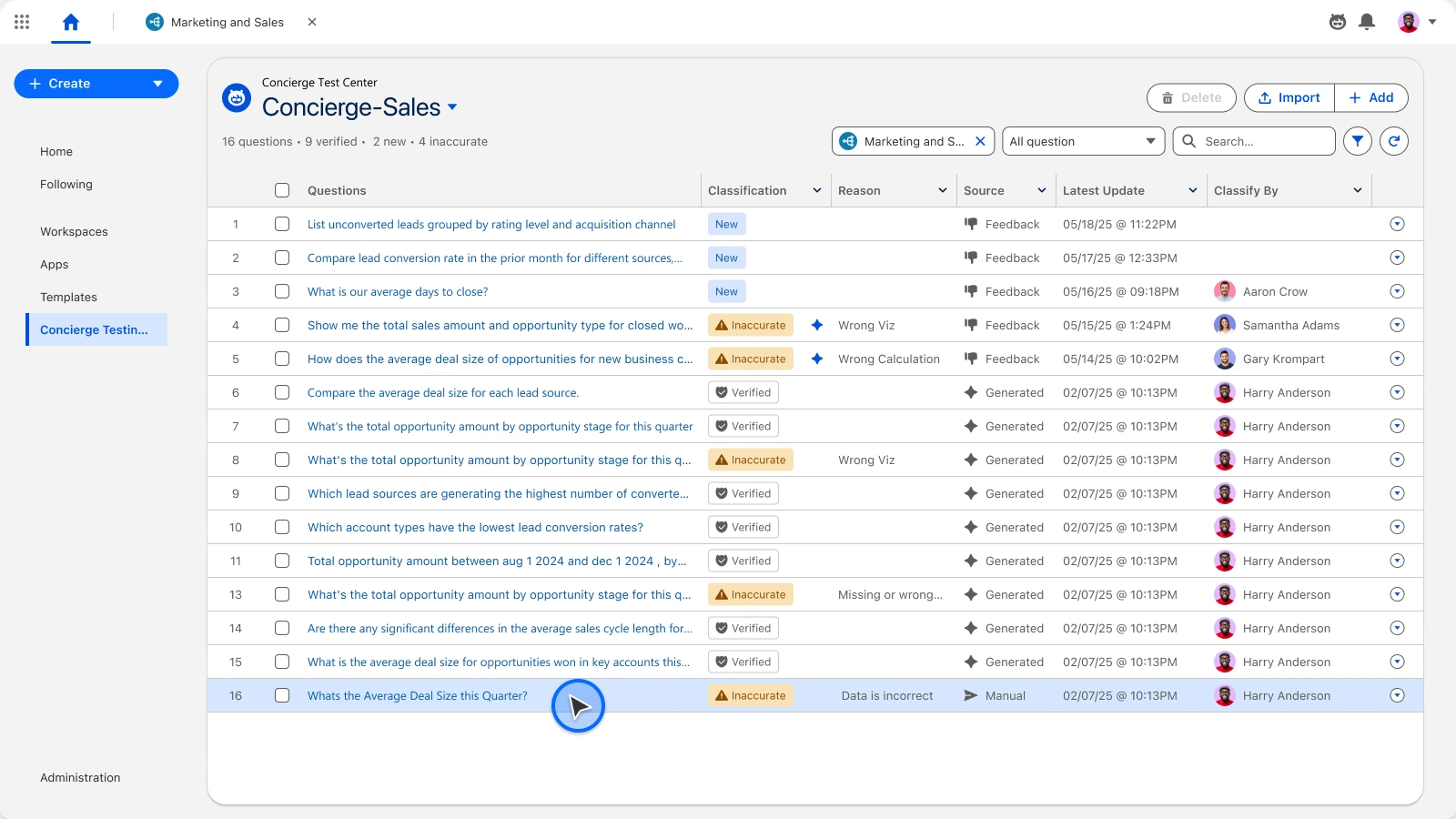
Open testing straight from the model.Pick the agent to put under test.A bank of realistic business questions.See how each question was understood.Suggested changes to improve the answer.Confirm the improvement.Mark the question as verified.
07Scale
Designing how the team designs.
Leading six designers meant designing the team, too. I built our workflow, file structure and component library, and taught an AI-assisted way of working to designers and PMs.
Design Ops
One operating system for six designers
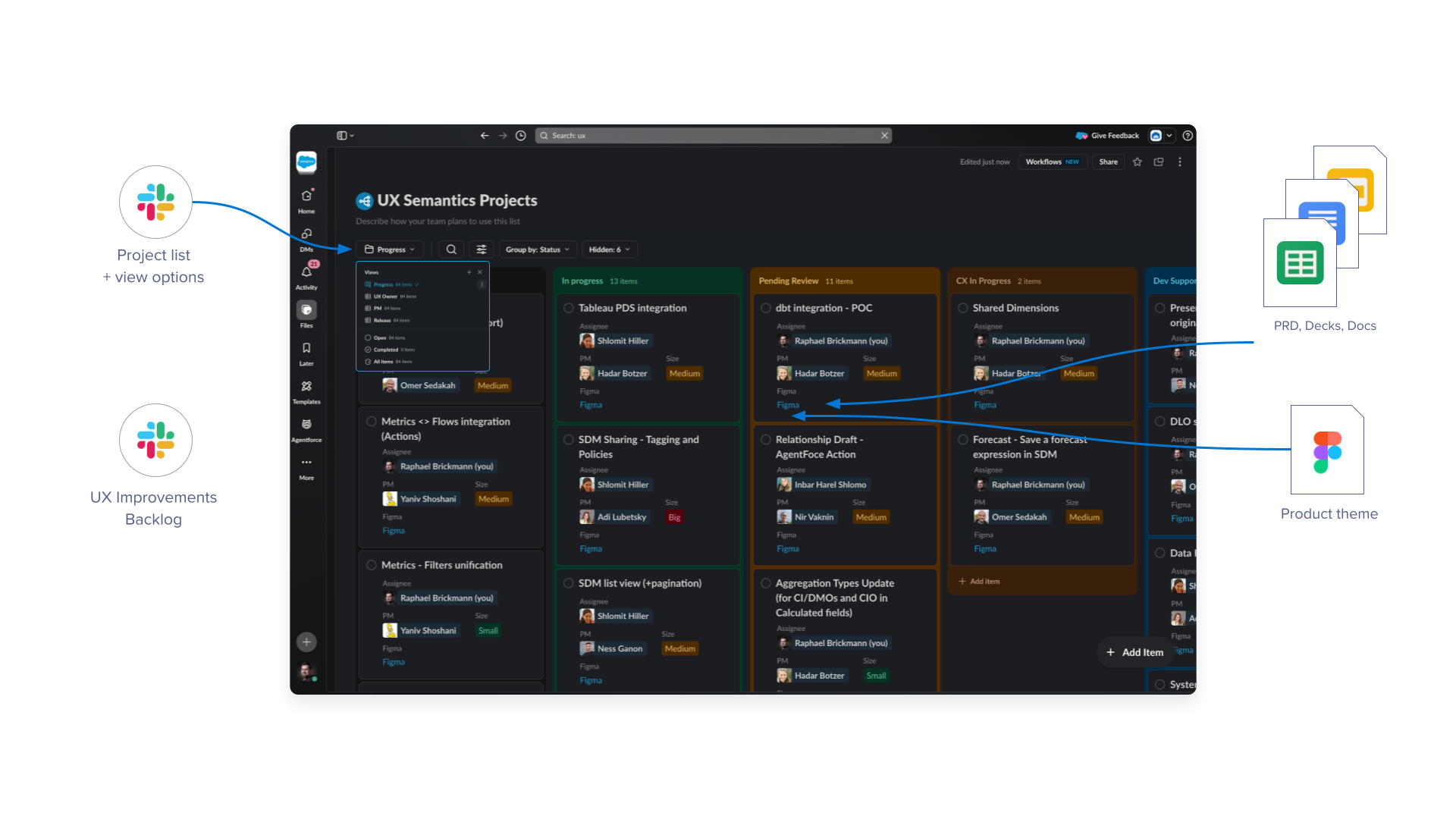
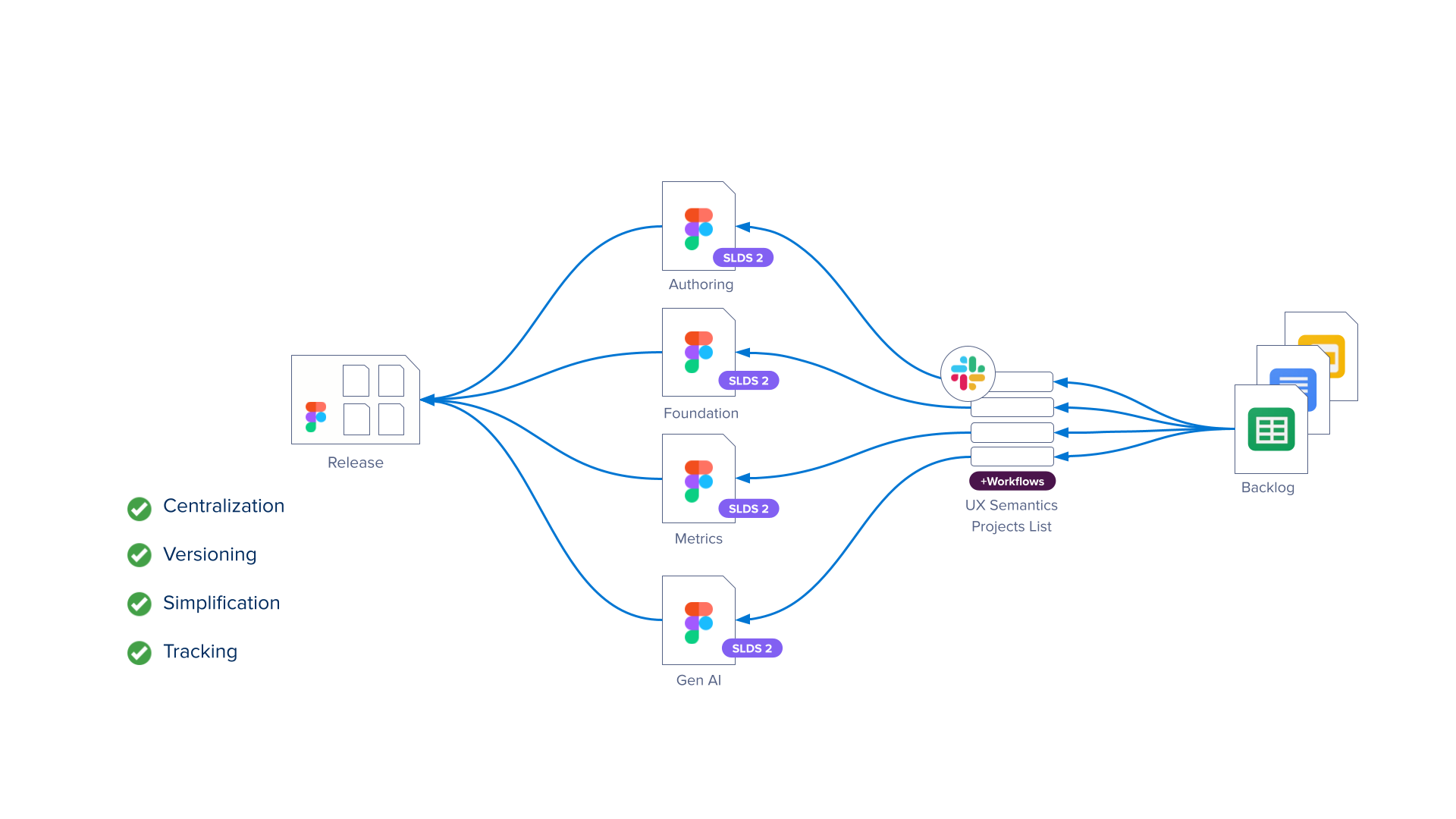
Workflows were fragmented across a growing team. I set up a central framework in Slack Lists with automated workflows, mapping task ownership to product themes.
It reduced communication overhead and gave Product and Engineering real-time visibility into project velocity.
Design system
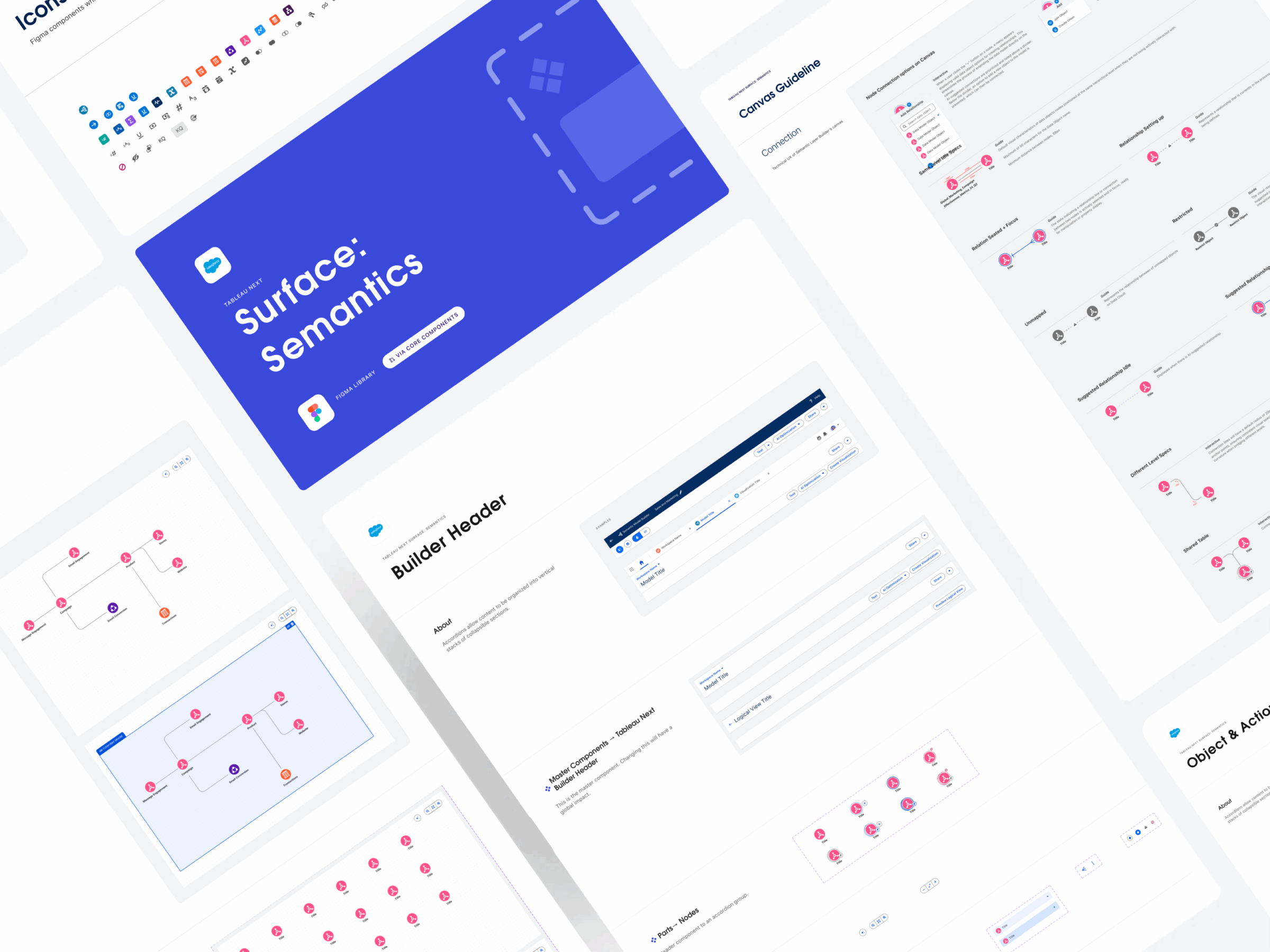
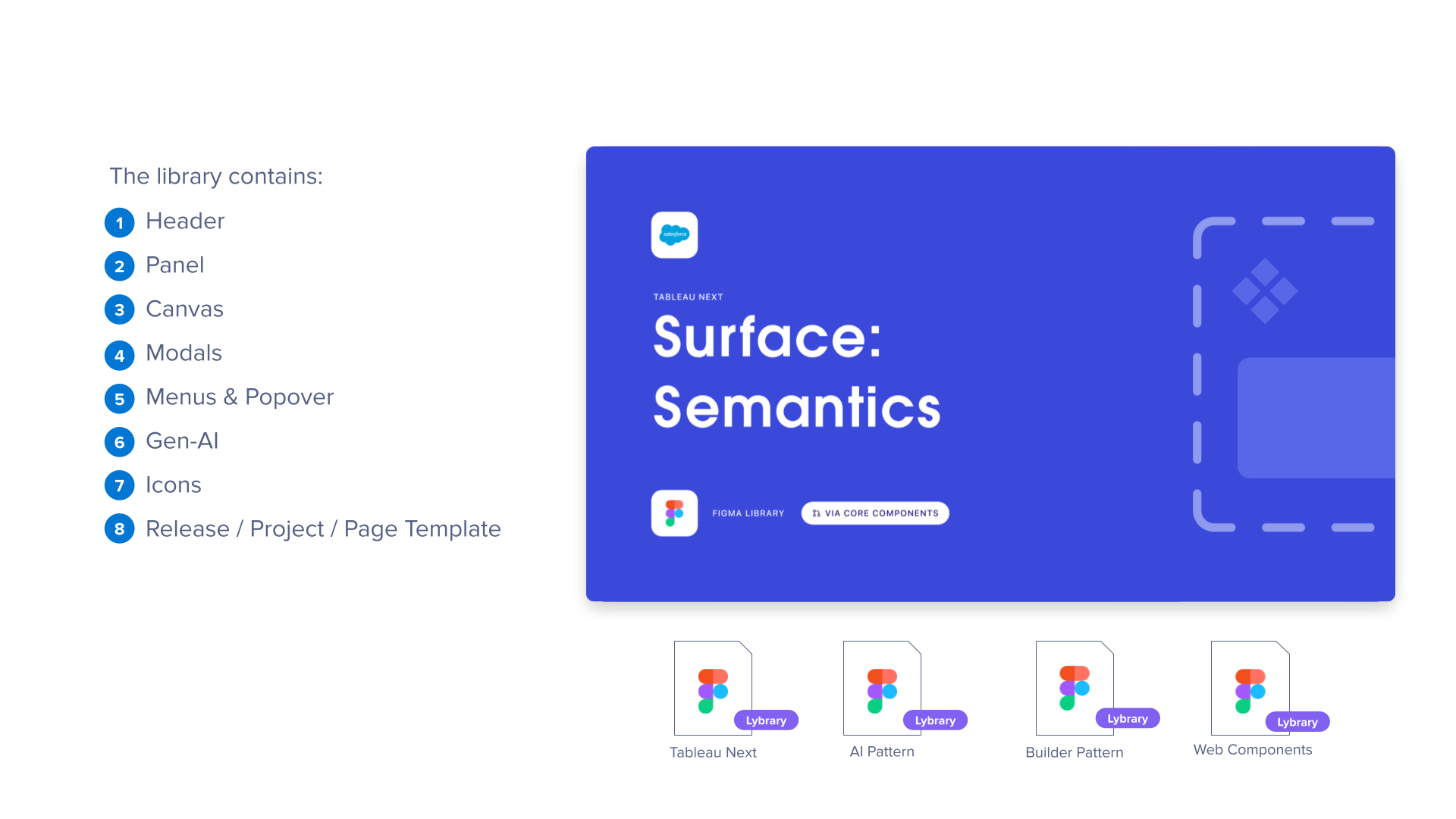
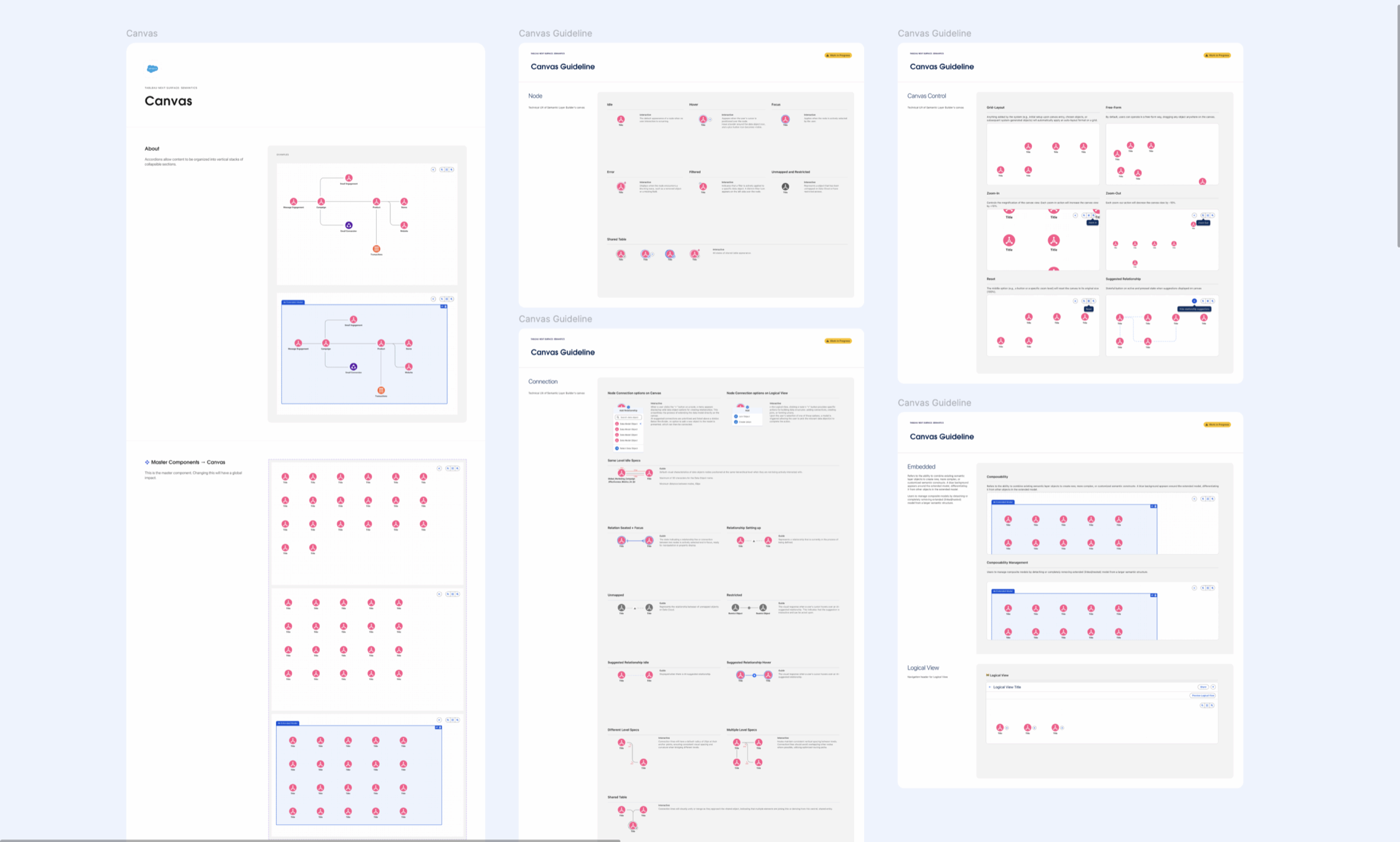
Surface Component Library
I architected a Surface Component Library to balance team-specific needs with the global Salesforce Design System: it hosts Semantics-specific patterns and templates while keeping a live link to core SLDS components.
The team can innovate locally without losing sync with company-wide standards.
Brainstorming and prototyping with AI
The Cursor AI Methodology
I turned a technical, AI-assisted workflow into a cross-functional workshop for UX and Product Management.
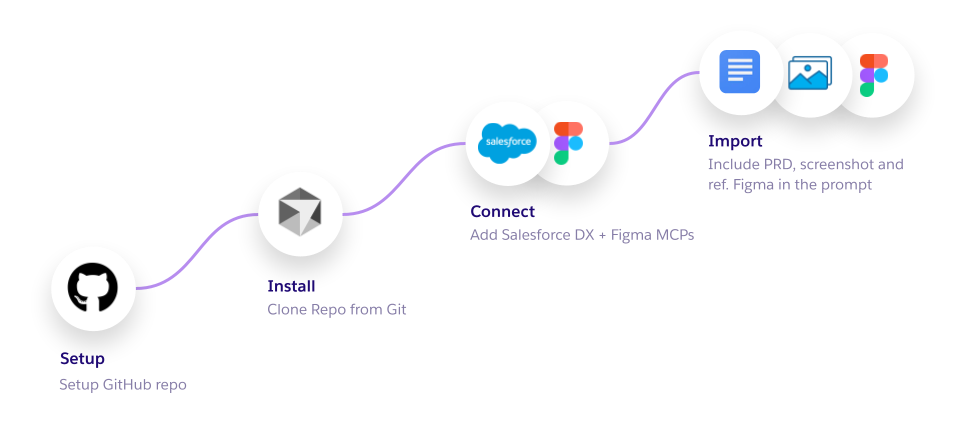
- 01Used the team’s GitHub repository for Cursor-driven PRD brainstorming, with the Figma MCP bridging documentation and Figma iterations.
- 02Showed Cursor reading and editing Figma programmatically: bulk-replacing placeholder text and generating hand-off annotations.
- 03Trained PMs and designers to use integrated repositories to accelerate product vision and delivery.
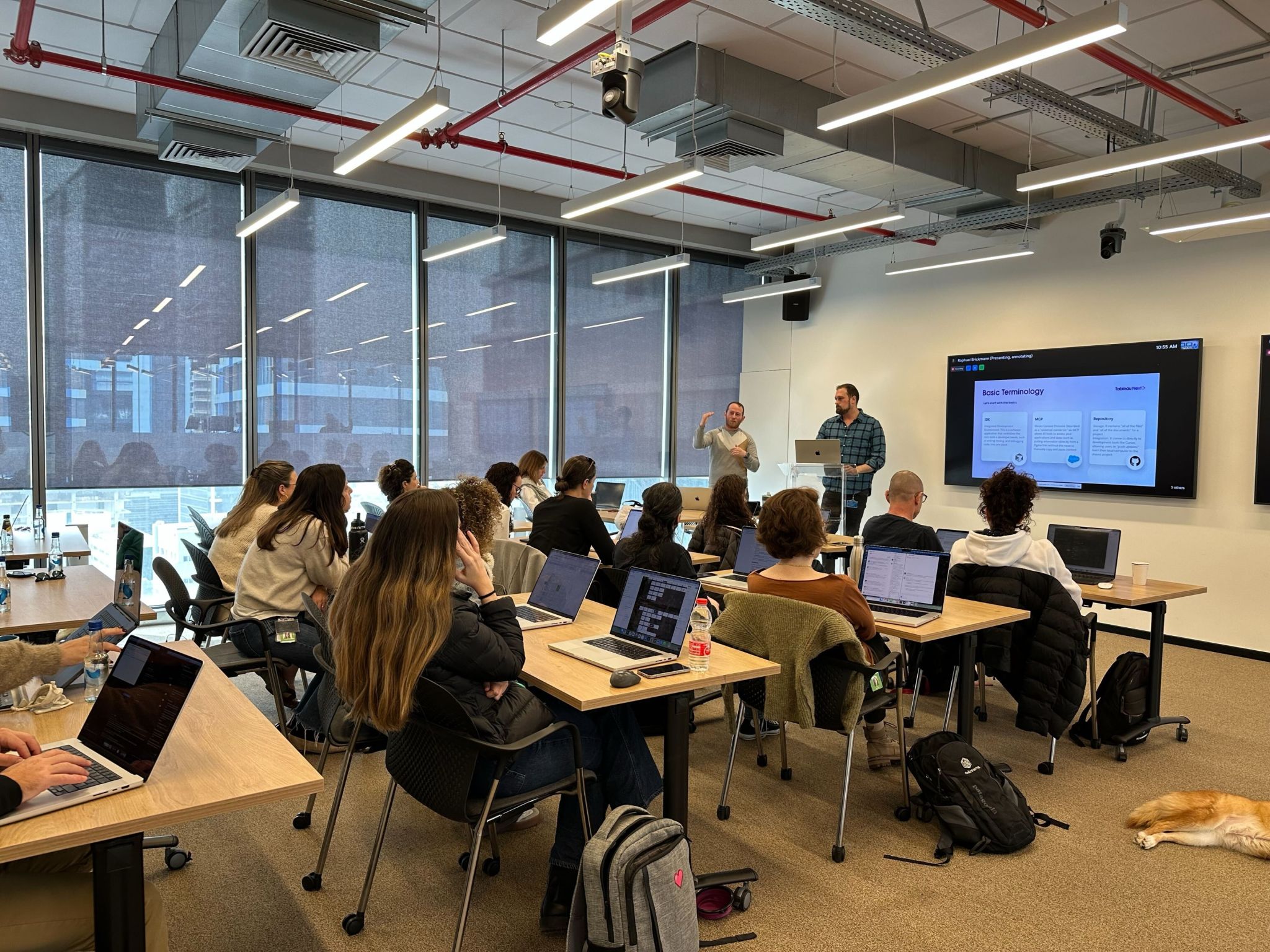
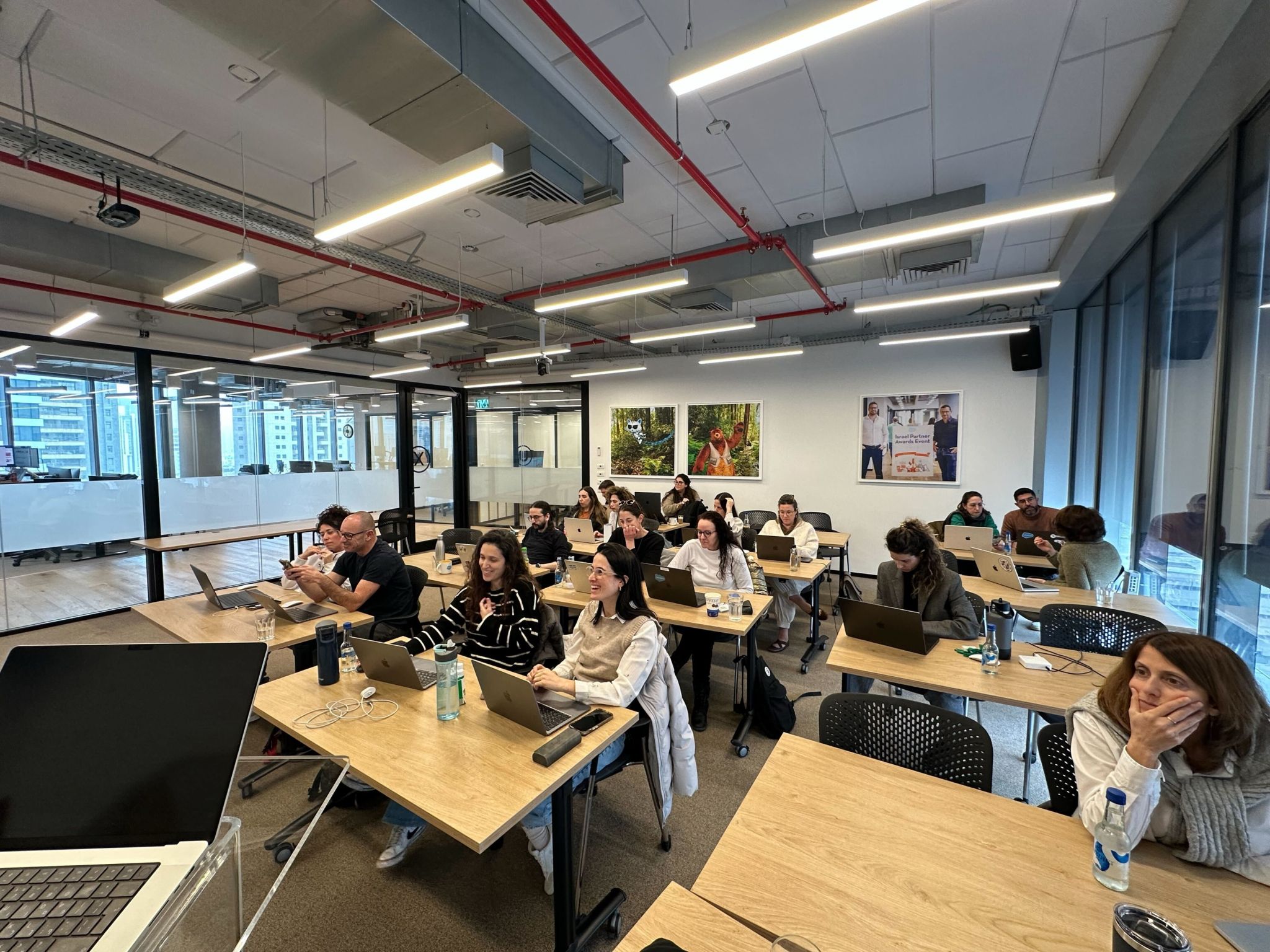
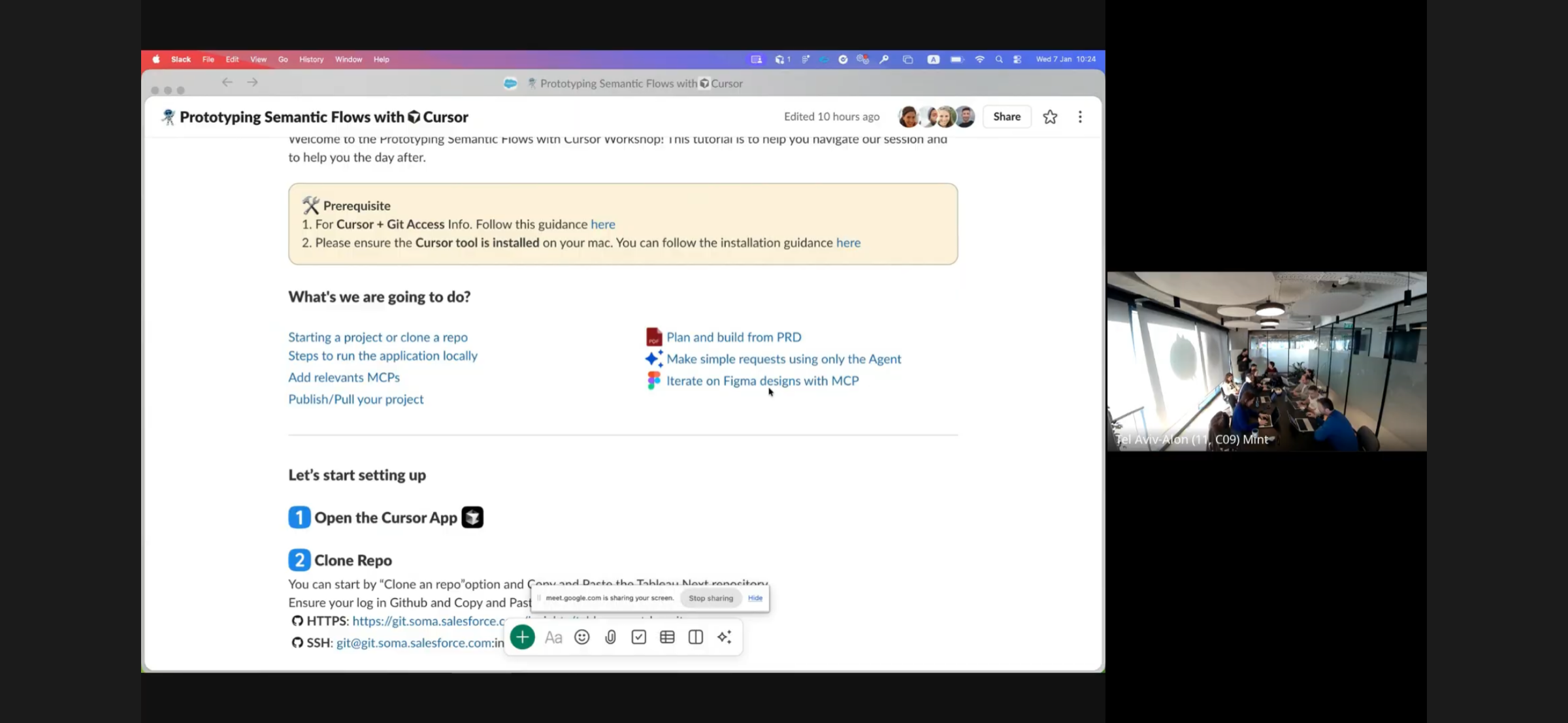
Workshop recording
Cursor AI × C360
The Cursor workflow in practice: from repository to Figma, end to end.
08Outcome
Back to the three pain points.
Each problem we started with has an answer in the product, and four complex features reached beta already validated by 50 professionals, with P0 updates prioritised and the roadmap realigned to user needs.
Product impact
Nearing one year since GA, with strong enterprise adoption.
Tableau Semantics keeps expanding across AI-driven analytics.
Customers use the semantic layer to standardise metrics, simplify data access and accelerate insight generation across more than 20 applications.
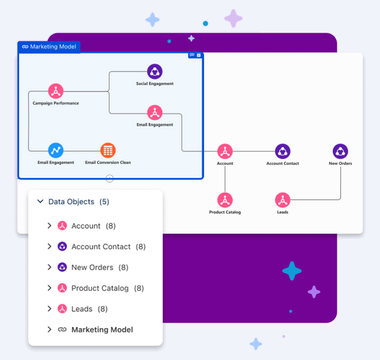
2600+active accounts
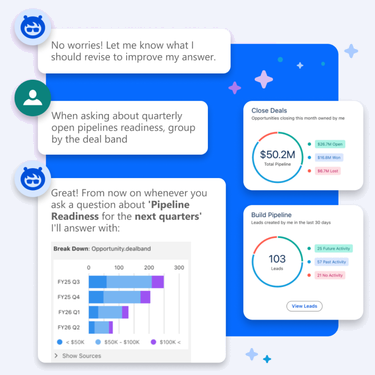
200accounts using Agentforce for Analytics
Globalcustomers, including Mastercard, lululemon and Skai
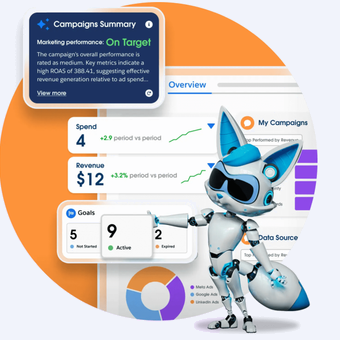
20+apps powered by the semantic layer
- 01
Cryptic field names → business language
Analysts translate fields on a visual canvas instead of decoding columns, lowering the cognitive load of modelling.
- 02
Conflicting logic → one source of truth
Definitions live once in the model, so every dashboard, report and agent inherits the same answer.
- 03
Unreadable models → AI-ready
Model Optimisation and the Agent Test Center make the model robust for natural-language questions.
What I learned
Validate before you have users
AI-moderated interviews closed the end-user validation gap before beta, early enough to change P0 priorities.
Guidance and control are both needed
Experienced analysts asked for granular controls while novices needed a guided path; the same flow has to serve both.
Operations is design work
With six designers, a shared workflow and a linked library were as important as any screen.
Next timeMeasure time to a first published model and how often AI-drafted definitions are accepted, and re-test the “Additional Dimensions” step with novice analysts.
Credits
- Role
- Senior Product Designer · Design Lead
- Client
- Salesforce · Tableau Next
- Timeline
- 2024–2026
- Disciplines
- Product Strategy
- UX/UI Design
- Agentic Research
- Design Ops
- Design System
- AI Prototyping
- Recognition
- Tableau Next launch: Semantic Layer GA, 2026
- Cursor AI Methodology workshop: UX Guild, 2025