Ad-Tech2018–2019
Fyber Monetization: How I folded three acquired ad platforms into one publisher dashboard, so app developers could set up ads and see what drives revenue.
Fyber MonetizationFyber

- My role
- Product Designer: research, flows, UI, design system
- Team
- Product, Sales and Clients
- Platform
- Fyber publisher dashboard + Test App
- Scale
- 10,000+ apps · 1.2B monthly users
01Problem
Three acquisitions, three dashboards, one publisher.
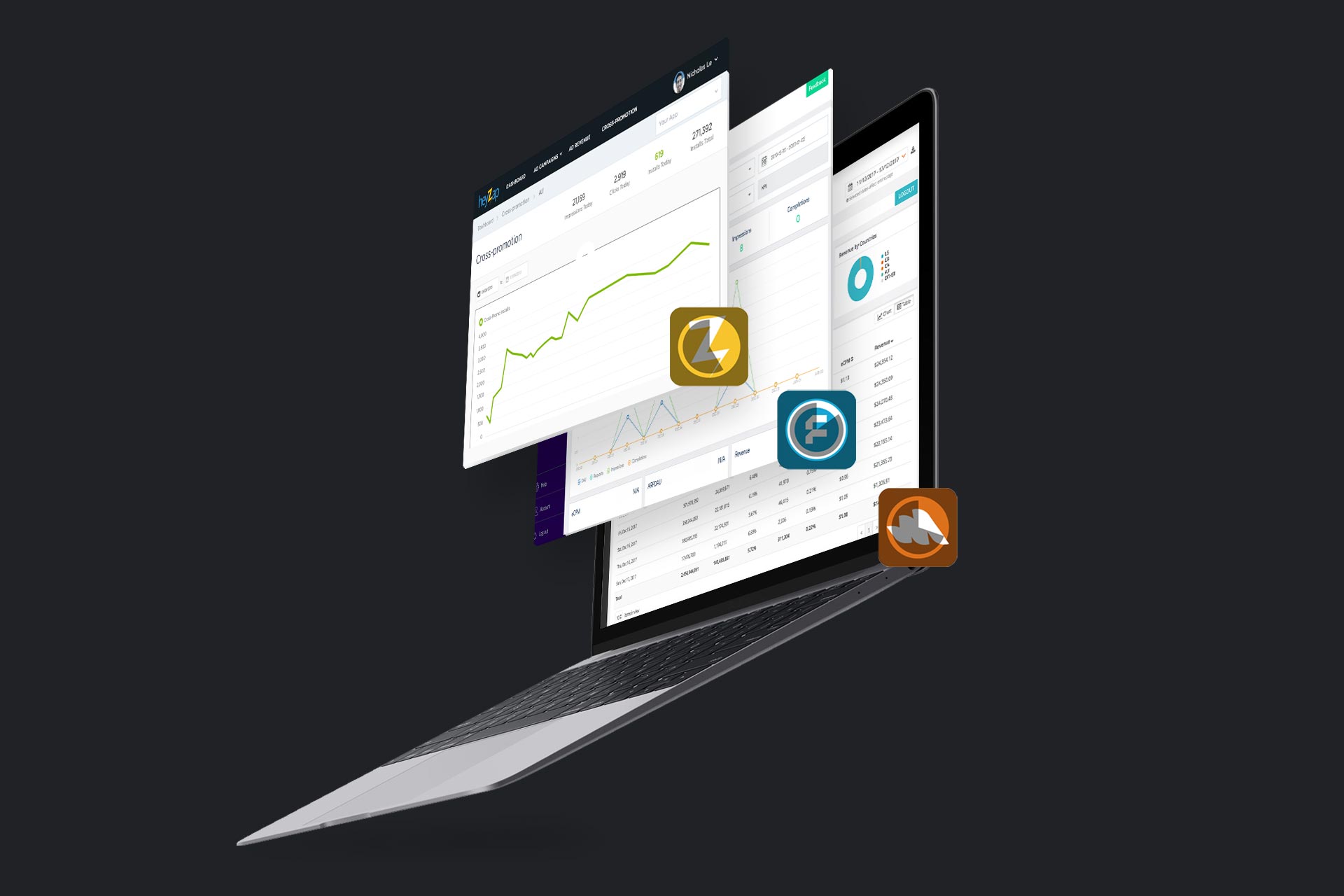
Fyber helps app and game developers earn revenue with ads. After acquiring Inneractive, Heyzap and Falk Realtime, publishers had to work across three legacy platforms just to monetise one app.
- mobile apps and games on the platform
- 10,000+
- unique monthly active users
- 1.2B
- legacy platforms a publisher had to work across
- 3
- dashboard to replace them
- 1
What that cost publishers
- 01
Fragmented access
Three platforms, three entry points. No single place to manage an app.
- 02
Heavy setup
Adding an app, configuring placements, targeting audiences and managing demand sources was hard work.
- 03
Unclear revenue drivers
Publishers couldn’t easily see which demand sources and campaigns earned the most.
How might we
…give publishers one easy place to set up ads and see what drives revenue, so they can get back to making great apps?
02My role
Designing the shift from three platforms to one.
I worked with the Product team, Sales and Clients to drive the move to one easy-to-use dashboard, robust reporting and unified access. I owned the design from research and wireframes through to the final interface.
What I did
From interviews to a living style guide
The shift was shared with Product, Sales and Clients; each design step below was mine.
- 01I ran user interviews and desk research on competitors and users
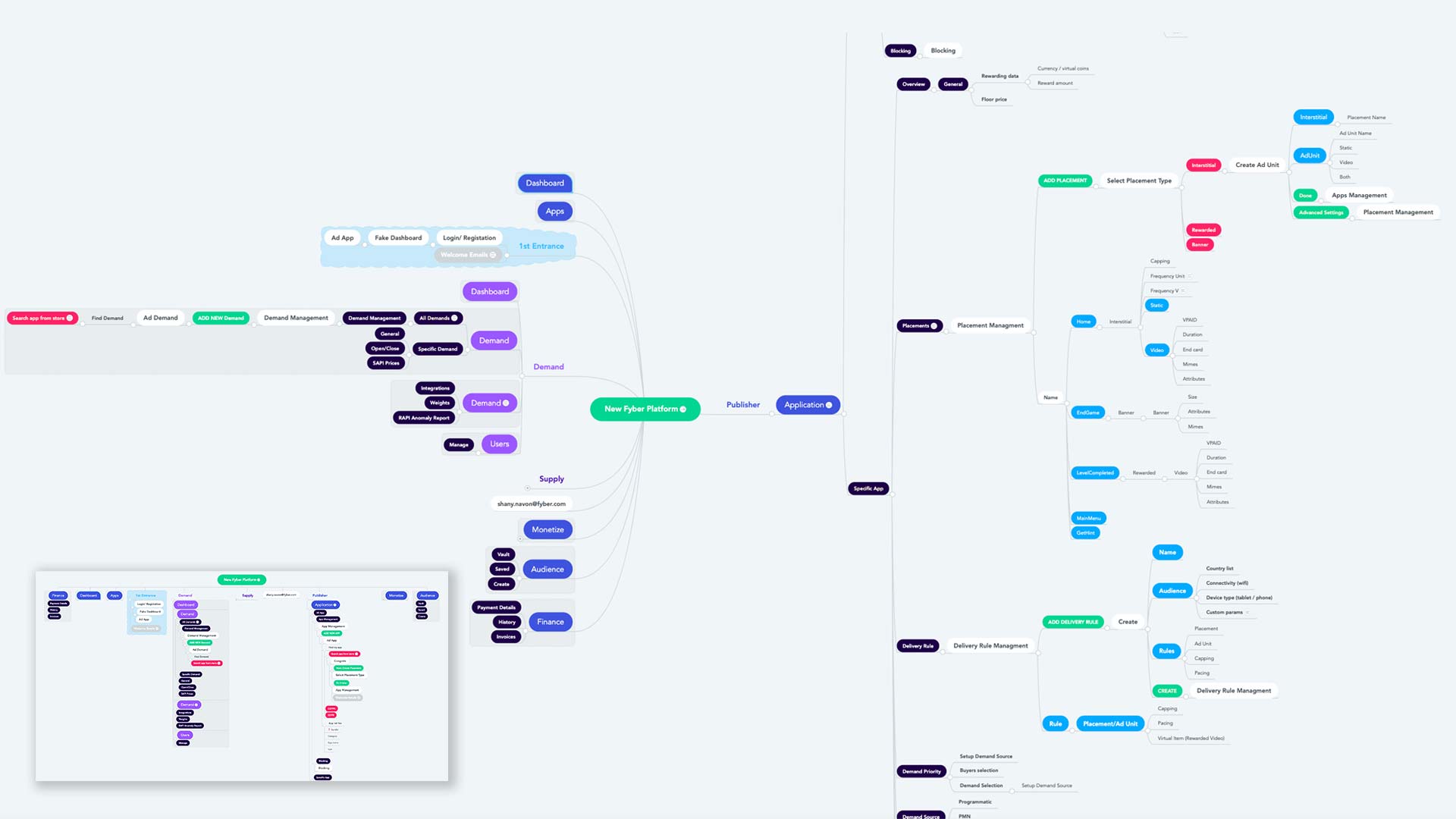
- 02I mapped the system hierarchy and site flow
- 03I sketched wireframes to iterate quickly through ideas
- 04I designed the dashboard, reports and the mobile Test App
- 05I gathered feedback from designers, product managers and internal users
- 06I built the living style guide on React Material UI
Constraints
- 01
Three products to merge
Each acquired company came with its own dashboard, habits and users.
- 02
A platform already at scale
The new workflow had to serve 10,000+ apps and games, with over 1.2 billion unique monthly active users.
- 03
Validation came later
Formal validation was a post-interface step: feedback from designers, PMs and internal users shaped this phase.
03Process
Structure first, pixels second.
Interviews and desk research showed how competitors and publishers behave. I turned those insights into a site flow and wireframes before touching visual design.

Design decisions
- 01
ChoseOne workflow: add an app, configure placements, target audiences, manage demand sources
OverPorting each legacy dashboard’s screens as they were
BecausePublishers needed a single, easy path to monetise, not three products stitched together.
- 02
ChoseUser flows and wireframes before high fidelity
OverGoing straight to finished screens
BecauseLow-fidelity structure let me iterate faster through ideas.
Production design
Every screen, checked the same way
Once the structure held, each screen was designed against six considerations from the brief.
- 01Contrast
- 02Hierarchy
- 03Feedback
- 04Brand attributes
- 05User interactions
- 06Imagistic universe
04Design
One sign-in, one workflow, one source of truth for revenue.
The new workflow makes each publisher task a single path. Feedback from designers, product managers and internal users then showed where gaps remained.
Platform overview
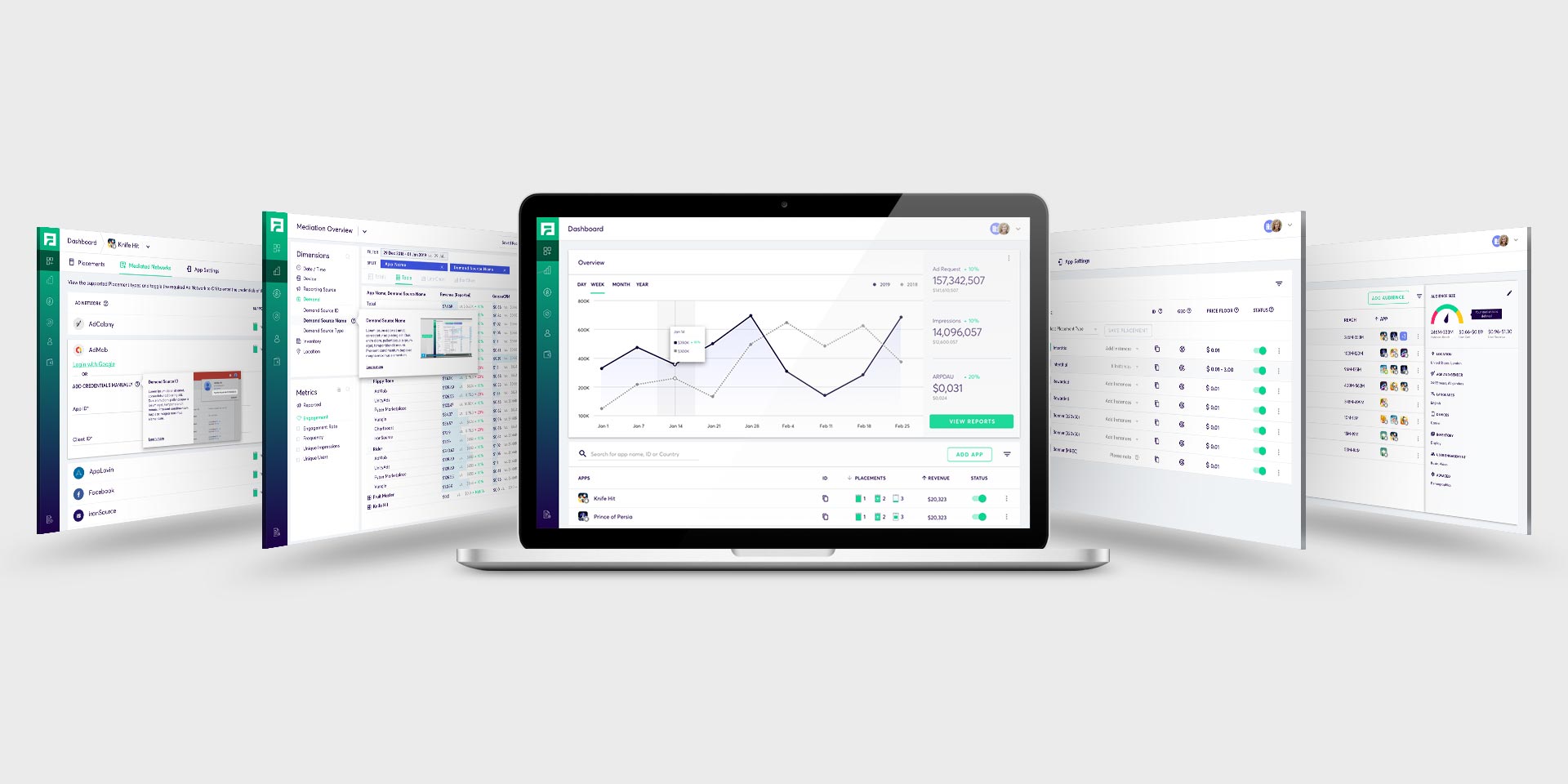
01Access & dashboard
Unified access replaces three logins; the dashboard opens on performance and the publisher’s apps.

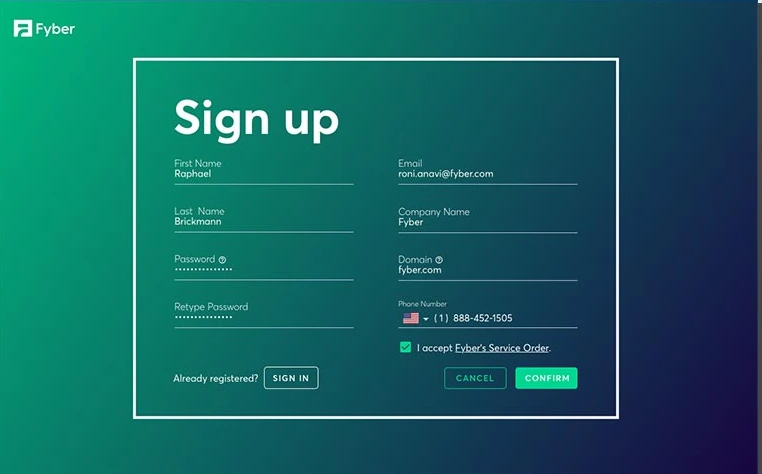
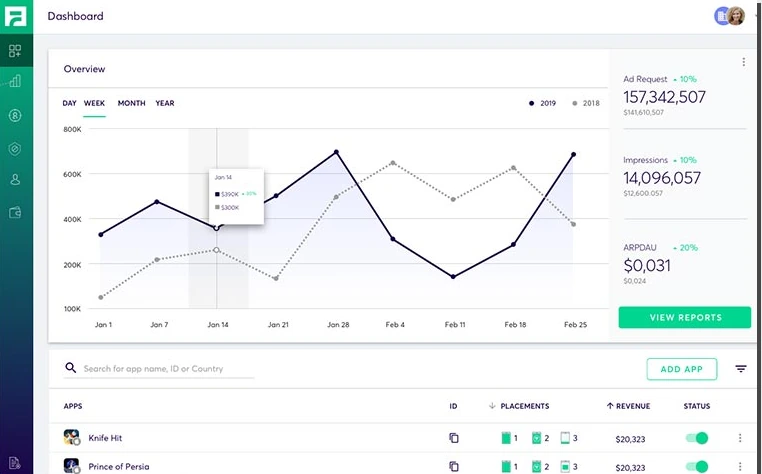
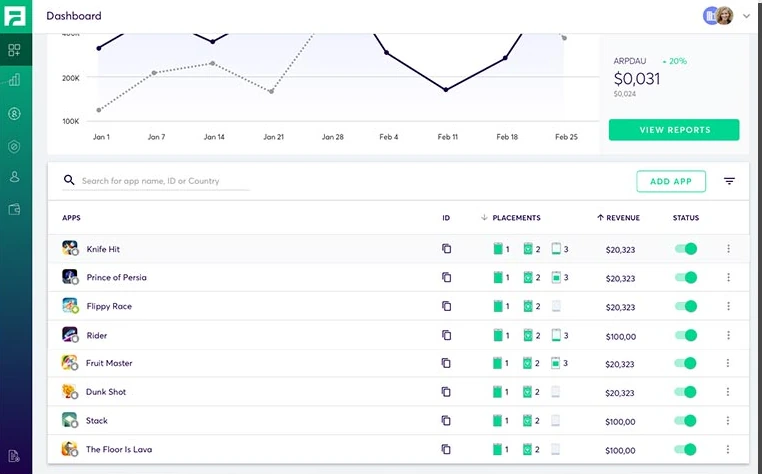
One entry point for every publisher.Create an account in a single step.Requests, impressions and ARPDAU at a glance.Every app with its placements, revenue and status.
02Placements
Create and configure placements per app: switch apps, prioritise instances, set ad types, capping and pacing.
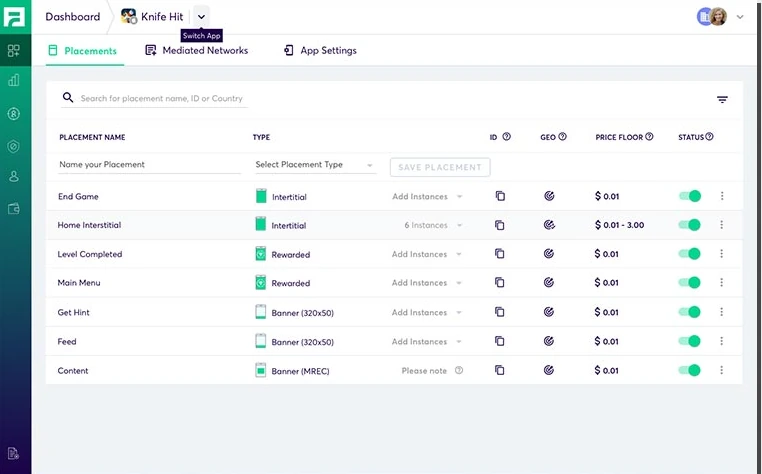
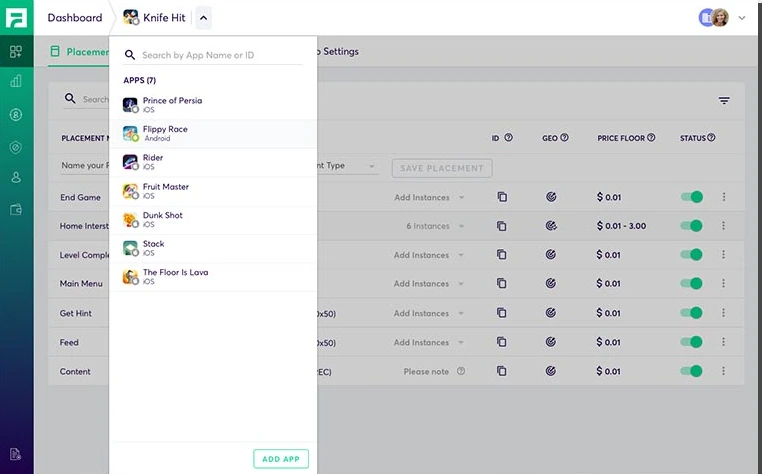
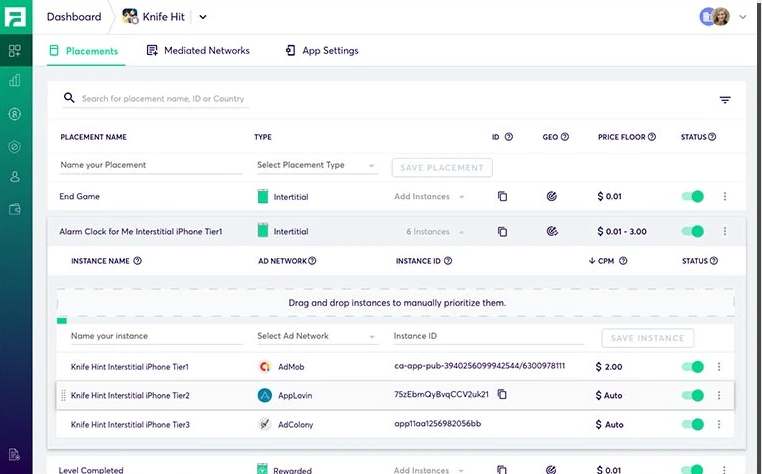
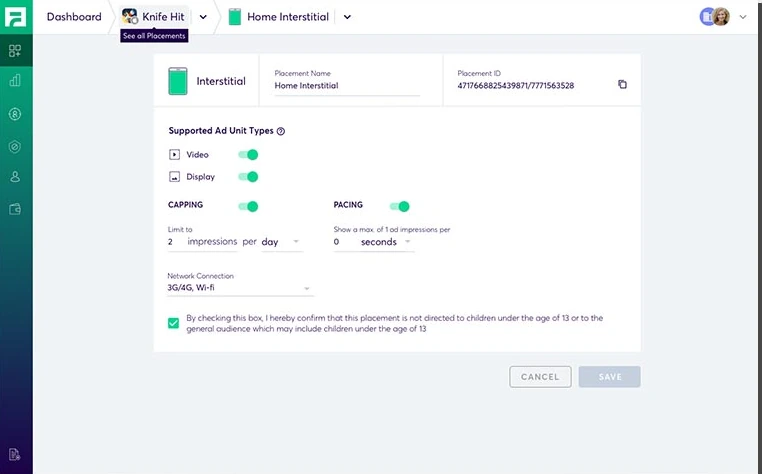
Placements by type, price floor and status.Jump between apps without leaving the list.Drag and drop instances to prioritise them.Ad unit types, capping and pacing.
03Demand sources
Every mediated network in one place: toggle it on and enter its credentials.
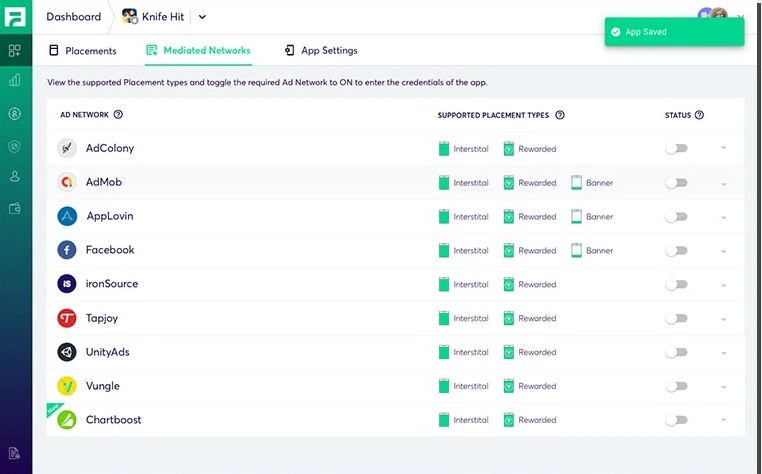
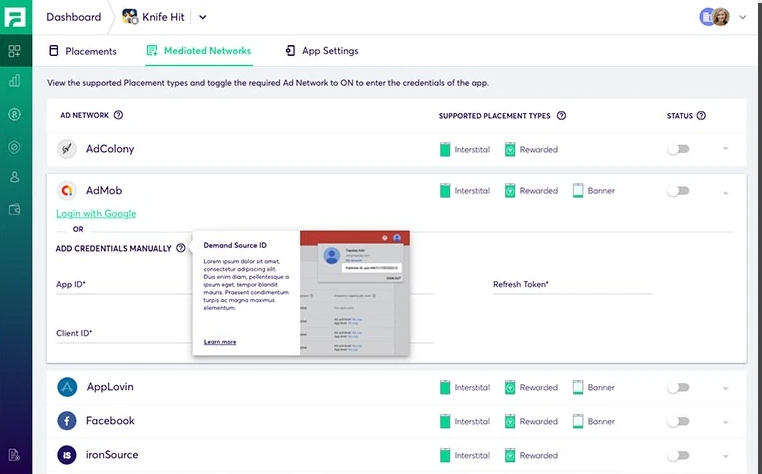
Supported placement types per network.Connect a network with its app ID and keys.
04Dynamic Reports & audiences
See which demand sources and campaigns earn the most, optimise the ad setup, and target the right audiences.
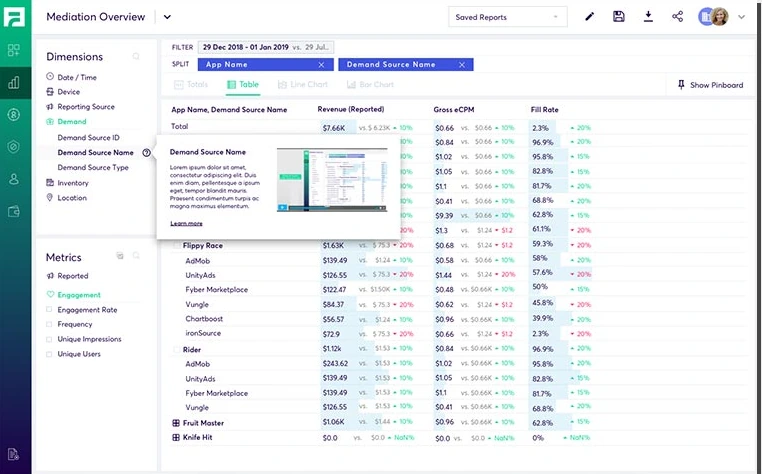
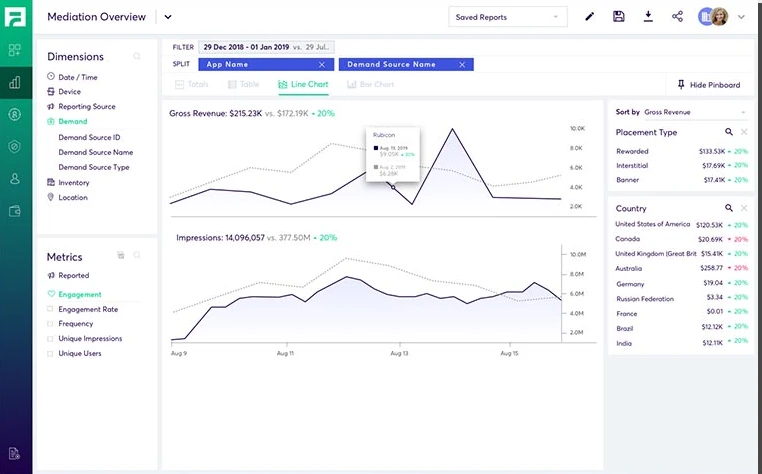
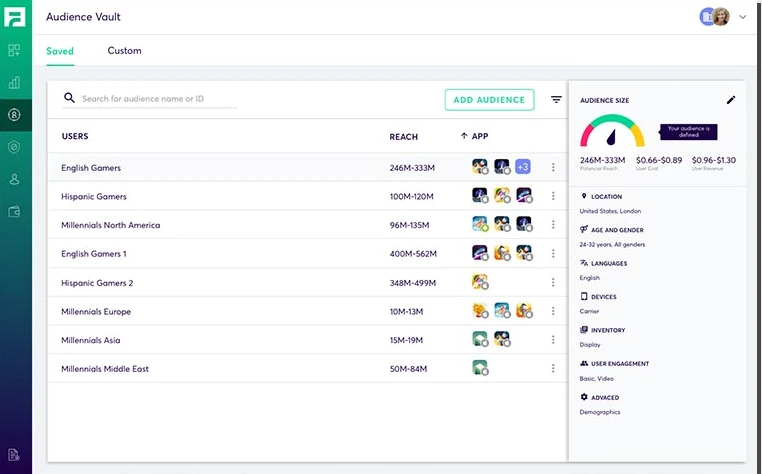
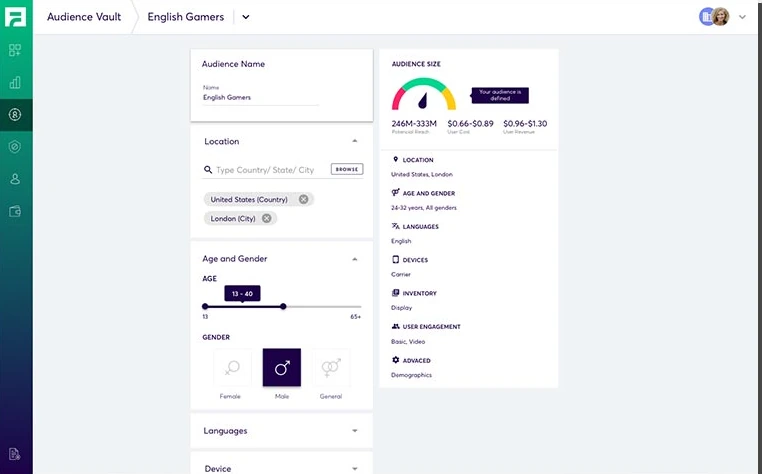
Split revenue by app and demand source.Gross revenue and impressions over time.Saved audiences with their reach.Location, age, gender, language and device.
05Test App
Is every network ready to serve?
Developers needed to know their mediated ad networks were integrated before going live. I designed the Test App so its main screen shows the integration’s status at once.
Mobile Test App
Integration status, at a glance
The app checks that every mediated ad network is properly integrated and ready to serve and display ads.
One screen answers the question before a single ad goes live.

Design decisions
- 01
ChoseAn immediate integration status on the main screen
OverFinding integration issues after the app is live
BecauseFixing issues before going live is the recommended path; the status screen makes that the default.
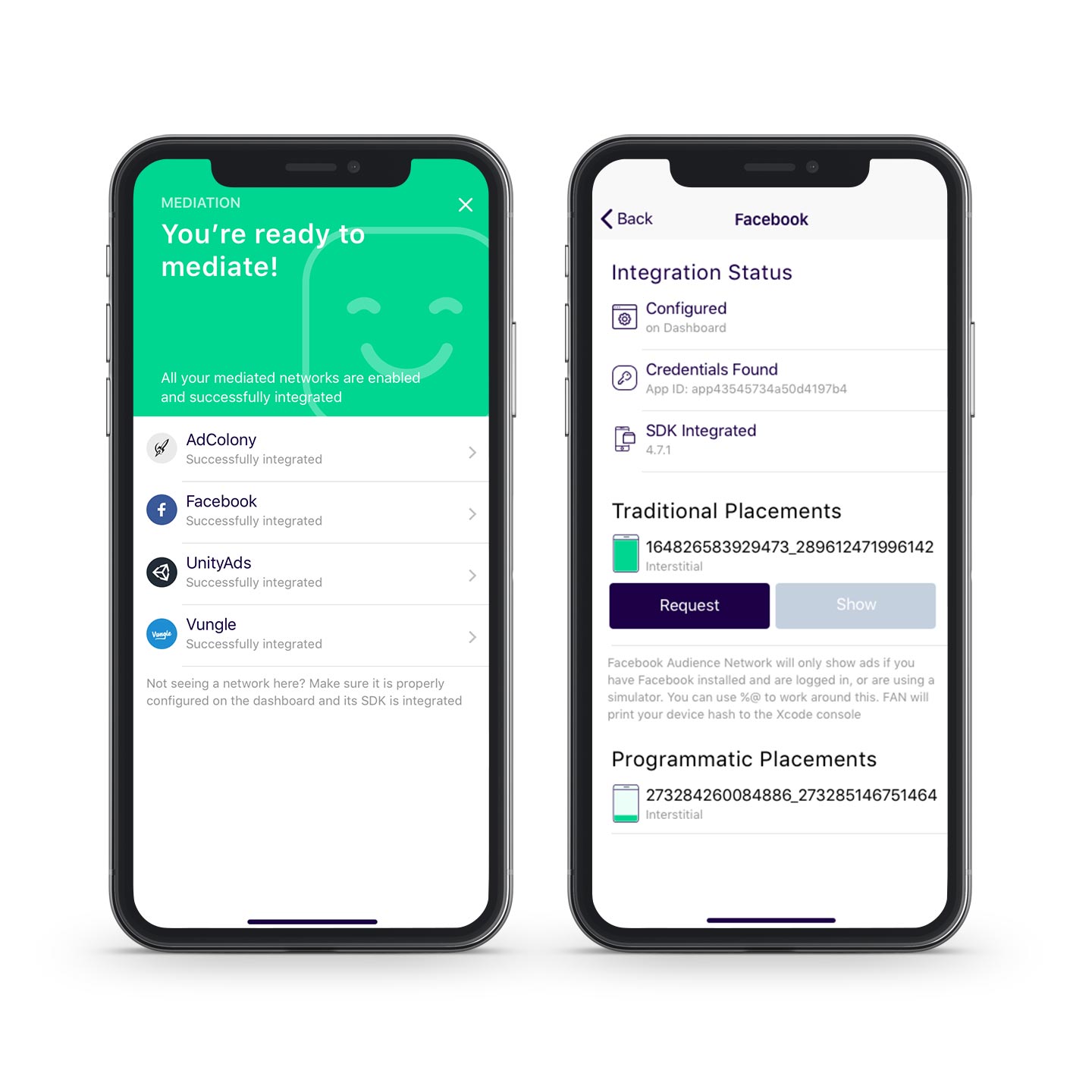
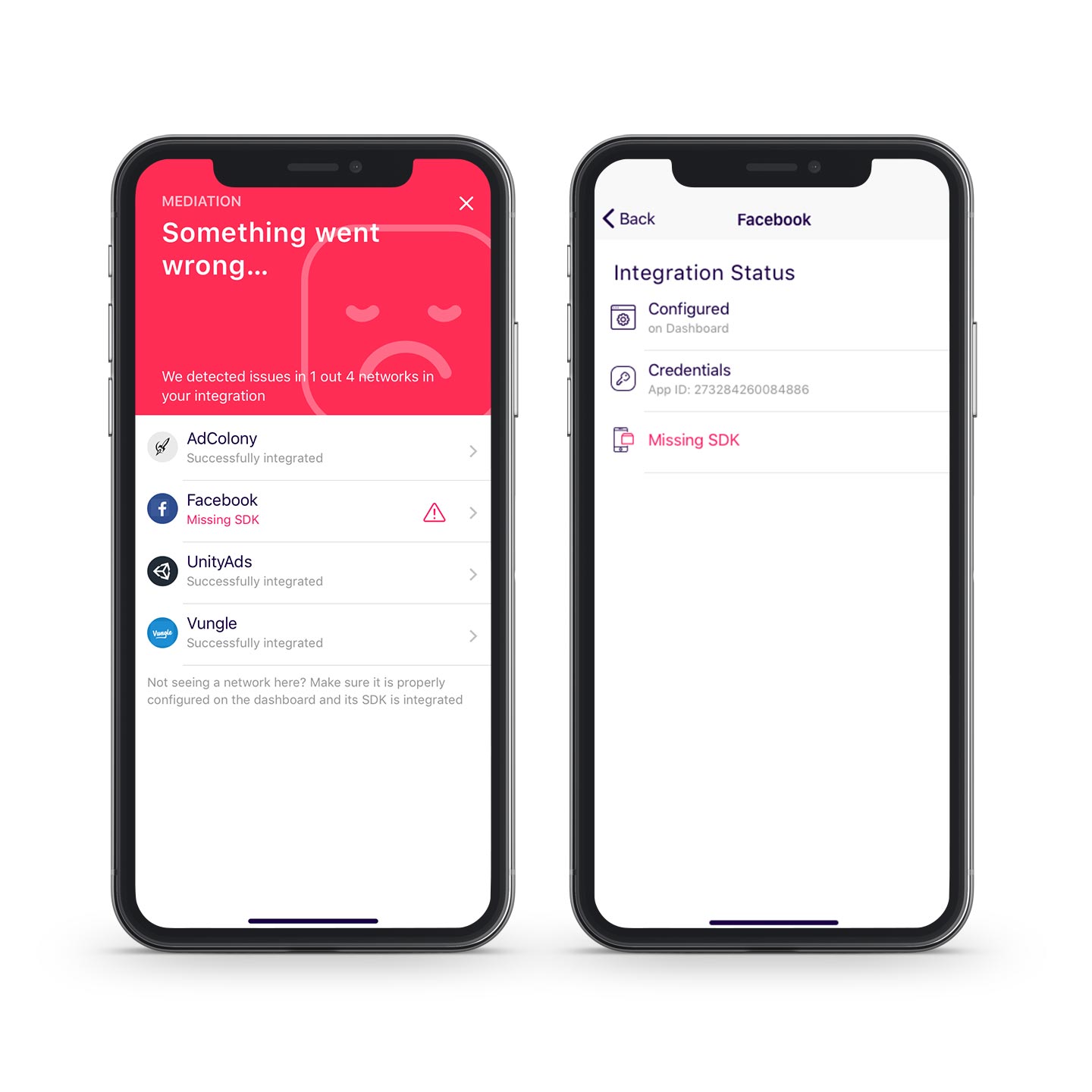
Two states, two next steps
Successful
- Integration looking great. The developer moves straight on to testing mediation placements.
Unsuccessful
- Issues with the integration. They should be fixed before going live with the application.
06System
A living style guide everyone could pull from.
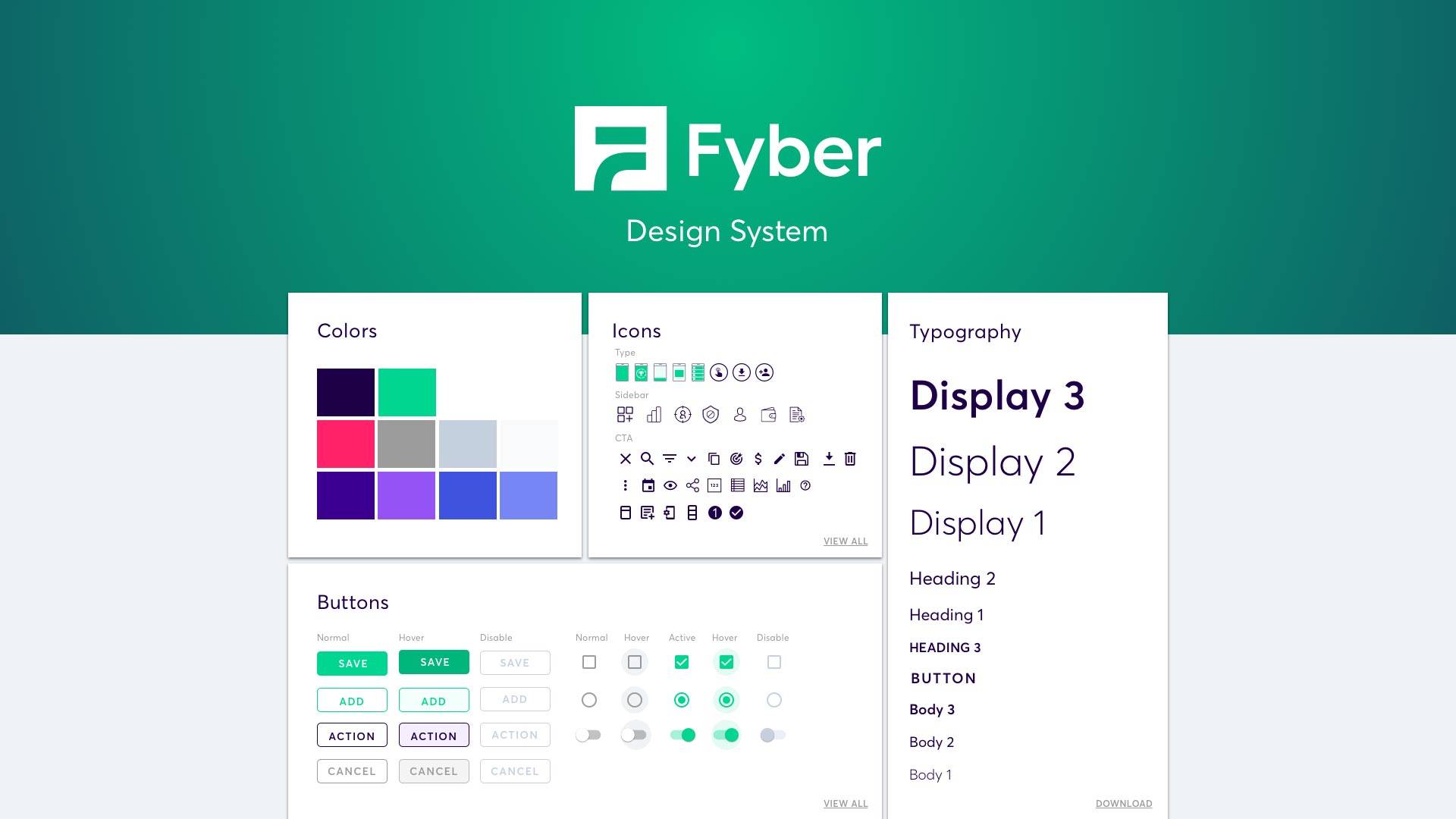
I built a living style guide on React Material UI for Fyber’s product designers and developers. Anyone could download any asset in the system.
Design decisions
- 01
ChoseA style guide built on React Material UI
OverA fully bespoke component library
BecauseDesigners and developers shared one set of downloadable assets.
Layout
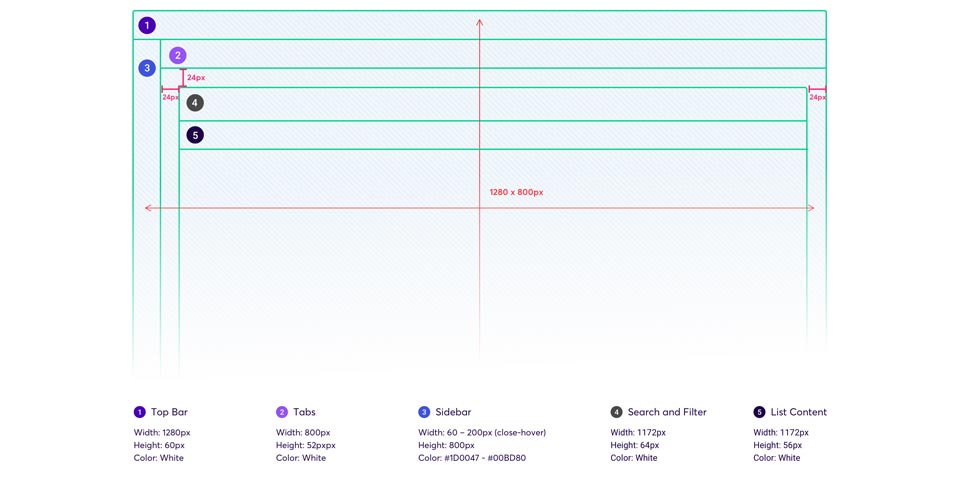
One spacing model for every list
A 1280 × 800 layout with 24 px margins: top bar, tabs, a 60–200 px sidebar, search and filter, then list content.
The same structure carries every list in the platform.
07Outcome
One dashboard where there were three.
Each problem publishers started with now has a single answer in one platform.
- 01
Fragmented access → unified access
Three legacy platforms replaced by one easy-to-use dashboard and one sign-in.
- 02
Heavy setup → one workflow
Add an app, configure placements, target audiences and manage demand sources in one path.
- 03
Unclear revenue → Dynamic Reports
Publishers see which demand sources and campaigns drive revenue, and optimise from there.
What I learned
Consolidation is a workflow problem
Merging three products worked when I designed one publisher journey, not a union of old screens.
Structure before polish
Flows and wireframes let ideas fail cheaply before visual design started.
Developer tools are product too
The Test App turned a hidden integration risk into one readable screen.
Next timeValidate with publishers in structured usability tests, and measure setup time and integration errors before and after launch.
Credits
- Role
- Product Designer
- Client
- Fyber
- Timeline
- 2018–2019
- Disciplines
- UX Research
- Information Architecture
- UX/UI Design
- Design System
- Mobile Test App